






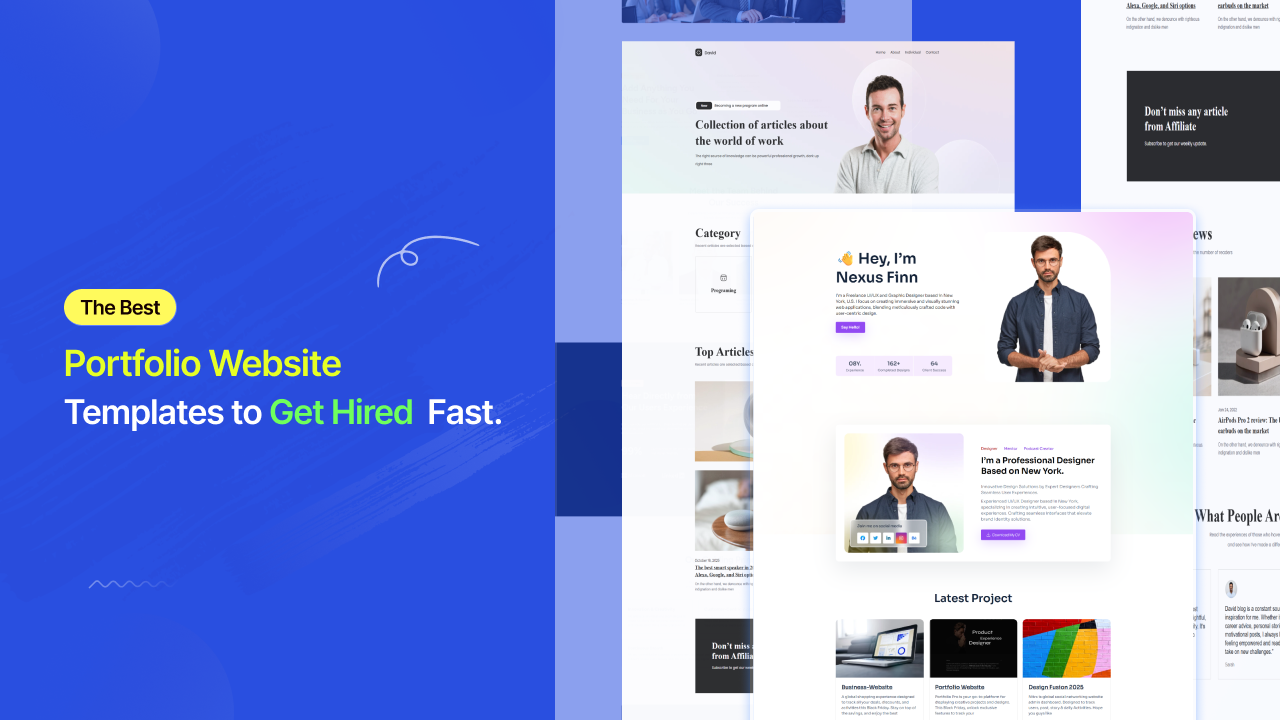

Most hiring managers spend less than 45 seconds on a portfolio before deciding whether to keep reading or move on, according to industry research compiled by SattiveDev Labs. Clients do the same. In those 45 seconds, they are not reading your bio or studying your process. They are forming a feeling — professional or amateur, confident or uncertain, worth the rate or not.
That feeling is shaped almost entirely by your template.
Here is the number that should drive the decision: freelancers with their own portfolio websites earn 35% more than those relying solely on platforms like Upwork or Fiverr, according to Colorlib’s 2026 freelance statistics. The U.S. alone has 72.9 million freelancers — close to 38% of the entire workforce, and 79% of hiring managers plan to rely more on freelance talent in the coming years, according to SQ Magazine’s 2026 freelance economy analysis.
The market is growing. The competition for attention is growing faster. And the difference between a freelancer who wins clients and one who watches their pitch get ignored is often not the quality of the work. It is the template presenting it.

What Is a Portfolio Website Template?
A portfolio website template is a professionally designed, pre-structured website layout built for creatives, freelancers, and professionals who need to showcase their work online. It gives you the page architecture and visual framework — so you skip the blank-canvas problem and go straight to making it yours.
The distinction from a generic business template matters. Portfolio templates are built around work display, not service description. Every layout decision — gallery grid density, whitespace distribution, typography scale, case study flow — exists to make your work the undeniable focal point of every page.
According to Colorlib’s analysis of thousands of portfolio websites, an effective portfolio needs five core elements:
A filterable project gallery that lets visitors sort work by category with smooth animations on rearrange. An about section that tells your professional story with enough personality to create real connection. A clear list of services or skills that converts interest into inquiry. Social proof through client testimonials or brand logos. An easy-to-find contact form that never makes the visitor hunt.
Optional but high-converting additions include case study pages that walk clients through your problem, process, and result — and a blog that builds topical authority over time. Show your 8 to 12 strongest pieces, not everything you have ever done. Quality over quantity is not a creative preference — it is a conversion strategy.
Why Your Portfolio Template Is a Business Decision in 2026
Most creatives treat their portfolio as a digital brochure. The ones winning clients treat it as a 24/7 sales tool.
48% of CEOs are planning to boost freelance hiring in the coming year, according to Upwork’s Future Work Index. Over 99% of major employers plan to continue or increase their use of freelancers throughout 2026, per DemandSage’s 2026 analysis. 75% of workers in the art and design profession in the U.S. are freelancers, which means the competition for client attention in creative fields is structural, not temporary.
Your template determines whether a potential client who discovers your work stays long enough to become curious, or bounces in three seconds because the gallery was slow, the navigation was unclear, or the design communicated doubt instead of confidence. A great template does not just display work; it converts interest into inquiry.

Types of Portfolio Website Template
Photography Website Templates
Photography templates are the most image-forward category in portfolio design. The entire layout is built around one principle: images must fill the viewport without compression, distortion, or slow loading.
The best photography website templates use masonry grid galleries, lightbox viewing, and category filtering — portrait, editorial, commercial, landscape, events — so visitors navigate by the type of work they need. A single arresting hero shot above the fold converts better than a rotating carousel of five images. One image, chosen well, stops the scroll. Five images split the attention.
Critical details that separate strong photography templates from weak ones: lazy loading for performance, watermarking support for unpurchased work displayed publicly, and a pricing section for photographers selling sessions directly through the site. Some templates include both portfolio album pages and individual category galleries — a structure that works well for photographers whose work spans multiple specialties. Always test the demo on mobile before desktop. A gallery that breaks or crops on a phone screen is not worth building on.
Wedding Photographer Website Templates
Wedding photography is a category within photography that deserves entirely separate consideration — because its buyer psychology is fundamentally different.
A couple choosing their wedding photographer is not making a rational evaluation. They are making an emotional one. They want to feel that this specific person understands how to capture the version of their day that exists in their imagination. Your website needs to create that feeling before a pricing page is ever seen.
The most effective wedding photographer website templates lead with romantic, cinematic imagery above the fold — ideally a full-screen photograph from an actual wedding, not a stock image. They include a section that speaks directly to the couple’s experience of working together, not just a package list. Testimonials from past couples carry enormous trust-building weight and should appear before any pricing information, not after it.
Templates designed for wedding photographers include testimonial sliders, portfolio carousels, newsletter subscription forms, and predefined internal pages for Work, About, and Booking, according to Colorlib’s 2026 wedding photography template roundup. The practical infrastructure matters too: a consultation booking form with a wedding date field, a client gallery password system for private delivery, and a separate page structure for albums and engagement shoots.
Artist Website Templates
Artist website templates share visual DNA with photography templates — large imagery, gallery-first layouts, generous whitespace — but the underlying content structure is different in one critical way.
Artists need to tell the story of a body of work, not just display individual pieces. A fine art portfolio is not a product catalog. It is a curated narrative. The best art website templates are built around this distinction with a collections or series architecture, a statement or process section where the artist’s voice and context come through, an exhibitions and press section for institutional credibility, and a shop integration for originals, prints, or commissions.
The color palette and typography in an artist template need to disappear into the work. A loud, opinionated design competes with the art. Think of the template as the gallery wall — present but invisible, existing only to frame what is on it. Squarespace’s Cami template is recommended by Squarespace’s own editorial team for fine artists specifically because its large photos and strategic whitespace let the breadth of a multidisciplinary practice breathe without visual competition from the interface itself.
Web Developer Portfolio Templates
Developers have a specific relationship with their portfolio template: the site itself is part of the portfolio. A developer using a slow, bloated, or poorly structured template sends an implicit signal about their technical standards that no headline can fix.
For developers, the most relevant format is a portfolio template with source code — downloadable HTML, CSS, and JavaScript files or React component templates hosted on GitHub — which allow full customization and self-hosting on GitHub Pages, Vercel, or Netlify at essentially zero cost.
Key sections that convert for a developer portfolio: a projects grid with live demo links and repository links visible on hover, a skills matrix with technology icons organized by category, a timeline-style work history, and a contact section with a stated response time. Clean, fast, self-hosted — that is the signal a developer portfolio needs to send before a single line of their code is read.
Personal Portfolio Templates
Built for professionals who span roles — consultants, marketers, writers, UX researchers, strategists. Personal portfolio templates prioritize personal branding over project display. The hero leads with the person, not the work. A strong positioning headline — “UX Designer helping fintech startups simplify complexity” — sets the frame before any scrolling happens.
Navigation here is simpler: About, Work, Resume, Contact. Case study layouts that walk through problem, process, and result are essential for fields where the thinking matters as much as the deliverable.

Portfolio Website Templates: Platform Comparison
|
Platform |
Best For |
No-Code |
Truly Free Option |
Customization Depth |
Ongoing Cost |
|
WordPress + aBlocks |
All creative types |
Yes |
Yes — template-kits.com |
Full block-level |
Hosting only |
|
WordPress + Elementor |
Designers, agencies |
Yes |
Limited |
Deep |
Hosting + plugin fee |
|
Squarespace |
Photographers, artists |
Yes |
No |
Moderate |
$16–$49/month |
|
Wix |
Generalists, beginners |
Yes |
Limited |
Moderate |
$17–$35/month |
|
Webflow |
Design-forward creatives |
Partial |
Limited |
High |
$14–$39/month |
|
Framer |
Modern creatives |
Partial |
Limited |
High |
$10–$30/month |
|
GitHub Pages (HTML/React) |
Developers |
No |
Yes |
Full code control |
$0 |
The clearest insight from this comparison: WordPress remains the only platform that delivers professional template quality, full no-code customization, complete site ownership, and zero monthly platform fee — especially when paired with aBlocks and a free template library like template-kits.com.
Free vs. Paid Portfolio Website Templates: The Honest Version
Most people pick a free template and discover within twenty minutes that the best sections are locked behind a paid upgrade. According to Gola Supply’s analysis of free portfolio templates, a truly free portfolio template gives you full page exports or one-click imports with no locked sections, includes every page type shown in the demo, does not require a paid platform account to publish, and does not watermark your live site.
|
Feature |
Generic Free |
Premium Paid |
Free Premium (aBlocks) |
|
Portfolio-specific gallery layouts |
Rarely |
Yes |
Yes |
|
Filterable project grid |
No |
Usually |
Yes |
|
Case study page template included |
No |
Sometimes |
Yes |
|
Mobile-first design |
Inconsistent |
Yes |
Yes |
|
No-code full customization |
Rarely |
Yes |
Yes |
|
Source code download |
Sometimes |
Rarely |
No (WordPress-based) |
|
Regular design updates |
No |
Sometimes |
Yes |
|
Cost |
$0 |
$30–$300+ |
$0 |
The Best Free Portfolio Website Templates in 2026: Template-Kits.com
If you have been sorting through Squarespace plan tiers, Webflow upgrade prompts, and Wix watermarks looking for a portfolio template that actually works for free — template kits is where that search ends.
It is a curated library of free, professionally designed website templates built on aBlocks — a WordPress Gutenberg-based block builder. Every template is crafted by professional designers and available at zero cost — no trial period, no feature lock, no upgrade prompt after import.
The workflow is fast. You browse template-kits.com, install the free aBlocks plugin, import your chosen portfolio layout in one click, then customize every block — gallery grid, hero section, about copy, contact form — without writing code. For photographers, replace the placeholder images with your strongest work. For developers, swap the project cards with your own. For artists, adjust the collection structure to match your series architecture.
One real user described it: “aBlocks has completely changed how I see Gutenberg. The customization options are incredibly intuitive, and everything feels polished and professional. It’s like Gutenberg finally found its missing piece.” (Source: template-kits.com)
aBlocks works with any WordPress theme, supports WooCommerce for selling prints or digital products directly, and is built on clean code that gives your portfolio a genuine advantage in local and niche Google search results.

How to Choose the Right Portfolio Website Template
Define your primary visitor action first. Do you want visitors to email you, book a discovery call, buy a print, or download your resume? That single answer determines which template structure and CTA pattern serves you best.
Match the template tone to your work’s energy. A dark, editorial template suits moody, cinematic photography or fine art. A light, minimal template lets colorful, vibrant work dominate the screen. The template should disappear into your work — not compete with it.
Test mobile before desktop. Open every template demo on your phone. Navigate to the contact form. Check how the gallery renders on a small screen. 70% of users start on mobile — a template that breaks on small screens is not worth customizing on desktop.
Check for case study support. If your field rewards process explanation — UX design, branding, architecture, strategy — make sure the template includes a project detail or case study page type, not just gallery thumbnails.
Evaluate load performance honestly. Animations and large hero carousels that look impressive in a demo often slow the live site significantly. Favor templates built on clean, lightweight code with lazy image loading built in. This matters for both visitor experience and Google rankings.
The Portfolio Your Work Has Always Deserved
Your work is the proof. Your portfolio template is the frame. And in 2026, the quality of that frame determines whether a client pauses long enough to see what is inside.
The right template loads fast, presents your strongest work clearly, guides every visitor toward a specific action, and gives you full flexibility to evolve it as your career grows. It does not need to cost $300. It does not need a developer. It does not need a monthly subscription fee.
template-kits.com is where creatives, photographers, artists, and developers go when they want that template for free — professionally designed, built on aBlocks for WordPress, fully customizable without code, and available with one-click import.
Browse the free portfolio website template library at template-kits.com and build the online presence your work has earned.
Frequently Asked Questions
Are there free portfolio website templates I can download?
Yes. template-kits.com offers a full library of professionally designed, completely free portfolio templates powered by the aBlocks WordPress builder — no locked features, no watermarks, no upgrade prompts. For developers who prefer working in code, HTML5UP and Colorlib offer free HTML portfolio templates with source files included.
Are there portfolio website templates for WordPress and Elementor?
WordPress has the broadest portfolio template ecosystem of any platform. Elementor-compatible portfolio themes are available through ThemeForest, Colorlib, and the WordPress theme repository. For a Gutenberg-native alternative with equivalent design flexibility and no extra plugin cost, aBlocks templates via template-kits.com are the strongest free option.
Can I get a portfolio website template with source code?
Yes. HTML, CSS, and JavaScript portfolio templates with full source code are available on GitHub, HTML5UP, and Colorlib. React portfolio templates are available through GitHub repositories and developer communities. These are best for developers who want complete code ownership and free static hosting via GitHub Pages, Vercel, or Netlify.
What is the best photography website template in 2026?
Look for a photography template with a masonry or full-bleed gallery layout, lightbox viewing, category filtering, mobile-first image rendering, and genuine lazy loading for fast performance. Templates at template-kits.com are fully customizable for photography portfolios via aBlocks. For Squarespace-specific options, Beaumont and Cami are widely recommended for gallery performance and restrained design language.
What makes a wedding photographer website template different from a standard photography template?
Wedding photographer templates are built for emotional conversion before rational evaluation. They lead with romantic imagery and couple testimonials before introducing pricing. They include a consultation booking form with a wedding date field, a client gallery password system, and a warm editorial visual tone — rather than the commercial portfolio-grid structure used by product or commercial photographers.
Are artist website templates different from photography templates?
Yes, structurally. Artist templates are built around collections and series architecture — designed to present a body of work as a curated narrative, not a product catalog. They typically include a statement or process section, an exhibitions and press section for institutional credibility, and a shop integration for originals or prints. Photography templates prioritize individual image display, category browsing, and session booking. Both need mobile-first layouts and fast loading, but their navigation hierarchy and content purpose differ significantly.
What is the best personal portfolio website template?
The best personal portfolio template depends on your positioning and desired visitor action. Look for a layout that leads with a strong personal headline above the fold, has a clear contact or booking path, and includes a project or case study section that shows the thinking behind your work — not just the deliverable. template-kits.com offers personal and creative portfolio templates with full no-code customization through aBlocks.