






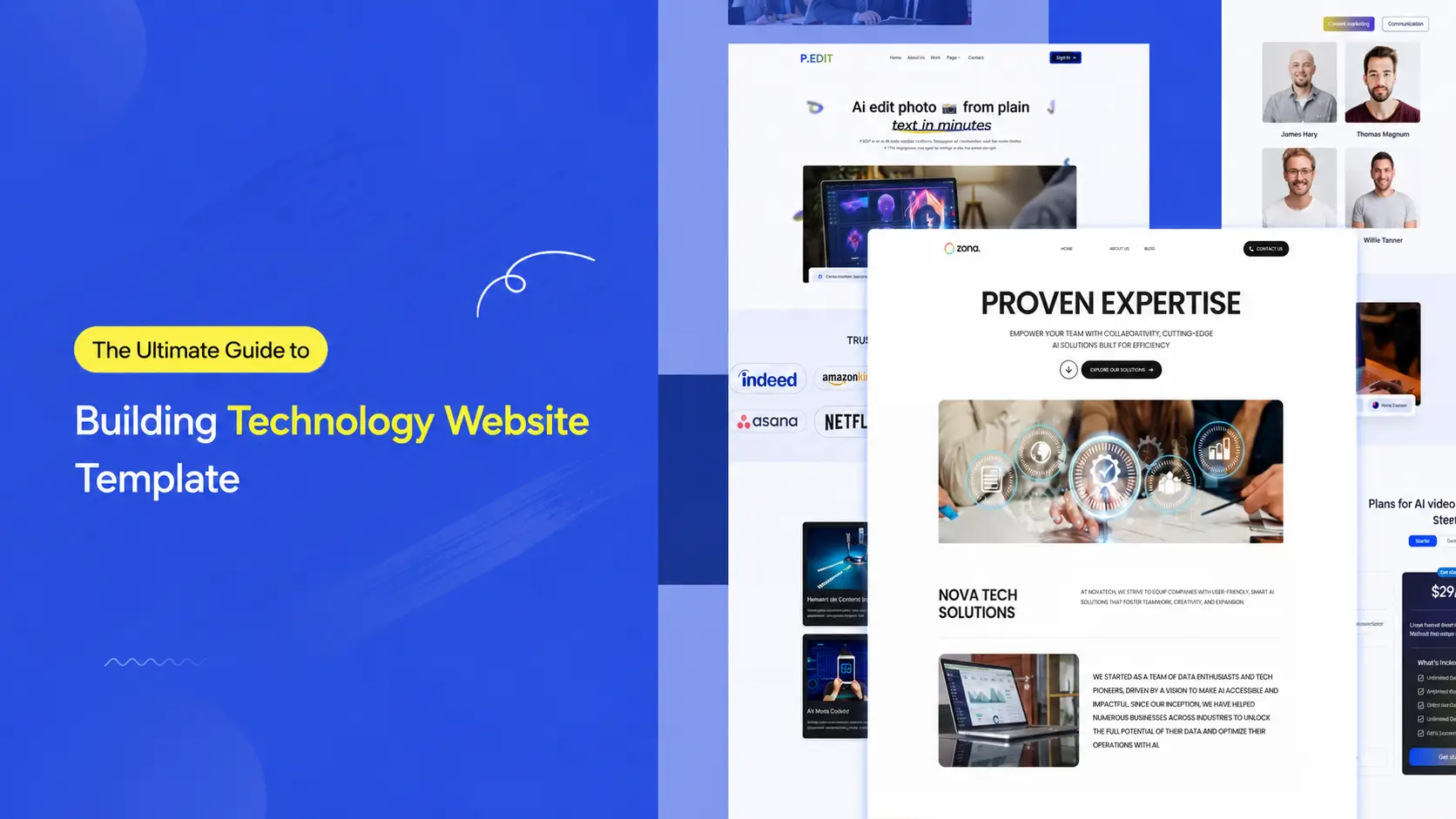

You built a real tech company. You offer serious services, including IT consulting, cloud solutions, software development, cybersecurity, and managed services. And then a potential client lands on your website and… clicks away in eight seconds.
That’s the gap technology website templates were built to close. Not just to make your site look impressive, but to make it work, capturing leads, communicating expertise, and converting strangers into clients before they ever speak to your team.
This guide covers everything you need to know about technology website templates in 2026: what they are, why the right one matters more than ever, what features to look for, and where to find the best options, including templates built with aBlocks, the most powerful Gutenberg block builder for WordPress.
What Is a Technology Website Template?

A technology website template is a pre-designed, ready-to-launch website layout built specifically for tech-focused businesses, IT service providers, software agencies, SaaS companies, app developers, cybersecurity firms, and cloud service companies, among others.
Rather than building from scratch, you get a professionally structured design with defined sections for services, case studies, team bios, pricing, and contact. The best modern templates are built inside WordPress using powerful Gutenberg block builders like aBlocks, meaning you get full visual control without writing a single line of code.
Think of it as the architectural blueprint for your digital office. You walk in, rearrange the furniture, paint the walls your brand color, and hang your signage, the bones are already there, tested and pixel-perfect.
What separates a technology template from a generic business one is the built-in intent. Service cards for development stacks, icon sets for cloud and security services, integration-ready contact forms, and dark-mode UI by default, these details are designed with the tech buyer in mind, not retrofitted from a generic layout.
Why Technology Website Templates Matter More in 2026 Than Ever Before

Here’s a data point worth sitting with: brands using AI-driven design personalization have pushed average conversion rates to 6.8% in 2026, with top performers now exceeding 14.3%. Meanwhile, most generic tech websites hover well below 2%.
The gap isn’t about budget. It’s about design intent.
The best tech website designs in 2026 set new benchmarks for innovation, usability, and branding, taking advantage of AI, scrollytelling, and inclusive design to create immersive digital experiences. Visitors now arrive with higher expectations. They’ve seen Apple, Stripe, Vercel, and Linear. They know what a serious tech company looks like online. A poorly structured template signals inexperience before you’ve said a word.
At the same time, the website template market in 2026 is characterized by a profound shift towards intelligent, user-centric, and ethically conscious design. The days of pretty-but-static templates are over. Your template needs to load fast, feel responsive on mobile, integrate with your tools, and present your services clearly to both human visitors and AI search overviews.
For IT agencies and SaaS companies specifically, purpose-built landing pages with a single CTA typically convert at 2–5x the rate of general pages served the same traffic. The right template structure, especially one built on a flexible, block-based system, gives you that edge without months of custom development.
What Makes a Great Technology Website Template?

Most people choose templates based on screenshots. That’s the mistake. A great technology website template has to perform, on every screen, for every visitor, against every competitor in your niche.
Here’s what actually matters in 2026:
Mobile-first architecture. Over 60% of B2B research now starts on mobile. If your template isn’t built with mobile-first logic, not just responsive, but genuinely mobile-first- you’re already behind. Modern templates use CSS Grid and Flexbox for better layout control, ensuring every section adapts cleanly across devices.
Performance under pressure. Page speed is both a ranking factor and a trust signal. Templates loaded with unnecessary scripts can add seconds to your load time. aBlocks solves this from the ground up; it uses smart asset generation that loads only the CSS and JavaScript actually used on each page, with zero bloat and no unnecessary dependencies.
No-code flexibility. For IT companies whose team has better things to do than write CSS, a visually editable template is essential. aBlocks lets you customize every block, colors, fonts, layouts, animations- directly inside the WordPress Gutenberg editor without touching code.
Service-first layout logic. The best IT services templates lead with clarity, a concise hero statement, a services grid, trust badges or client logos, a case study section, and a CTA. That sequence mirrors exactly how a tech buyer evaluates a vendor.
Dark mode support. It’s no longer optional in the tech space. A large portion of developers and IT decision-makers browse in dark mode. Templates without it feel dated to the very audience you’re trying to impress.
SEO-ready structure. Clean semantic HTML, proper heading hierarchies (H1 → H2 → H3), schema-friendly markup, and fast Core Web Vitals scores all feed directly into how Google ranks your site. aBlocks is built jQuery-free and generates clean, minimal code, which means better performance scores out of the box.
Free vs. Premium Technology Website Templates: Which One Should You Choose?
|
Feature |
Free Templates |
Premium Templates |
|
Cost |
$0 |
$15 – $299+ |
|
Design Quality |
Good (basic) |
Excellent (polished) |
|
Number of Pages |
1–5 |
10–50+ |
|
Support |
Community only |
Dedicated support |
|
Customization |
Limited |
Extensive |
|
Plugin Integrations |
Minimal |
CRM, analytics, forms |
|
Update Frequency |
Rare |
Regular |
|
Branding |
Template watermark possible |
Fully white-labeled |
|
Best For |
MVPs, freelancers, prototypes |
Agencies, funded startups |
Free templates work well when you need something live fast, especially when you’re validating a concept or operating with limited runway. aBlocks includes a built-in library of ready-made templates, full pages, and patterns, giving you a solid free starting point without hunting across multiple marketplaces.
But if you’re an IT services company trying to win $50k+ contracts, a basic free template signals budget constraints to buyers who are silently evaluating your credibility. Premium templates come with page-level polish, conversion-optimized section sequences, and design systems your whole team can maintain.
The smarter play: use a premium template kit that offers multiple niche-specific designs under one license. That’s exactly what Template-Kits is built for, curated, professional template kits powered by aBlocks, designed for specific tech business contexts.
The Best Technology Website Template Categories in 2026

Not every technology company needs the same layout. Here’s a practical breakdown of the main categories and what each one is built to accomplish.
IT Services & Consulting Templates are structured around credibility. They lead with certifications, partner badges (AWS, Microsoft, Google Cloud), and service breakdowns by category. The goal is trust, not flash. The buyer is a CTO or IT manager comparing three vendors — your template needs to speak their language before your sales team ever picks up the phone.
SaaS & Software Product Templates are conversion machines. They lead with the product value proposition, demo CTAs, feature breakdowns, pricing tables, and social proof. Every section is engineered to answer one question: “Why should I try this?”
Tech Startup & Agency Templates balance brand personality with portfolio presentation. They show work, tell a story, and signal creative capability alongside technical depth.
Cloud & Cybersecurity Templates deal with high-trust, high-stakes buying decisions. These templates emphasize compliance credentials, security frameworks (SOC 2, ISO 27001), and case studies over aesthetics.
App Landing Page Templates are tightly focused: one product, one CTA, maximum persuasion. They typically include device mockup sections, animated feature reveals, and App Store/Play Store download buttons.
Technology Templates: What You Need to Know
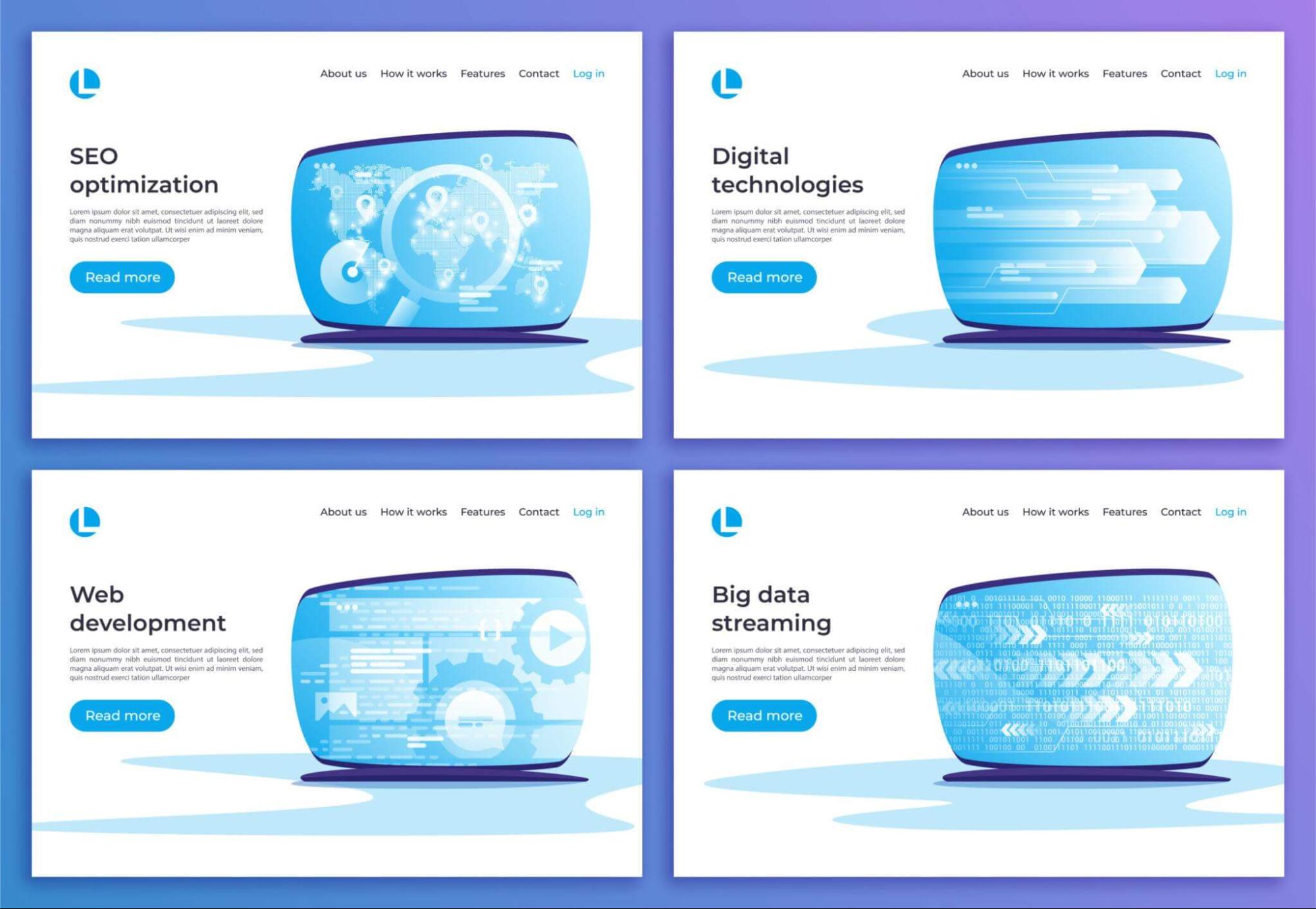
Most website templates are static files; you download them, edit the HTML, fight with the CSS, and hope nothing breaks when your client wants to change a heading color. aBlocks takes a fundamentally different approach.
aBlocks is a true all-in-one WordPress website and theme builder, not just another block plugin. It offers a comprehensive collection of highly customizable Gutenberg blocks that give you full design control inside the WordPress editor you already know.
For technology businesses, this matters in three specific ways:
Speed without sacrifice. aBlocks is built for performance from the core. Smart asset generation means your website loads only the scripts and styles used on each page, nothing else. Editor assets stay in the editor; frontend assets stay on the frontend. The result is a tech website that scores well on Core Web Vitals without a developer running optimization passes after launch.
Design power without code. aBlocks includes GSAP-powered animations, advanced layout containers, hover effects, scroll-triggered motion, and interactive elements that feel modern and alive. Your IT services website can look like it cost $30,000 to build, while your team managed it entirely inside WordPress.
Everything in one system. Built-in form builder, popup builder, animation builder, demo importer, and a full template library, aBlocks replaces the need for 20+ separate plugins. For tech companies that value clean, lean infrastructure, that’s not a minor benefit. It’s the whole point.
Real-World Examples: Technology Websites That Get It Right
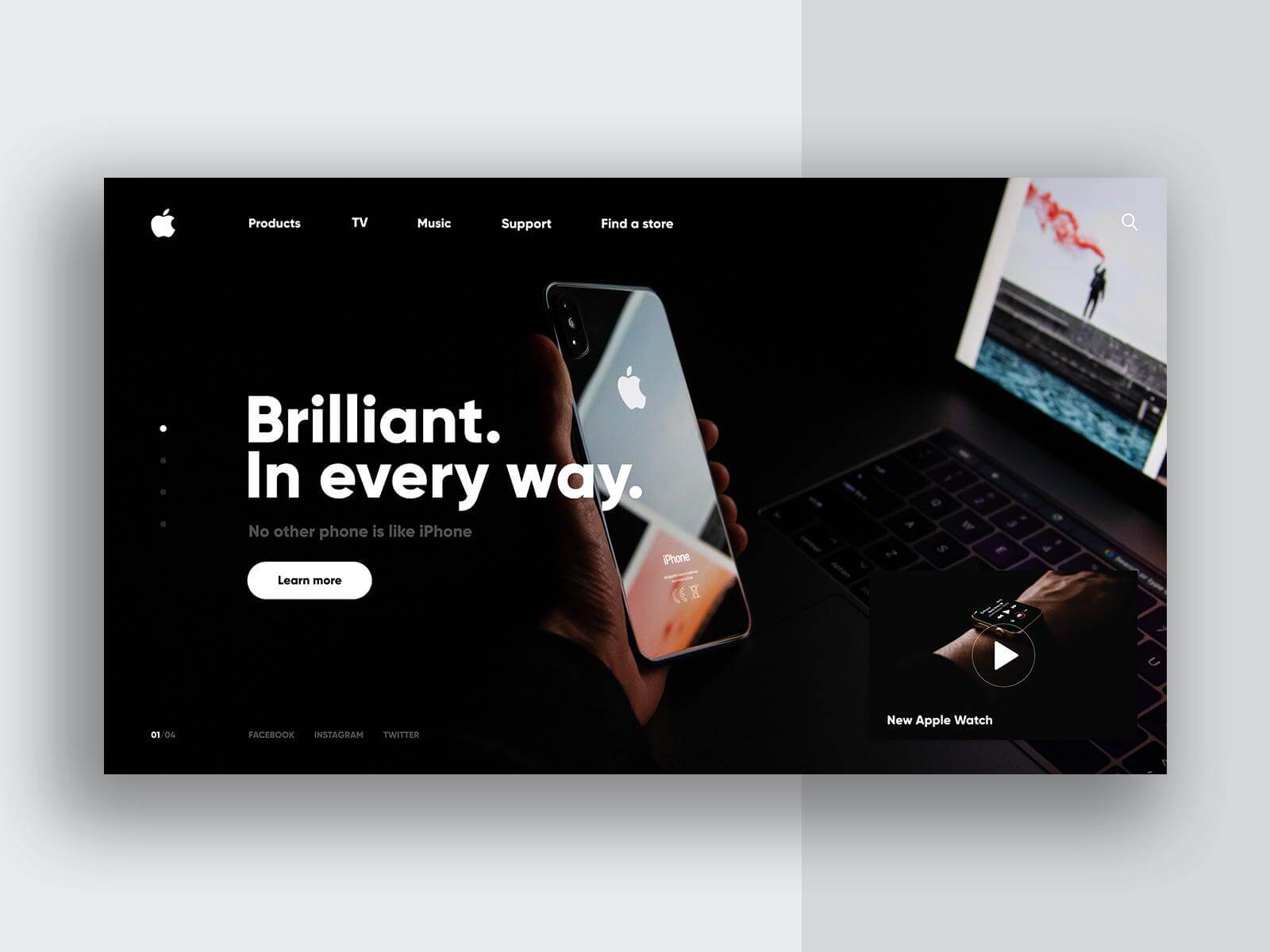
Look at how industry leaders approach the problem. Companies like Apple, Tesla, Google, Asana, and PayPal set the benchmark, combining storytelling with scrollytelling, personality with playful cursors, and sophistication with dark mode elegance.
For startups and agencies working with template-based builds, the gap between a polished template and a custom design has narrowed significantly. The Framer Marketplace alone has over 2,000 templates designed for SaaS startups, IT services, and enterprise tech companies, each pre-structured with industry-specific elements and conversion best practices.
One standout pattern from the top-performing tech sites: they don’t try to say everything. A homepage with 12 service categories, 3 sliders, and a news ticker is an anxiety attack disguised as a website. The best ones pick a clear primary message, build a visual hierarchy around it, and use secondary pages for depth.
Top tech startup sites like Vercel and Lovable combine strong narrative with spatial design and subtle generative motion, transforming abstract technology into a tangible experience that earns trust before a single word is read.
Tools Used to Build and Customize Technology Website Templates
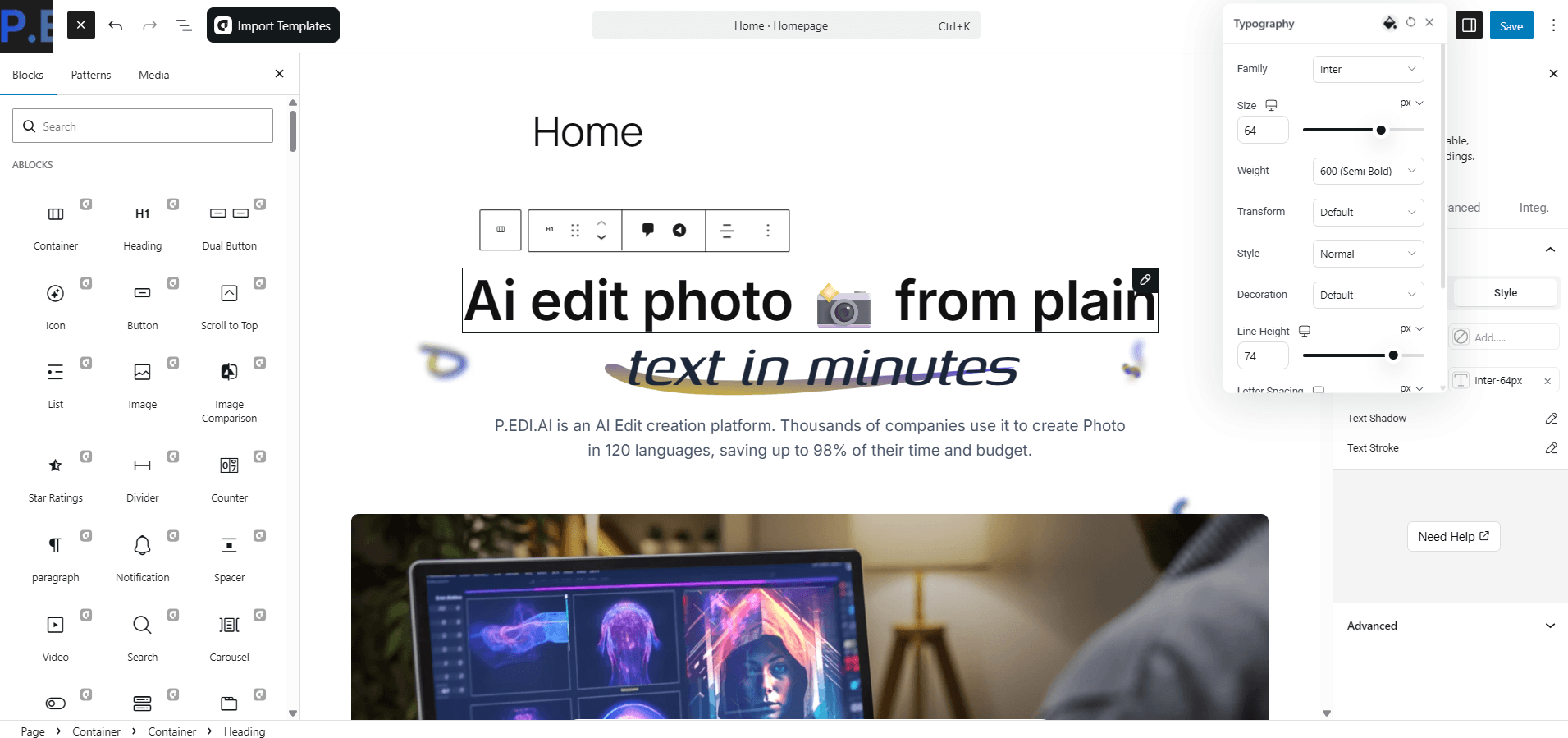
The era of the lone developer hand-coding every page is mostly over for template-based builds. Today’s smart approach for launching a technology website combines the right tools with the right template foundation.
aBlocks is the foundation. It handles layout, animation, forms, popups, and the full design system inside WordPress Gutenberg. With 100+ versatile blocks, you can build any section your tech business needs, hero sections, service grids, pricing tables, testimonials, case study cards, and team bios, without installing a stack of separate plugins.
Figma integration is built into aBlocks. You can copy styles directly from a Figma design and paste them into your WordPress editor, keeping the handoff between designer and developer clean and fast.
Template-Kits sits on top of this stack. It’s the place where professionally designed, aBlocks-powered template kits for specific tech niches live, ready to import in one click and customize through the familiar WordPress editor. No hunting across five different marketplaces. No compatibility guesswork.
Google PageSpeed Insights and Lighthouse should be run on any template before launch. Because aBlocks generates minimal, jQuery-free code, technology templates built on it tend to start at strong performance baselines, meaning you spend less time fixing scores and more time launching.
Technology Website Templates vs. Custom Web Design: The Real Tradeoff

|
Consideration |
Template-Based |
Custom Design |
|
Launch Time |
Days to weeks |
Months |
|
Upfront Cost |
$0 |
$5,000 – $50,000+ |
|
Design Uniqueness |
Moderate |
High |
|
Maintenance |
Easier |
Requires the dev team |
|
Performance |
Template-dependent |
Fully optimized |
|
SEO Flexibility |
Good (with the right template) |
Excellent |
|
Best For |
SMBs, startups, agencies |
Enterprise, funded scale-ups |
The honest answer: for most IT services companies and tech startups, a well-chosen premium template outperforms a poorly executed custom design. Buyers don’t care whether your site was hand-coded from scratch. They care whether it answers their questions, loads fast, and makes them feel like they’ve found the right partner.
Custom design is worth the investment when your brand is a genuine differentiator, when your visual identity is as important as your product. Until you’ve reached that point, a great technology website template built on aBlocks gets you 90% of the way there at 10% of the cost.
Design Trends Showing Up in the Best Technology Templates

The biggest web design trends of 2026 bring a tactile element to the digital sphere, embracing texture, movement, and a human touch. Here’s how that translates into technology website templates specifically:
Motion Narrative — Scroll-triggered animations that tell a story as the visitor moves down the page. Not decorative bouncing icons, but purposeful transitions that reveal information at exactly the right moment. aBlocks includes GSAP-powered animation controls that make this achievable without custom JavaScript.
Dark Mode as Default — Tech audiences skew dark. The best IT services and SaaS templates now ship with dark mode as the primary theme, with a light toggle available. aBlocks supports full dark/light theming through its global color palette system.
Bold, Saturated Color — Bright, saturated color palettes are making a comeback in 2026, fueled by Y2K nostalgia and “dopamine design” aesthetics, with neon gradients and high-contrast pairings replacing minimal tones. For tech companies, this shows up in vibrant accent colors layered over dark backgrounds.
Typography as Hero — Typography is taking center stage in 2026, moving beyond legibility into storytelling. Brands are using oversized headlines, custom font pairings, and layered text styles to make bold first impressions, and aBlocks gives you full typographic control at the block level.
Future of Technology Website Templates: What 2027 Looks Like

The next wave is already forming. By 2027, expect three major shifts in how technology website templates are built and used.
AI-Personalized Template Rendering. The same template will show different content, different hero messages, and different CTAs depending on who’s visiting, industry, company size, geography, and behavior signals. This is already happening at the enterprise level; WordPress-based systems built on flexible block architectures are best positioned to adopt it as it becomes accessible to SMBs.
Component-Level Template Libraries. Rather than full-page templates, the shift is toward composable block libraries. You pick your hero section, your services layout, and your pricing block, each designed to work together but fully modular. The market opportunity in 2026 and beyond is in high-quality, niche-specific component sets for SaaS, IT services, and technology startups.
Native AI Integration Blocks. Expect templates to ship with built-in chatbot sections, AI demo embeds, and interactive product explorers as standard components, not plugins you bolt on after launch. aBlocks is already expanding in this direction with every new release.
The technology businesses that choose templates built on extensible, clean Gutenberg-based systems today are the ones best positioned to upgrade seamlessly as these capabilities arrive.
Where to Find the Best Technology Website Templates

You’ve got solid options at every price point. Here’s where to look, and why the starting point matters:
Template-Kits is the first place to check if you want aBlocks-powered templates built for specific tech niches. Unlike general marketplaces where you wade through thousands of irrelevant results, Template-Kits offers curated collections designed for IT services companies, SaaS products, tech agencies, and more, all importable in one click inside the aBlocks environment. If you’re using aBlocks on WordPress, this is your native ecosystem.
Free template options are available within aBlocks itself; the plugin ships with a built-in library of ready-made templates, pages, and patterns that work with any WordPress theme. Good for getting started; premium kits are where the real conversion-focused designs live.
General WordPress marketplaces like ThemeForest and Envato Elements stock large volumes of tech templates. Quality is highly variable; read reviews, check last update dates, and always test the demo on mobile before committing. The advantage of Template-Kits over these marketplaces is specificity: a template kit built for IT services will always outperform a generic multipurpose layout adapted after the fact.
Your Website Is Your Best Salesperson — Give It the Right Foundation
The right technology website template isn’t just a design shortcut. It’s a strategic asset. It sets the tone for every first impression, every demo request, every enterprise deal that starts with someone Googling your company name at 11 pm.
In 2026, the bar is high, but it’s also more achievable than ever. With aBlocks powering the design and Template-Kits supplying the niche-specific layouts, you can launch an IT services website or SaaS product page that looks genuinely professional in a fraction of the time and cost of custom development. The gap between a well-chosen template and a $30,000 custom build is smaller than most agencies want to admit.
What matters is the choice you make. Template quality. Niche relevance. The platform is built on.
Start with the right kit. Explore the curated technology and IT services template collections at Template-Kits, professionally designed, aBlocks-powered templates that give your tech business the foundation it deserves, without the six-month development timeline.
Your next client is going to visit your website before they ever call you. Make sure what they find makes the decision easy.
Frequently Asked Questions
Where can I find free technology website templates to download?
aBlocks includes a built-in template library with free pre-made pages and patterns directly inside WordPress. For more niche-specific options, Template-Kits offers both free and premium template kits designed for IT services, SaaS products, and tech agencies — all powered by aBlocks.
Are technology website templates available without coding?
Yes. aBlocks-powered templates are built entirely inside the WordPress Gutenberg editor, with no coding required. You customize colors, fonts, images, layouts, and animations visually through drag-and-drop block controls. It’s designed to be accessible for beginners and powerful enough for experienced users.
What is a Gutenberg technology website template?
A Gutenberg technology website template is a pre-built WordPress website layout created with the native Gutenberg block editor. aBlocks extends Gutenberg with 70+ custom blocks, animation controls, and a full design system — meaning Gutenberg templates built with aBlocks are far more powerful than basic WordPress templates.
What are good examples of technology website design?
Strong reference points include Stripe, Vercel, Linear, Framer, and Notion — all using clean typography, purposeful motion, and clear information hierarchy. For smaller IT companies and agencies, the goal is to mirror that clarity and polish, not the budget. aBlocks-powered templates on Template-Kits are designed with those benchmarks in mind.
What’s the difference between a technology website template and an IT services template?
The difference is in focus. Technology website templates cover a broad range of tech businesses, SaaS, software agencies, and app companies. IT services templates are narrower, designed specifically for managed service providers, consulting firms, and solution providers. IT services templates typically lead with trust signals, compliance credentials, and service breakdowns rather than product features.
Do I need a developer to customize a technology website template?
Not if you’re using aBlocks. The entire customization process happens inside the WordPress editor — colors, fonts, layouts, animations, forms, and popups are all adjustable through visual controls. Template-Kits are specifically designed to minimize the technical lift while maintaining professional-grade output.
What makes aBlocks different from other WordPress page builders?
aBlocks works as a true all-in-one website and theme builder — not just a blocks plugin. It replaces 20+ separate plugins with built-in form building, popup creation, animation tools, a user dashboard builder, a demo importer, and a smart asset system that loads only what each page actually needs. For tech companies that care about site performance, that architecture is a meaningful differentiator.