

Tag: Free Business Templates

  • Essential WordPress Plugins for Better E-commerce Customer Experience

    Essential WordPress Plugins for Better E-commerce Customer Experience

    Online shoppers in 2026 have zero patience. Customers must wait before they can begin their chat interaction. Customers get lost during checkout because the process lacks clarity. The website lacks an essential page that displays product information. 

    The smallest details from this list will direct customers to choose a different business. The process of gaining their confidence requires only a few brief seconds instead of multiple minutes. 

    WooCommerce stores now fight their most intense battle for e-commerce customer experience superiority. Product pages need more than their current state of attractiveness to succeed. 

    The complete process, which starts with initial customer arrival until they become repeat buyers, must provide an unbroken experience that delivers assistance and creates individual connections. 

    The WordPress platform provides an entire system of plugins that enhance the shopping experience for customers. The correct combination of tools enables support management and communication, review processing, and personalization and post-purchase customer interaction. 

    Each tool comes with verified pricing, main features, and the specific part of the customer journey it improves. By the end, building a top-tier shopping experience on WordPress should feel doable. 

    Let’s get into it.

    Why E-commerce Customer Experience Matters More Than Ever

    The plugins did not exist yet when the core reason for this situation became evident.

    Research indicates that 86% of customers will pay extra to receive an enhanced e-commerce shopping experience. 

    The total number of cases reached a significant amount. Customer Experience (CX) generates revenue directly without depending on intangible performance indicators. 

    Negative customer experiences generate quick social media reactions. One frustrated buyer tells 9-15 people about a bad shopping experience.

    One happy buyer tells about 3. The mathematical system generates unfavorable results for shops that choose to disregard customer experience (CX). 

    WordPress plugins that excel in customer journey management operate through three main functional domains. They make support fast and personal. The customers establish trust through their reviews and the social proof, which becomes evident to other buyers. 

    The system creates personalized buyer experiences by utilizing intelligent recommendation systems and automated email marketing campaigns. 

    The right tool stack covers all three. Let’s break it down by category.

    Category 1: Helpdesk and Live Chat Plugins

    When a shopper has a question, the answer needs to come fast. A 24-hour reply window kills sales. A 5-minute reply window closes them. The right helpdesk plugin is the foundation of a solid e-commerce customer experience.

    ThriveDesk (Top Pick for Support)

    td-new

    The system operates as a native WordPress and WooCommerce solution, which enables it to integrate with any store through a straightforward setup process.

    When a customer contacts a store regarding their order, the agent can view all WooCommerce order information through the ticket system. Order ID. Shipping status. Payment method. Past purchases. 

    Users can access the system without switching between different tabs. The fast speed, together with relevant information, improves customer satisfaction through verifiable enhancements in their buying experience.

    Verified Pricing (from thrivedesk.com/pricing):

    • Basic: $29/month (2 teammates, 1 inbox)
    • Standard: $69/month (5 teammates, 2 inboxes)
    • Unlimited: $129/month (unlimited teammates, 5 inboxes)
    • Annual plans save up to $360/year (Unlimited drops to $99/month)
    • 7-day free trial, no credit card required

    Main Features:

    • Native WooCommerce order info
    • Shared inbox 
    • Live chat widget 
    • AI assistant trained on past chats and docs
    • Knowledge base with AI-powered search
    • Automation 
    • Mobile apps for iOS and Android

    Pros:

    • Built for WooCommerce from day one
    • Flat Unlimited plan saves over $10,000/year vs Zendesk
    • 4.8/5 G2 rating, 4.7/5 Capterra rating
    • AI trained on store-specific data
    • Setup takes under 15 minutes
    • Free 7-day trial without credit card

    Cons:

    • Newer than Zendesk or Help Scout

    For shops serious about lifting the customer journey, ThriveDesk is the smart top pick. Faster replies. Cleaner workflows. Happier shoppers.

    Category 2: ReachShip Multi-Carrier Shipping Plugin
    ReachShip Multi-Carrier Shipping Plugin

    Verified Pricing

    • Free core plugin
    • Premium add-ons available for advanced carrier integrations and shipping automation

    Main Features

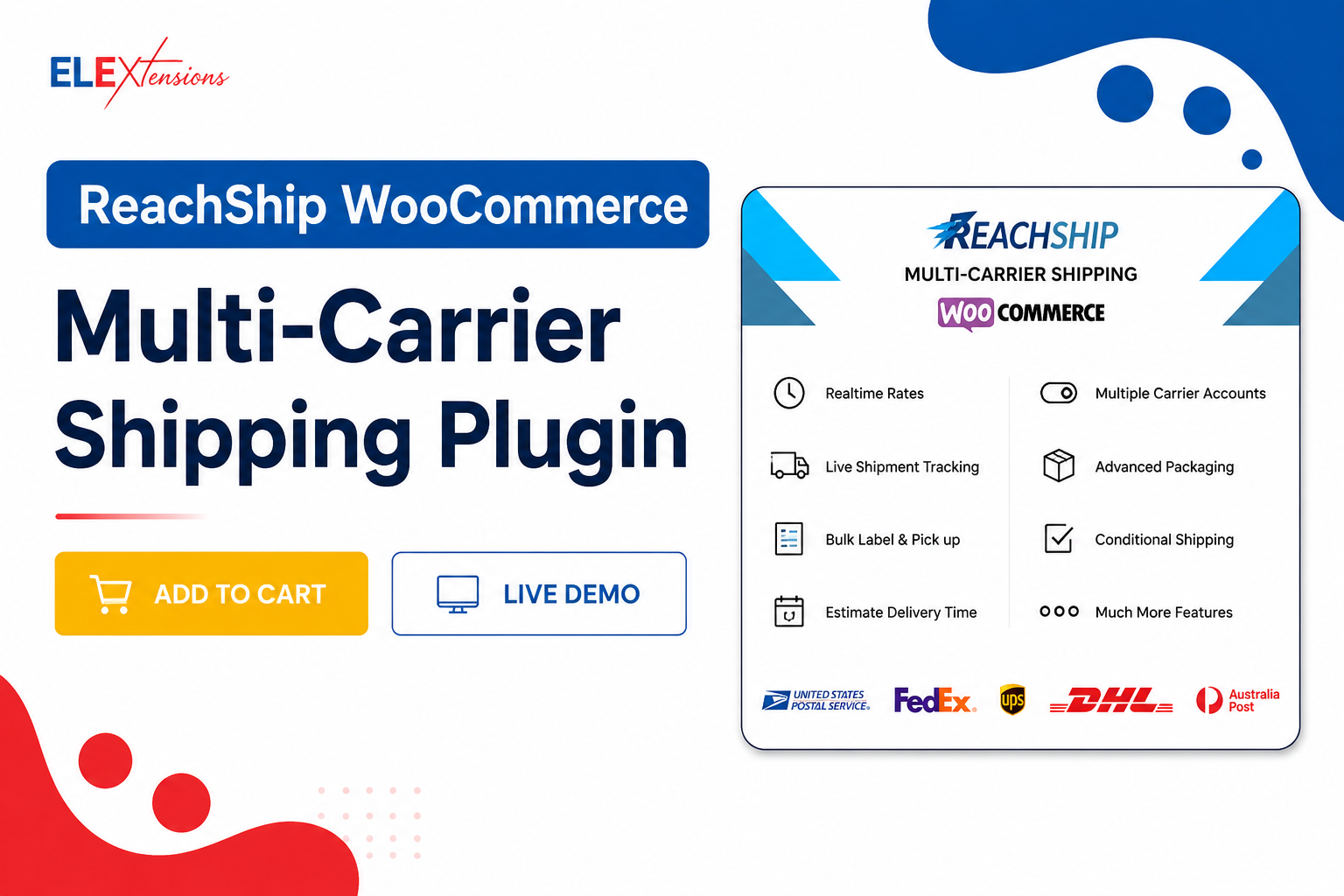
    • Real-time shipping rates at checkout
    • Shipping label generation and bulk printing
    • Live shipment tracking
    • Intelligent parcel packaging
    • Conditional shipping and table rate shipping
    • Bulk shipment creation and pickup scheduling
    • Address validation and autocomplete (US addresses)
    • Estimated delivery dates
    • Support for UPS, USPS, FedEx, DHL Express, Australia Post, Canada Post, Aramex, Sendle, and more

    Pros

    • Free to use with essential multi-carrier shipping features.
    • Centralizes shipping management across multiple carriers.
    • Reduces manual work with automated shipping workflows.
    • Improves shipping accuracy through intelligent parcel packaging and address validation.
    • Offers flexible shipping options with conditional shipping rules and estimated delivery dates.
    • Supports both domestic and international shipping.
    • Scales easily for growing WooCommerce stores.

    Cons

    • Advanced carrier integrations and automation features require premium add-ons.
    • Requires carrier account setup to access live rates, labels, and tracking services.

    Category 3: Reviews and Social Proof Plugins

    Customer reviews function as the most vital trust factor, which enables online shopping transactions. 93% of buyers read reviews before purchasing. Businesses fail to maximize their revenue because they do not have an efficient review system in place to operate their retail establishments.

    Site Reviews

    Site Reviews functions as a free WordPress review plugin that lets users collect customer feedback that appears in customizable display templates. The system functions with all themes while providing built-in WooCommerce integration through its standard installation process.

    Verified Pricing:

    • Free core plugin on WordPress.org
    • Premium add-ons available
    • Active development and community support

    Main Features:

    • Star-rating reviews on products and pages
    • Customizable review forms
    • Schema markup for SEO
    • Review moderation tools
    • Email notifications for new reviews
    • Spam protection

    Customer Reviews for WooCommerce

    WooCommerce users can implement this dedicated review plugin which enables them to gather and present product feedback through photo and video content and verify purchase status.

    Verified Pricing:

    • Free version on WordPress.org
    • Pro: $59/year (single site)
    • 30-day money-back guarantee

    Main Features:

    • Photo and video reviews
    • Verified purchase badges
    • Review reminder emails
    • Reviews aggregation across variants
    • Schema for Google rich snippets
    • Q&A section for products

    The two evaluation systems enhance customer shopping experiences through trust indicators which appear at critical buyer decision points on product pages.

    Category 4: Email Marketing and Recovery Plugins

    Email functions as the vital yet overlooked communication channel that enables buyers to reach their purchasing destination. Welcome flows. Cart abandonment. 

    Win-back sequences. Post-purchase touchpoints. The right email plugin keeps shoppers engaged long after they leave the site.

    FluentCRM

    The system operates flawlessly with WooCommerce while providing email automation services, which do not require users to pay monthly fees.

    Verified Pricing:

    • Single Site License: $129/year
    • Agency License (5 sites): $249/year
    • 50-Site License: $499/year
    • 14-day free trial

    Main Features:

    • Email campaigns and automation
    • Tag-based segmentation
    • WooCommerce, EDD, MemberPress integrations
    • Visual automation builder
    • Contact profiles with purchase history
    • Email analytics and reports
    • Unlimited contacts on all plans

    Retainful

    Retainful focuses specifically on cart recovery and post-purchase follow-up emails for WooCommerce stores. The free version handles basic cart abandonment. Paid plans add referral programs, next-order coupons, and full email automation.

    Verified Pricing:

    • Free plan on WordPress.org
    • Starter: $19/month (annual)
    • Growth: $49/month
    • Pro: $99/month

    Main Features:

    • Abandoned cart recovery emails
    • Next-order coupons for repeat sales
    • Referral program with rewards
    • Post-purchase upsell emails
    • WooCommerce-specific email templates
    • Order recovery dashboard

    These email plugins lift the shopping experience by closing the gap between site visits. Every recovered cart and every personal follow-up adds revenue and builds loyalty.

    Category 5: Subscription and Recurring Revenue Plugins

    Subscriptions are one of the strongest ways to lift the shopper experience over the long term. They turn one-time buyers into long-term members with predictable touchpoints every month.

    WPSubscription

    wpsubscription-new

    WPSubscription offers a subscription plugin which provides an affordable solution for WooCommerce stores through its clean design. 

    The system supports recurring payment management along with free trial access and payment division options and enables customers to manage their accounts through dedicated dashboards.

    Verified Pricing:

    • Free version on WordPress.org
    • Basic: $89/year (1 site)
    • Standard: $149/year (5 sites)
    • Pro: $299/year (50 sites)
    • 14-day money-back guarantee

    Main Features:

    • Recurring billing in any cycle
    • Split payment for installment plans
    • Free trials and sign-up fees
    • Customer self-service dashboard
    • User role assignment
    • Stripe, PayPal, Paddle, Mollie, Razorpay
    • Pending cancellation feature

    Subscriptions deepen the customer relationship by creating ongoing value. Members get content. Stores get predictable income. Both sides win.

    Category 6: Search and Navigation Plugins

    FacetWP

    FacetWP provides WooCommerce users with an advanced filtering system and improved search capabilities. Shoppers can narrow products by price, color, size, brand, and any custom attribute. The interface presents a contemporary design that operates effectively with different website themes.

    Verified Pricing (from facetwp.com):

    • Standard: $99/year (1 site)
    • Professional: $249/year (3 sites)
    • Developer: $399/year (20 sites)
    • 30-day money-back guarantee

    Main Features:

    • Drag-and-drop filter builder
    • AJAX filtering (no page reload)
    • WooCommerce product attribute filters
    • Search with autocomplete
    • Compatible with most page builders
    • Schema markup for SEO

    SearchWP

    SearchWP replaces WordPress’s default search engine with a far more powerful version. It indexes everything: products, attributes, custom fields, PDF content, and more. For stores with hundreds or thousands of products, this is a game-changer.

    Verified Pricing (from searchwp.com):

    • Standard: $99/year (1 site)
    • Pro: $199/year (10 sites)
    • Agency: $399/year (25 sites)
    • 14-day money-back guarantee

    Main Features:

    • Replaces default WordPress search
    • Indexes products, attributes, custom fields, PDFs
    • Synonym handling for natural search
    • AJAX live search
    • Search analytics dashboard
    • 50+ extensions for specific use cases

    Better search means shoppers find what they need in seconds. That alone lifts the buyer journey and conversion rates by measurable amounts.

    Category 7: Performance and Speed Plugins

    Users experience the worst impact from slow websites because these sites block their ability to purchase products. Research indicates that web pages that take one second longer to load will experience a 7% reduction in their conversion rates. 

    The store loses $7K in revenue for each second that its website experiences delays when it generates $100K in monthly sales

    WP Rocket

    WP Rocket stands as the leading caching solution that WooCommerce users choose for their store operations. The system provides page caching functions together with image lazy loading capabilities, database optimization tools, and CDN integration features. Most websites require only

    Verified Pricing (from wp-rocket.me):

    • Single: $59/year (1 site)
    • Plus: $119/year (3 sites)
    • Infinite: $299/year (unlimited sites)
    • 14-day money-back guarantee

    Main Features:

    • Page caching with WooCommerce-aware exceptions
    • Image lazy loading and optimization
    • Database cleanup
    • CDN integration
    • Critical CSS generation
    • Lazy load for iframes and videos
    • Mobile-specific cache

    Perfmatters

    Perfmatters functions as a simple performance enhancement tool which turns off WordPress elements that the store does not require including emojis and embeds and dashicons. Pairs well with WP Rocket for maximum speed.

    Verified Pricing (from perfmatters.io):

    • 1 site: $24.95/year
    • 3 sites: $54.95/year
    • Unlimited: $124.95/year

    Main Features:

    • Disable WordPress bloat
    • Script manager for selective loading
    • Lazy load images and videos
    • Database optimization
    • DNS prefetch
    • Local Google Fonts hosting

    Websites that load quickly enable customers to finish their purchases without problems while they can view products at full speed and stay on the site for longer periods. 

    Every step in this process creates an improved shopping experience for customers.

    Putting It All Together: The Ideal Stack

    Most WordPress and WooCommerce shops will operate their perfect customer experience stack during 2026 by implementing these components:

    Helpdesk and Chat: ThriveDesk provides native WooCommerce support together with fixed monthly costs.

    Reviews: Site Reviews (free) along with Customer Reviews for WooCommerce provide photo support and display verified badges.

    Email Marketing: FluentCRM operates as a complete automation system that works together with Retainful to retrieve abandoned shopping carts.

    Subscriptions: WPSubscription for affordable, modern subscription billing.

    Search: SearchWP or FacetWP for better product discovery.

    Performance: WP Rocket plus Perfmatters for fast page loads.

    The complete stack requires an expense of $500-$</span

    Why The Right Plugin Stack Lifts Revenue

    Better ecommerce customer experience creates actual business growth, which exceeds basic positive feelings. It moves real numbers.

    Shops with fast support response times see 60% higher repeat sales. Stores that maintain effective review systems achieve conversion rates that are two to three times higher than stores without such systems. Email-driven cart recovery brings back 5-15% of abandoned orders. Subscription products enable businesses to generate five to ten times more value from customers than they would obtain through individual product sales.

    The data elements build upon each other. A shop running the full plugin stack above can lift annual revenue by 30-50% over a year compared to the same shop running bare-bones WooCommerce.

    You can verify the mathematical calculations. The right WordPress plugins will generate a return on investment that exceeds the $500-$800 annual cost through their ability to increase customer retention, improve conversion rates and generate better reviews.

    Final Thoughts

    WooCommerce stores now face their main competition in 2026 through their development of e-commerce customer experience systems. The complete customer path from initial website entry to multiple purchase transactions holds more importance than visually attractive product pages.

    The right WordPress plugins handle every touchpoint. ThriveDesk for support. Site Reviews for trust. FluentCRM and Retainful for email. WPSubscription for recurring revenue. SearchWP for product discovery. WP Rocket for speed.

    Pick the categories that matter most for the shop. Start with helpdesk and performance. Add reviews and email next. Layer in subscriptions and advanced search as the business grows.

    Each plugin lifts the shopping experience by a measurable amount. The elements function together to transform a basic WooCommerce store into a successful brand that customers find appealing.

    Start with one this week. Watch the metrics change. Then add the next one.

    A better ecommerce customer experience changes everything for WooCommerce shops. Higher conversions. More repeat sales. Stronger reviews. The plugins above make it possible.
  • Building an Education Site With Tutoring Website Template

    Building an Education Site With Tutoring Website Template

    Picture this. A parent is on their phone at 9pm, stressed about their child’s next math test. They search “math tutor near me.” Three tabs open. Yours is one of them.

    In thirty seconds, they have already decided which tutor feels trustworthy, which site felt confusing, and which one they are going to email tomorrow morning.

    If your website is not designed to win that thirty-second window — clean, credible, and easy to navigate — you are not in the running. The parent closes the tab, and you never know they were there.

    The private tutoring market is now worth $142.98 billion globally in 2026, growing at a 9.1% CAGR toward $208.94 billion by 2030. Online tutoring alone is expanding at 14.5% annually, projected to reach $23.73 billion by 2030. Over 75% of U.S. parents have enrolled their children in tutoring at some point, and 65% of students now prefer online options for their convenience and flexibility.

    The opportunity is real. The competition is intense. And your website is either your strongest enrollment tool or your biggest bottleneck.

    A purpose-built tutoring website template solves that problem before you write a single word of copy.

    built tutoring website

    What Is a Tutoring Website Template?

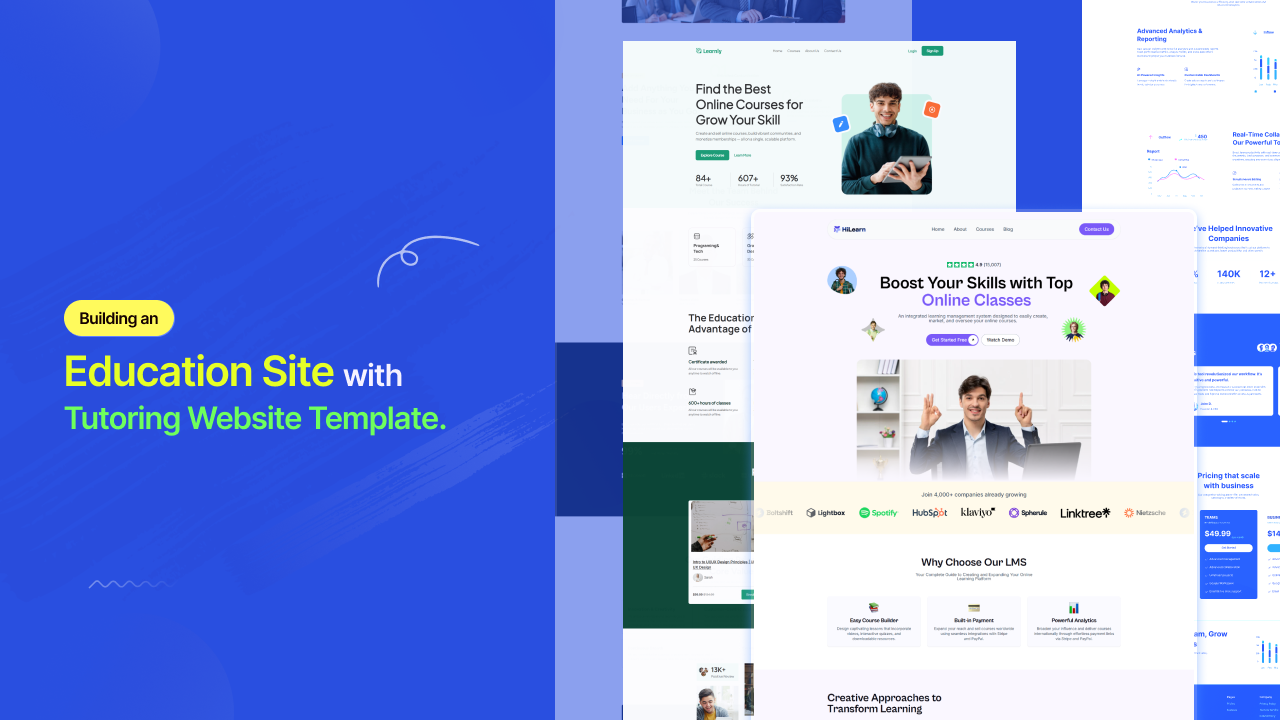
    A tutoring website template is a professionally designed, pre-structured website layout built specifically for tutors, tutoring centers, online learning businesses, daycare providers, and childcare services. It gives you the page architecture, section flow, and visual framework that education-focused websites need — without requiring you to design anything from scratch.

    The distinction matters. A generic website template treats every business the same. A tutoring template understands that your visitors are emotionally driven decision-makers — usually parents — who are evaluating your credibility, your warmth, and your process simultaneously. Every layout choice in a great tutoring template serves that specific evaluation.

    What a quality tutoring website template delivers from the moment it is imported includes a homepage hero built for trust, subject and service pages with clear program breakdowns, a tutor profile section with credentials and personal bios, a results or testimonials block positioned early on the page, a session booking or inquiry form, and an FAQ section that reduces hesitation before the first message is sent.

    What Every SERP-Leading Tutoring Website Gets Right

    After analyzing the top-ranking tutoring websites and educational platform designs in 2026, the same design principles show up across every high-performing example. These are not accidents. They are the architecture of a site that consistently converts visitors into enrolled students.

    Results-First Messaging Above the Fold

    The best-performing tutoring websites lead with proof, not personality. A site that displays a bold “+123 average SAT score increase” stat front and center does more trust-building in three seconds than paragraphs of marketing copy. Your template should make this kind of result-driven messaging the centerpiece of your hero section — not a sidebar or footer element.

    A Step-by-Step Process Explanation

    Explaining your tutoring process step by step builds clarity and directly reduces hesitation. Parents do not just want to know that you are good. They want to understand what happens between the inquiry and the first grade improvement. Templates with a built-in “How It Works” section remove that uncertainty and dramatically improve inquiry rates.

    Tutor Profiles That Build Personal Connection

    When parents are trusting someone with their child’s academic future, anonymity is the enemy.Detailed staff profiles that give each tutor a face and a backstory matter enormously in this market. Your template should include a tutor profile section with space for photos, credentials, subject specialties, and a short personal note — not just a name and a qualification list.

    Subject and Program Pages Organized by Outcome

    Visitors should be able to find the math tutoring page, the SAT prep page, or the online English program in under three seconds from the homepage. Templates that organize service pages by subject, age group, or exam type create a frictionless path that matches how parents and students actually think when they search for help.

    Social Proof Placed Near Decision Points

    Testimonials do not belong at the bottom of the page. The tutoring websites that convert best embed client reviews and student outcome statements immediately after the hero section and adjacent to every CTA. Your template should make this placement the default, not something you have to engineer manually.

    [IMAGE PROMPT: Annotated wireframe of a high-converting tutoring website homepage showing labeled sections: hero with results stat, step-by-step process block, subject/program cards, tutor profile row, testimonials above the fold, and sticky booking CTA]

    Types of Tutoring Website Templates: Choosing the Right Fit

    Academic Tutoring Templates

    Built for subject-specific tutors and multi-subject tutoring centers. These templates use structured, organized layouts that communicate scholastic seriousness. Navy, white, and warm gold color palettes are common, conveying academic prestige without feeling cold. Look for templates with dedicated subject pages, a grade-level navigation structure, and a clean online booking integration.

    Online Tutoring Website Templates

    Designed for fully digital operations.On-demand tutoring now captures over 76% of total online tutoring revenue globally, and online-first templates reflect this with virtual session previews, platform integration sections, asynchronous course product pages, and subscription or package pricing displays. These layouts communicate accessibility and flexibility — the two reasons 70% of students choose online tutoring over in-person.

    Language Tutor Website Templates

    A category most competitors overlook entirely. Language tutoring is one of the fastest-growing segments within online education, driven by globalization and career multilingualism demand. A language tutor website template needs to communicate cultural fluency as much as academic rigor. The best layouts include:

    A language-specific hero with the tutor’s native and taught languages displayed visibly. A session format section explaining conversational practice versus structured grammar instruction. A nationality/background section that builds trust with international students. Testimonials from students of specific language backgrounds. A scheduling section compatible with international time zones.

    The language courses segment within online tutoring is expected to show significant growth as multilingual skills become a core career asset. If you are building a language tutor site, choose a template that speaks to this global, cross-cultural audience — not a generic education layout repurposed with a flag icon.

    Test Prep Website Templates

    SAT, ACT, GRE, GMAT, LSAT. This is where parents spend the most money and require the most reassurance. Test prep templates lead with score improvement data, guarantee language, structured program timelines, and instructor credentials from Ivy League or top-tier academic institutions. The visual language is polished, premium, and outcome-obsessed.

    Daycare Website Templates

    This is a category that most tutoring template roundups miss entirely — and it is a significant gap. Daycare and childcare website templates share a specific design DNA that is distinct from academic tutoring: warmth over authority, reassurance over results, and parent trust over student ambition.

    The best daycare website templates use soft, welcoming color palettes — gentle blues, greens, and warm yellows. They feature photography of real children in safe, joyful environments. They prominently display licensing, accreditation, and health and safety standards. They include age group sections from infant care through pre-K. They make the enrollment inquiry or tour booking CTA the very first thing a parent sees.

    Childcare Website Templates

    Childcare templates share similarities with daycare layouts but often serve a broader age range and may include after-school program pages, extended care scheduling, and summer program sections. These templates need to handle logistical complexity — multiple programs, multiple age groups, multiple pickup schedules — while still communicating warmth and safety above all else.

    A critical design element in both daycare and childcare templates that most builders miss: the mobile experience. Parents of young children are almost always searching on a phone, mid-commute or between drop-offs. A childcare template that is not mobile-optimized by default is not a childcare template worth using.

    Tutoring Website Templates

    The Unique Angle Most Tutoring Websites Are Missing in 2026

    Analyzing what the top SERP results cover thoroughly is useful. Knowing what they skip entirely is an advantage.

    Here is what almost no tutoring website template guide mentions, and what will separate your site from the pack.

    The Dual Audience Design Problem

    Most tutoring websites are designed for one visitor type. In reality, every tutoring website has two: the parent who is paying and the student who is learning. Their motivations are completely different, and a well-built tutoring website template serves both.

    Parents need trust signals: credentials, process clarity, pricing transparency, and testimonials from other parents. Students — especially teenagers — need energy, relatability, and proof that the experience will not feel like sitting in another boring classroom. Your template should have sections that speak separately to each of these audiences, even if it serves them from the same homepage.

    AI-Ready Layout Structure

    Nearly 85% of online tutoring companies now use artificial intelligence to personalize the learning experience, and 68% of major online tutoring platforms have integrated adaptive AI systems. If your tutoring business uses any AI-powered tools — adaptive quiz platforms, automated progress tracking, AI session scheduling — your website should have a section that explains and showcases this.

    Templates built in modular block systems make it easy to add an “Our Technology” or “How AI Powers Your Learning” section without rebuilding your layout. Most template guides in 2026 still do not mention this. You should be ahead of that curve.

    Free vs. Paid Tutoring Website Templates: The Honest Comparison

    Feature

    Generic Free

    Premium Paid

    Free Premium (aBlocks)

    Education-specific layouts

    Rarely

    Yes

    Yes

    Subject/program page templates

    No

    Sometimes

    Yes

    Tutor profile sections built in

    No

    Usually

    Yes

    Mobile-first design

    Inconsistent

    Yes

    Yes

    Booking tool integration ready

    Rarely

    Usually

    Yes

    No-code full customization

    Rarely

    Yes

    Yes

    Regular design updates

    No

    Sometimes

    Yes

    Cost

    $0

    $30 to $300+

    $0

    The Best Free Tutoring Website Templates in 2026: Template-Kits.com

    Template-Kits

    If you have been browsing Wix template libraries, Webflow clones, and ThemeForest listings, looking for a tutoring template that looks genuinely professional without a monthly platform fee attached,template kits are where you stop looking.

    It is a curated library of free, professionally designed website templates built on aBlocks — a WordPress Gutenberg-based page builder. Every template is built by professional designers. Every template is completely free — no trial, no upgrade nag, no feature wall.

    For tutors, tutoring center owners, daycare operators, and language coaches, this matters because the alternatives almost always compromise on something. Wix and Squarespace trade customization depth for simplicity and charge monthly. ThemeForest charges upfront and often requires purchasing separately for the builder. Free WordPress themes offer limited design quality. Free HTML templates offer limited no-code flexibility.

    aBlocks via template-kits.com removes all of those tradeoffs.

    The workflow is clean: browse the library, install the free aBlocks plugin, import your chosen template in one click, then customize every section — colors, fonts, images, copy, layout — without writing code. One real user described it this way:

    “There is no way I have interest to build a website by using Gutenberg, until aBlocks comes with all new intuitive features. The right sidebar is mindblowing.” (Source: template-kits.com)

    The templates work on any WordPress setup, support WooCommerce for paid course and package sales, and are built with clean, SEO-friendly code that gives your tutoring site a genuine shot at ranking in local search results.

    Your Next Student Is Already Searching

    The tutoring market is expanding at the fastest rate in its history. Parents are spending more on academic support. Students are searching for help online more than ever. And over 65% of online tutoring users choose the platform specifically because of convenience and flexibility — which means your website needs to reflect both of those values from the first page load.

    A great tutoring website template gives you the structure, the trust signals, and the enrollment flow built in. All you add is your expertise, your story, and your results.

    template-kits.com is where tutors, language coaches, childcare providers, and online education businesses go when they want premium design without the premium price. Free templates. Built by professionals. Powered by aBlocks. Fully yours.

    Browse the free tutoring and education template library at template-kits.com — import in one click, customize everything, and give your next prospective student a website worth trusting.

    Frequently Asked Questions

    Is there a free tutoring website template I can download?

    Yes.template-kits.com offers a full library of free, professionally designed tutoring templates powered by the aBlocks WordPress builder — no cost, no locked features. HTML-based free options are available at Colorlib and ThemeWagon for developers who prefer working directly with code, though no-code customization is more limited on those platforms.

    Can I get a tutoring website template in Word format?

    A Word document template is designed for offline documents — syllabi, lesson plans, student progress reports — not for a live website. If you need structured Word documents for your tutoring business, Canva and Etsy both offer downloadable education document templates. For a live, enrolling-ready website, you need a web-based template through WordPress, Wix, or Squarespace.

    What should an online tutoring website include?

    An online tutoring website needs a results-led hero section, a how-it-works process block, subject or program pages organized by outcome or age group, tutor profile bios with credentials, client testimonials positioned near CTAs, pricing or session package options, and a clear booking or inquiry form. For online-first businesses, add a virtual session format explainer and any platform or app integration links.

    What is a language tutor website template?

    A language tutor website template is a layout specifically designed for language teachers and conversational coaches. It should display the tutor’s language background, session formats (structured grammar vs conversational practice), pricing, student testimonials across language backgrounds, and a booking system that accommodates international time zones.template-kits.com includes templates that work equally well for academic tutors and language instructors with full customization.

    Are there free daycare and childcare website templates?

    Yes, though they are harder to find than academic tutoring templates. Look for education or childcare-specific templates that prioritize warm visual design, safety and licensing information sections, age group program pages, and a parent-focused booking or inquiry flow. Templates from template-kits.com can be customized to serve daycare and childcare providers with the same no-code flexibility as any other template in the library.

    What website platform is best for tutors?

    WordPress with aBlocks via template-kits.com gives you full site ownership, zero monthly platform fees beyond hosting, professional-grade free templates, and complete no-code customization. Squarespace suits solo tutors who want elegant design with built-in scheduling. Wix suits those who want design flexibility and animations without much technical setup. For tutors selling courses or packages, WordPress with WooCommerce is the most scalable long-term choice.

  • 10+ Free and Small Business Website Templates That Look Premium

    10+ Free and Small Business Website Templates That Look Premium

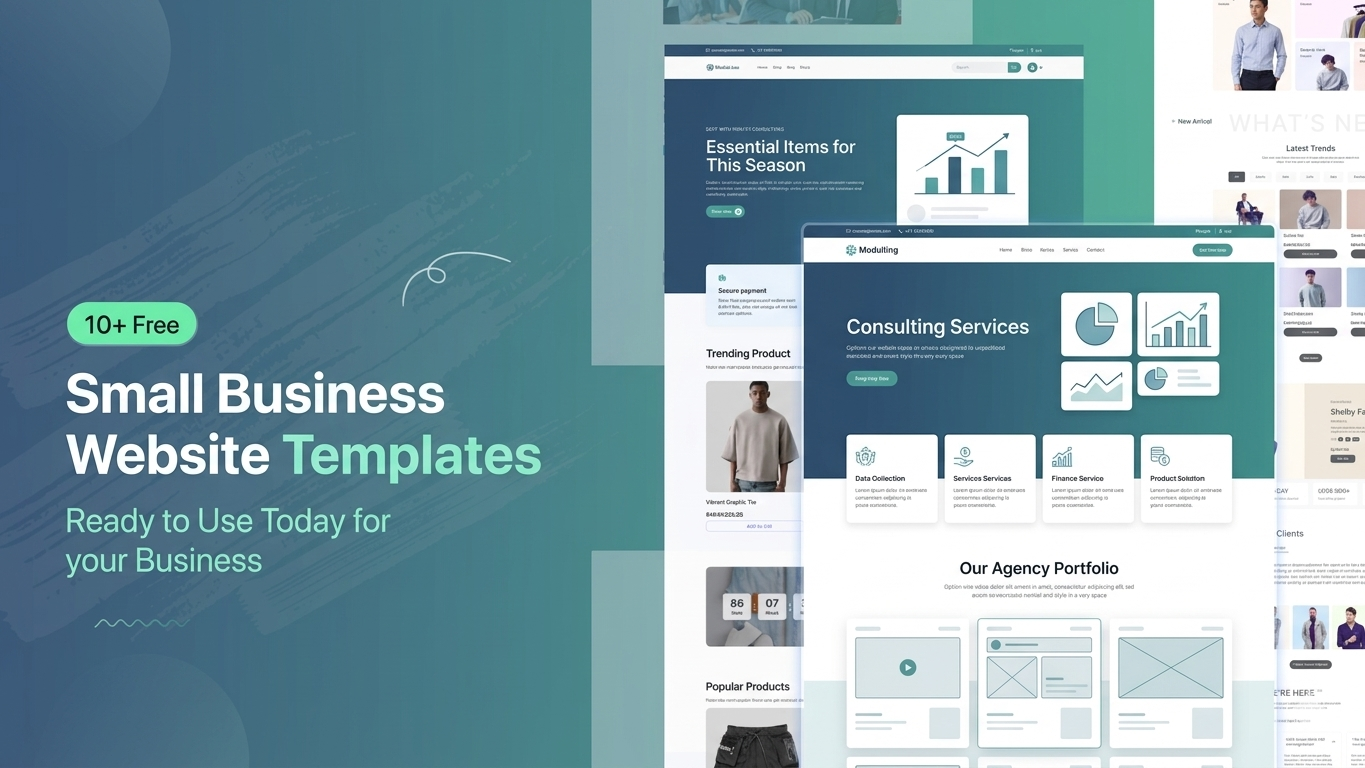
    Building a professional website for a small business can be challenging, especially when you have a limited budget and no technical background. Hiring a developer is expensive and time-consuming. That’s why free website templates have become so popular. They allow anyone to launch a modern, responsive, and premium-looking website quickly without coding. In this article, you’ll discover the best free small business website templates and platforms to help you launch your business online today.

    Why Use Free Small Business Templates?

    Business Templates

    Free templates are a smart solution for startups and small businesses that want to go online quickly without spending money on design or development. These templates are pre-designed, fully responsive, and easy to customize. They help you save time, reduce cost, and still achieve a professional look. Most importantly, they are beginner-friendly, so even non-technical users can easily build a complete business website in just a few hours.

    • Cost-effective solution
    • Quick website launch
    • No coding required
    • Mobile responsive design
    • Easy customization

    10+ Free and Small Business Website Templates You Can Use Today

    10+ Free Small Business Website Templates

    There are many high-quality free templates available for different types of businesses such as consulting, SaaS, agencies, finance, and startups. These templates are designed with modern UI/UX principles, making your website look premium and trustworthy. Whether you are running a service-based business or a digital startup, you can find a suitable ready-made template that matches your brand identity and can be customized easily.

    • Corporate Business Template
    • Consulting Agency Template
    • SaaS / Startup Template
    • Finance & Investment Template
    • Digital Agency Template
    • IT Service Template
    • Personal Portfolio Template
    • Marketing Agency Template
    • Fintech / Payment Template
    • Software Company Template

    Template Platform Comparison

    High-quality Free Template

    Choosing the right platform is very important because it affects your website’s speed, flexibility, and ease of customization. Some platforms are beginner-friendly with drag-and-drop builders, while others offer more advanced control but require a bit of learning. Below is a simple comparison of popular template platforms like Templatekits, Elementor Kits, Gutenkits, and others to help you decide which one suits your needs best.

    Feature

    aBlocks Templatekits

    Elementor Kits

    Gutenkits

    Others

    Ease of Use

    Very Easy

    Not Biginar Friendly

    Medium

    Varies

    Page Builder

    aBlocks

    Elementor

    Gutenberg

    Mixed

    Customization

    High

    High

    Medium

    Low–High

    Speed

    Fast

    Medium

    Very Fast

    Varies

    Beginner Friendly

    Yes

    Yes

    Moderate

    Not Always

    Ready Templates

    Many

    Many

    Moderate

    Limited

    Design Quality

    Premium

    Premium

    Simple

    Mixed

    Plugins Needed

    aBlocks and ECM

    Elementor

    Gutenberg Blocks

    Depends

    Which Platform Should You Choose?

    Platform Should You Choose

    Each platform has its own strengths depending on your skill level and business needs. If you are a beginner and want a simple setup, Templatekits is a great choice. Elementor Kits is perfect for users who want more design flexibility. Gutenkits is lightweight and fast but slightly more technical. Other platforms may vary in quality, so it’s important to choose carefully based on your project requirements.

    • Templatekits → Best for All User
    • Elementor Kits → Flexible & popular
    • Gutenkits → Fast performance
    • Others → Depends on quality

    How to Use These Templates

    How to Use These Templates

    Using these templates is very simple and requires no technical knowledge. Most platforms provide one-click installation and drag-and-drop editing features. You just need to select a template, import it into your website builder, customize the content according to your business, and then publish it. Within less than an hour, your professional-looking website can be live and ready for customers.

    Step-by-step process:

    • Choose a template
    • Import with one click
    • Customize content & images
    • Publish your website

    Important Note (Template Import Guide)

    To import these templates, you must first install the aBlocks plugin.

    Then follow these steps:

    1. Install the aBlocks plugin first
    2. Go to Appearance → aBlocks Templates
    3. From the menu, select Business Templates
    4. You will see all available templates there
    5. Click on the “Start Import” button
    6. The template will be imported within a few seconds
    Import Template

    By following these steps, you can easily import and use your business templates without any issues.

    Who Should Use These Templates?

    Who Should Use These Templates

    These free templates are ideal for anyone who wants to build a professional online presence without investing heavily in development. They are especially useful for small business owners, startups, freelancers, agencies, and non-technical users. If you want to launch quickly and look professional from day one, these templates are one of the easiest and most effective solutions available today.

    • Small business owners
    • Startup founders
    • Freelancers
    • Agencies
    • Non-technical users

    Final Thoughts

     Free small business website templates are a powerful solution for anyone looking to build a modern and professional website without spending money on developers. They are fast, easy to use, and highly customizable. With the right template, you can launch your business online in minutes and create a strong first impression. Whether you choose Templatekits, Elementor Kits, or Gutenkits, the key is to start quickly and focus on growing your business.

    FAQ

    Are free templates safe to use?

    Yes, if you download them from trusted platforms, they are completely safe and secure.

    Can I build a professional website using free templates?

    Absolutely. Many free templates are designed with premium-level UI and functionality.

    Do I need coding skills?

    No, all templates are built with aBlocks Import Template.

    Will free templates affect SEO?

    No, as long as the template is optimized, fast, and mobile-friendly.