








Most “best of” lists waste 800 words before getting to the picks. This one won’t.
The verdict first. Then the data. Then short, useful profiles. Read what fits, skip the rest.
The Verdict in Two Lines
ThriveDesk stands as the top choice for small WooCommerce stores operating in 2026 when selecting WooCommerce helpdesk plugins. Native WooCommerce integration. Flat unlimited pricing. AI is included in every plan.
The following five WooCommerce helpdesk plugins provide solutions for shops that operate self-hosted systems and email-only communication and handle multiple product lines.
Why the Right Helpdesk Matters for a Small Business
Three numbers tell the story.
Number one: a typical small WooCommerce shop loses 20-30% of repeat sales to slow or messy customer support. Slow replies. Confused agents. Tickets that fall through the cracks.
Number two: shops that respond within 30 minutes have a 60% higher repeat-sale rate than shops that take 24 hours.
Number three: the average small business team spends 12-15 hours per week on customer support that should take 4-6 hours with the right tools.
The right WooCommerce helpdesk plugins close that gap. Not by magic. By centralizing every ticket, showing order details inside conversations, automating routine routing, and pulling AI into the chat layer so the human team can focus on the complex stuff.
That’s the whole pitch. Now the picks.
Side-by-Side Comparison
|
Plugin |
Monthly Cost |
Free Version |
WooCommerce Native |
Live Chat |
AI Included |
|
ThriveDesk |
$29-$129 flat |
7-day trial |
Yes |
Yes |
Yes |
|
ELEX WSDesk |
Paid — pricing varies by license |
Yes |
Yes |
Yes |
Yes |
|
Fluent Support |
~$11/mo ($129/yr) |
Yes |
Plugin integration |
No |
Via OpenAI key |
|
Awesome Support |
~$12-$34/mo |
Yes (basic) |
Add-on |
No |
Add-on |
|
SupportCandy |
~$7-$12/mo |
Yes |
Add-on |
No |
No |
|
Heroic Inbox |
~$17/mo ($199/yr) |
No |
Yes |
No |
No |
|
Help Scout |
$25-$65/user/mo |
15-day trial |
Beacon plugin |
Via Beacon |
Basic |
Profile #1: ThriveDesk

The pick for most small WooCommerce shops.
ThriveDesk was developed as a dedicated solution for WordPress and WooCommerce users from its initial launch. Users can view order details within each ticket without needing to switch between different tabs.
The AI assistant develops its knowledge base through analysis of previous conversation records. The live chat widget activates immediately when users navigate to the page. The flat-rate pricing system prevents customers from facing unexpected charges when their team size increases.
ThriveDesk presents the most extensive WooCommerce dashboard among all WooCommerce helpdesk plugins which are available for this list.
Verified Pricing (thrivedesk.com/pricing): Basic $29/mo, Standard $69/mo, Unlimited $129/mo. Annual saves up to $360/year (Unlimited drops to $99/mo). Enterprise $45/seat/mo. 7-day free trial, no credit card.
Main Features:
- Shared inbox with collision detection and internal notes
- Native WooCommerce order info inside every ticket
- Live chat widget that loads fast on any theme
- AI assistant trained on past chats and docs
- Knowledge base with AI-powered search (Pro plan+)
- Automation rules for tagging, assigning, routing
- Mobile apps for iOS and Android
- 80+ integrations including WordPress, Shopify, Slack
Strongest at: Native WooCommerce workflows, flat pricing as the team scales, AI without per-resolution fees.
Weakest at: Smaller third-party app library than Zendesk. Knowledge base locked to higher tiers.
Pick this if: The shop runs on WooCommerce, has 2-15 agents, and wants AI included without surprise bills.
Profile #2: ELEX WSDesk
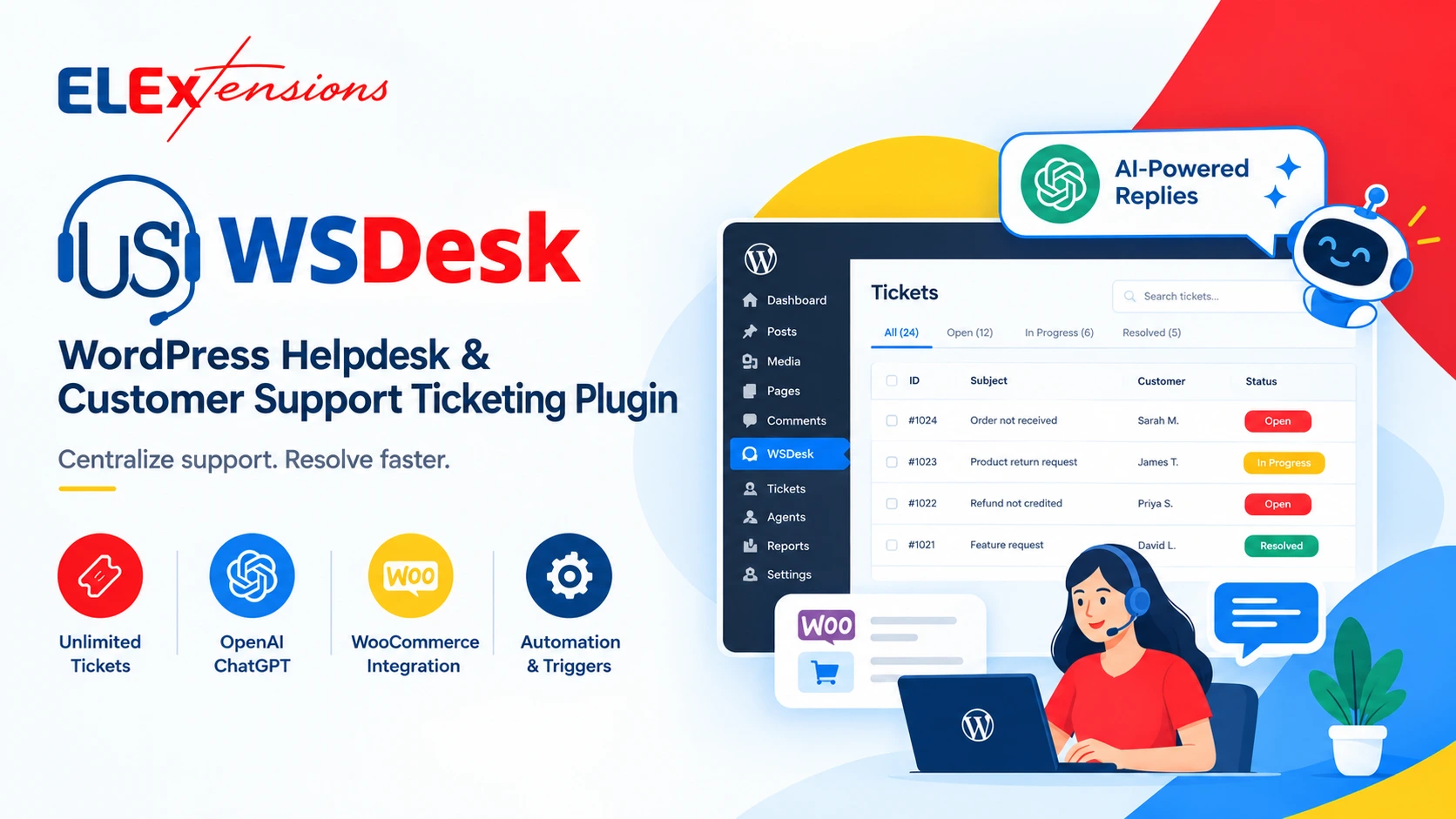
The pick for WordPress and WooCommerce stores that want to manage customer support from their own website.
ELEX WSDesk is a WordPress helpdesk plugin that helps businesses manage customer questions, complaints, and support tickets from the WordPress dashboard. You can create, assign, track, and manage tickets in one place.
WSDesk supports unlimited tickets and unlimited agents, so you can add support team members without limiting the number of tickets they handle.
The plugin also integrates with WooCommerce, allowing agents to see customer order details directly inside support tickets. Its ChatGPT integration can help create replies, check grammar, and make responses more professional.
You can also convert customer emails into tickets, create automatic responses, set up ticket automation, and save common replies to help your support team respond faster.
Verified Pricing: Free Plan Available. Premium starts at $99/year for a Single Site license. It includes 1 year of support and updates and a 30-day money-back guarantee.
Main Features:
Strongest at: Unlimited tickets and agents, WooCommerce integration, AI-powered replies, and managing support directly inside WordPress.
Weakest at: Some advanced features may require additional setup.
Pick this if: You run a WordPress or WooCommerce store and want a simple helpdesk to manage customer tickets, orders, emails, and support from your WordPress dashboard.
Profile #3: Fluent Support

The pick for self-hosted control freaks.
Among WooCommerce helpdesk plugins, Fluent Support stands out for data ownership. Everything stays on the WordPress site. No SaaS vendor holds the customer data. For shops in regulated industries or just privacy-focused founders, that matters.
The free version on WordPress.org is genuinely useful, not a stripped-down trial. It handles unlimited tickets and agents. AI-powered responses are available through OpenAI key integration on the Pro version.
No live chat in core. A separate chat plugin is needed.
Verified Pricing (fluentsupport.com): Single site $129/year. 5-site $249/year. 50-site $399/year. Free version on WordPress.org. 14-day free trial on Pro.
Main Features:
- Self-hosted, GPL-licensed open source
- Single page application built on Vue.js
- Unlimited tickets and agents on all plans
- Email piping for auto-ticket creation
- WooCommerce, EDD, FluentCRM, LearnDash integrations
- AI-powered responses with OpenAI key
- Workflow automation with triggers and conditions
- Custom ticket portal with Gutenberg blocks
Strongest at: Self-hosted data ownership, fast UI, FluentCRM pairing.
Weakest at: No native chat. Setup slower than SaaS tools.
Pick this if: Data ownership matters or the shop already runs FluentCRM and Fluent Forms.
Profile #4: Awesome Support

The pick for multi-product shops on a budget.
Over a decade in the WordPress space. Used by 8,000+ active sites. The free core handles unlimited tickets and agents. Paid bundles unlock SLAs, multi-department routing, and custom fields. Sell electronics and apparel and physical books all under one roof? Awesome Support handles departmental routing better than most other WooCommerce helpdesk plugins.
The importer add-on for moving from Zendesk or Help Scout is also a quiet win. Shops that outgrow SaaS tools can migrate tickets in bulk without losing history.
Interface feels a decade old, because it is. Functional, but no design awards coming.
Verified Pricing (getawesomesupport.com): Free core on WordPress.org. Standard $149/year. Pro $229/year. Enterprise $289/year. Agency $409/year.
Main Features:
- Unlimited tickets and agents in the free version
- Front-end ticket submission for users
- Multiple products and departments support
- WooCommerce and EDD product sync
- Custom fields on ticket forms
- Importer add-on for moving from Zendesk or Help Scout
- SLA management on Pro and up
- 4.4/5 average rating on WordPress.org
Strongest at: Multi-product routing, mature feature set, generous free version.
Weakest at: Dated UI. No native live chat. Free version misses key features.
Pick this if: The shop sells across multiple product lines or departments and tickets need routing logic.
Profile #5: SupportCandy

The pick for technical teams wanting customization.
Modular plugin built on hooks, filters, and REST API. Developers can extend almost anything. 15+ custom field types. WooCommerce integration via add-on.
Among the WooCommerce helpdesk plugins listed here, SupportCandy is the most flexible from a developer’s seat. The hooks alone let agencies build per-client support flows that off-the-shelf tools couldn’t touch.
If “customize this plugin” sounds like an exciting challenge, SupportCandy fits. If it sounds like a chore, ThriveDesk or Heroic Inbox will be less painful.
Verified Pricing (supportcandy.net): Free core. Personal $79/year. Professional $149/year. 14-day free trial on paid plans.
Main Features:
- Unlimited tickets and agents
- 15+ custom field types
- Real-time email notifications
- Private internal notes for agents
- WooCommerce integration via add-on
- Knowledge base add-on
- REST API for developers
- GDPR compliance tools
Strongest at: Developer flexibility, GDPR tools, low price for technical users.
Weakest at: No live chat in core. Plain interface. Steeper learning curve.
Pick this if: A developer is on the team and the shop has unusual workflows that off-the-shelf tools won’t handle.
Profile #6: Heroic Inbox

The pick for email-first teams that hate complexity.
Made by HeroThemes. Clean shared inbox for email-only support workflows. Pairs with Heroic Knowledge Base from the same maker. WooCommerce order details show up inside the inbox. Internal notes and @mentions let small business teams collaborate without stepping on each other’s toes.
No live chat. No AI. Just a clean, fast email helpdesk.
For a small business that already runs HeroThemes products, Heroic Inbox slots in naturally. For everyone else, ThriveDesk’s flat unlimited plan offers more features at similar cost.
Verified Pricing (herothemes.com): Single site starts around $199/year. Multi-site bundles available. 14-day money-back guarantee.
Main Features:
- Shared email inbox with team collaboration
- Internal notes and @mentions
- WooCommerce order details inside the inbox
- Saved replies for common questions
- Tags and ticket statuses
- Automatic email piping
- Pairs with Heroic Knowledge Base
Strongest at: Clean email-only inbox, pairs with Heroic KB, no learning curve.
Weakest at: No chat, no AI, smallest user base of any tool here.
Pick this if: Support is 95%+ email, the team is 2-5 people, and complexity is the enemy.
Profile #7: Help Scout

The pick for brand-voice perfectionists.
Not a WordPress plugin (SaaS), but connects via the Beacon widget. Buyers don’t see a “ticket” interface. They see a friendly email reply. Strong reports on agent performance. 100+ integrations.
Per-user pricing gets expensive fast. A 5-person small business team pays $125-$325/month at Standard tier. ThriveDesk’s Unlimited plan would cost the same team $129/month flat.
The trade-off is brand polish.
Verified Pricing (helpscout.com): Standard $25/user/month. Plus $50/user/month. Pro $65/user/month. 15-day free trial.
Main Features:
- Shared inbox for email-based support
- Beacon live chat widget (works on WordPress)
- Knowledge base (Docs)
- Workflows and automation
- Customer profiles with conversation history
- Reports on team performance
- Native iOS and Android apps
- 100+ integrations
Strongest at: Brand-friendly email replies, polished SaaS feel, agent performance reports.
Weakest at: Per-user pricing, basic AI, not native to WordPress.
Pick this if: The brand voice matters more than the cost and the team is small.
Real Cost Over 36 Months (5-Agent Team)
The price tag on Day 1 isn’t the price tag in Year 3. Here’s what these helpdesk plugins actually cost over 36 months for a 5-agent small WooCommerce shop.
|
Plugin |
36-Month Cost (5 agents) |
|
ThriveDesk Unlimited (annual) |
$3,564 ($99/mo × 36) |
|
Fluent Support Single Site |
$387 ($129 × 3 years) |
|
Awesome Support Pro |
$687 ($229 × 3 years) |
|
SupportCandy Professional |
$447 ($149 × 3 years) |
|
Heroic Inbox |
$597 ($199 × 3 years) |
|
Help Scout Standard |
$4,500 ($25 × 5 users × 36 months) |
|
Zendesk Pro (for reference) |
$20,700 ($115 × 5 users × 36 months) |
The takeaway? Self-hosted WooCommerce helpdesk plugins provide users with a cost-effective solution which becomes more affordable than SaaS tools after three years.
The center position of ThriveDesk includes additional features which combine AI technology with live chat support and complete WooCommerce integration that self-hosted platforms at lower prices do not offer.
Picks by Specific Use Case
Shop owner does everything alone: Fluent Support free version. Zero cost. Self-hosted.
Team of 2-3 needs chat plus tickets: ThriveDesk Basic ($29/month).
Team of 5+ scaling fast: ThriveDesk Standard or Unlimited ($69-$129/month flat).
Shop sells across multiple departments: Awesome Support Pro or Enterprise.
Email-only workflow: Heroic Inbox at $199/year.
Brand voice obsession: Help Scout Standard.
Custom-coded workflows needed: SupportCandy Professional plus a developer.
Data ownership matters above all: Fluent Support or SupportCandy. Both self-hosted.
Setup Time Reality Check
Marketing copy promises “5-minute setup.” Reality?
Fastest setup: ThriveDesk — about 15 minutes from signup to first ticket received.
Mid setup: Fluent Support, Awesome Support, Heroic Inbox — roughly 30-45 minutes to install, configure email piping, set up first ticket form.
Slowest setup: SupportCandy — anywhere from 1-3 hours if customization is happening. Help Scout takes about an hour because of the Beacon widget plus knowledge base setup.
Plan accordingly. The cheapest plugin can cost the most in setup hours if the workflow is complex.
One Honest Warning
Most small WooCommerce shops over-buy helpdesk features they never use. Don’t pick the Unlimited plan if 2 agents will ever exist. Don’t pay for live chat if the shop never plans to staff it. Don’t buy SLA tracking if no SLAs exist.
Start small. Test with a free trial or free version. Upgrade only after hitting the limits of the current tier. Most small business shops can run on the lowest paid tier of any of these WooCommerce helpdesk plugins for the first year or two without missing a feature.
The right helpdesk plugin matches the shop’s actual workflow, not the marketing dream of what the workflow might become.
One more honest note: the cheapest tool often isn’t the cheapest tool over 3 years. A $79/year plugin that needs 5 paid add-ons ends up costing more than a $129/month flat-rate plan with everything included. Look at the 36-month total cost, not the sticker price.
Bottom Line
ThriveDesk for most WooCommerce shops. Fluent Support for self-hosted purists. Awesome Support for multi-product complexity. SupportCandy for custom-coded workflows. Heroic Inbox for email-only teams. Help Scout for brand-voice perfectionists.
Pick one. Run a free trial this week. Within 30 days, the inbox chaos becomes a manageable workflow. That’s the whole point of these WooCommerce helpdesk plugins.
The wrong choice costs hours of setup and frustration. The right choice quietly saves the day, every day, for years.