

Tag: Creative Agency Website

  • Best WooCommerce Subscription Plugins for Recurring Payments (2026)

    Best WooCommerce Subscription Plugins for Recurring Payments (2026)

    WooCommerce performs effectively when handling individual sales that occur once. The system never included an automated monthly billing function for customers when it was first developed. To establish recurring payment functionality for memberships, subscription boxes, and retainer services, you must install a WooCommerce subscription plugin that works with the core store system. 

    The selection of payment systems determines how businesses set their prices and which payment methods they can accept while reducing staff duties to handle failed card transactions and customer requests for payment interruptions.

    Below are six solid options for handling monthly billing in 2026, what each one gets right, and where it falls short. 

    All prices come directly from the vendor website, and you should verify them before making your purchase because these values tend to change.

    Quick Comparison

    Plugin

    Starting Price

    Best For

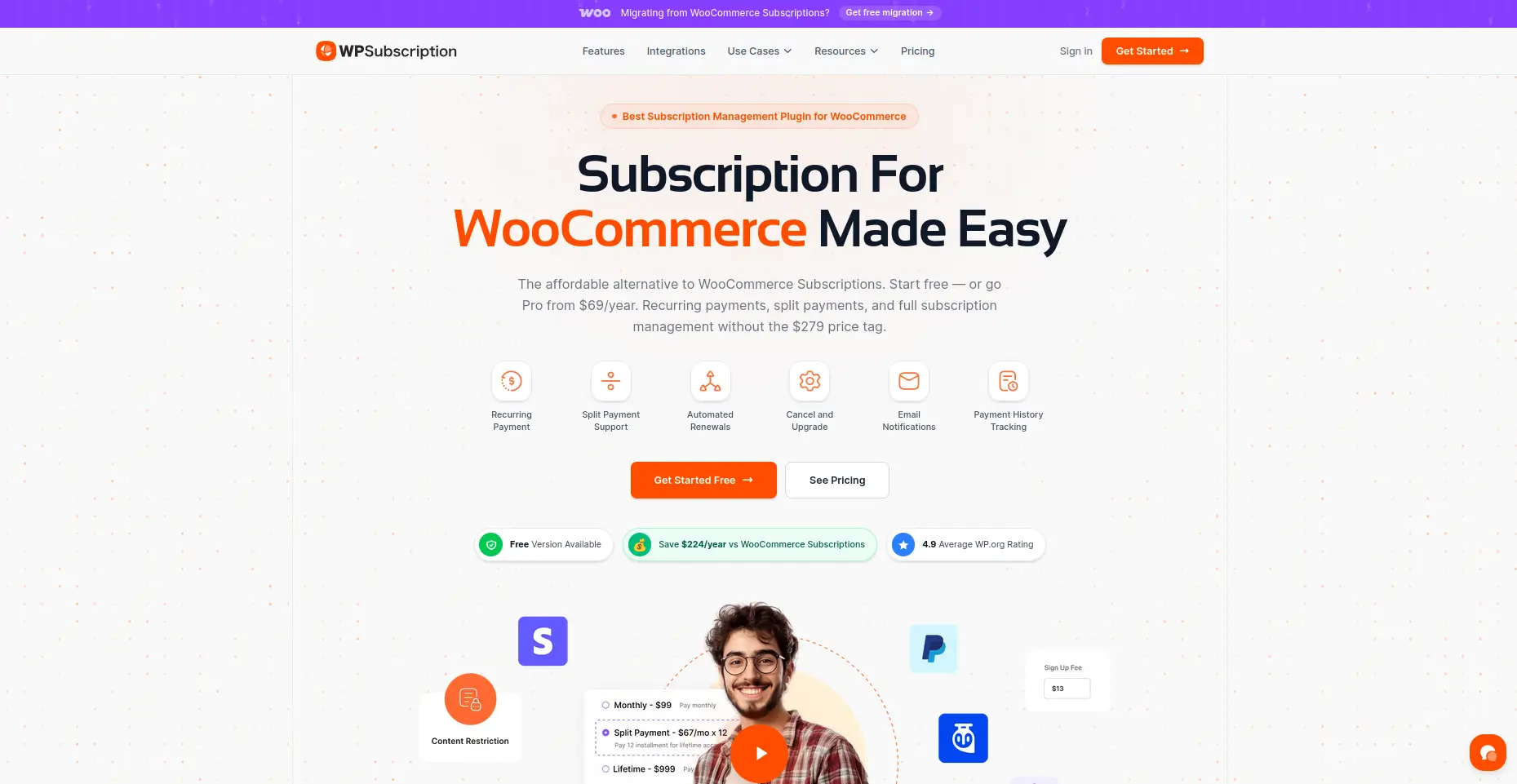
    WPSubscription

    Free / from $89/year

    Best overall value for most stores

    WooCommerce Subscriptions (Official)

    $279/year

    Native depth for large, established stores

    YITH WooCommerce Subscription

    ~€199.99/year

    Multi-language stores already on YITH

    WP Swings Subscriptions Pro

    Free / from $129/year

    Pairing billing with loyalty or wallet tools

    WebToffee Subscriptions

    ~$99/year

    Renewal discounts to fight churn

    SUMO Subscriptions

    $49 one-time

    A single upfront cost instead of a yearly fee

    WP Subscription

    wpsubscription

    A WooCommerce subscription plugin built to handle automatic billing reliably without charging a steep annual fee for the privilege.

    Features:

    • Recurring billing on daily, weekly, monthly, or yearly schedules
    • Free trial periods on any product
    • Split payments, so a large one-time cost can be spread across smaller installments
    • Customer account page for self-serve pause, cancel, and payment updates
    • Subscription Health dashboard for MRR, churn, and revenue at risk
    • Gateway support across Stripe, PayPal, Paddle, Razorpay, Mollie, and WooEpay

    Pricing: Free core plugin on WordPress.org. Pro from $89/year for one site.

    Pick this if: the store wants dependable automatic billing and useful reporting without paying official-extension pricing.

    Skip it if: deep native integration with the wider WooCommerce.com extension catalog is required.

    WooCommerce Subscriptions
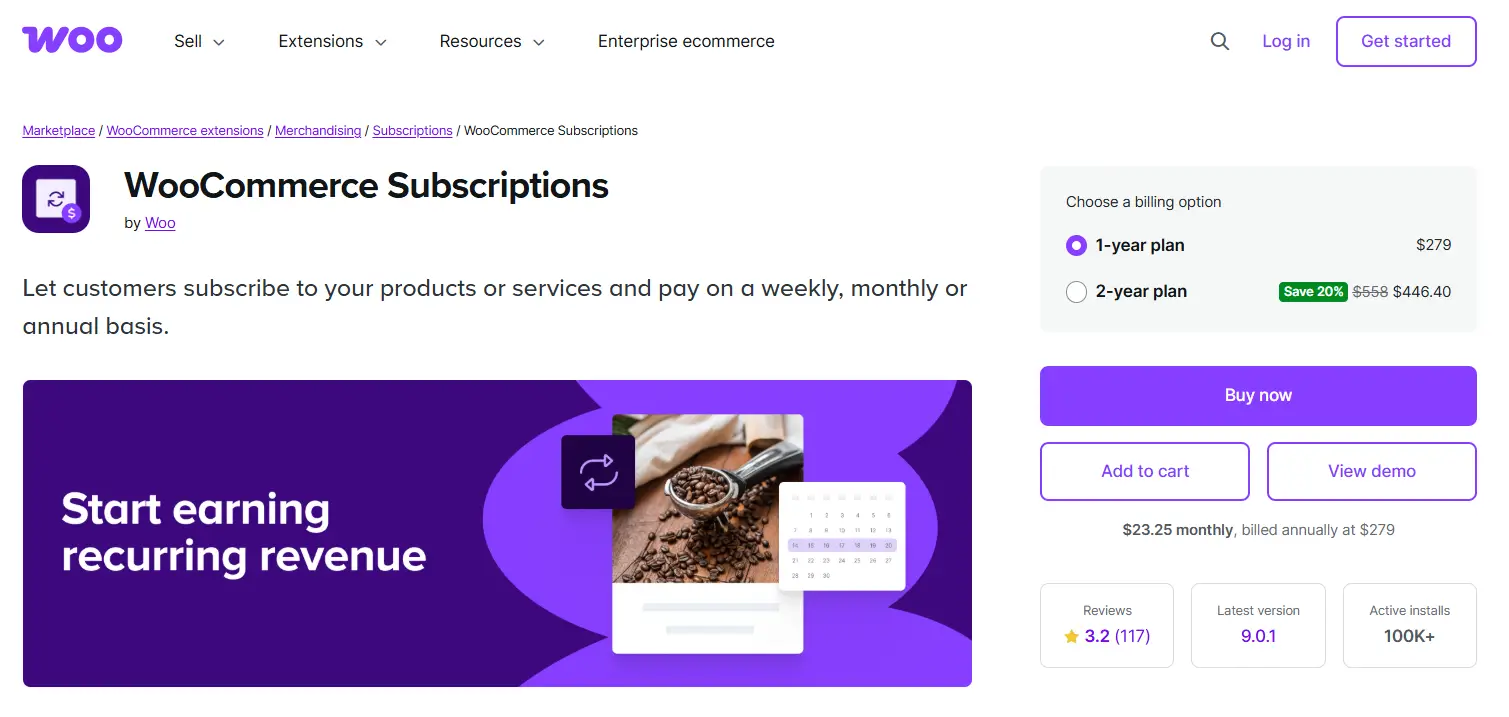
    woocommerce subscription

    The official WooCommerce extension, built directly by the platform, handles automatic billing with the deepest native integration available and the fewest compatibility surprises.

    Features:

    • Billing schedules from daily through yearly
    • 25+ supported payment gateways
    • Self-service upgrades and downgrades for subscribers
    • Renewal date synchronization across multiple subscriptions
    • Automatic retry on failed charges

    Pricing: $279/year for a single site.

    Pick this if: the store already runs several other WooCommerce.com extensions and values official support over cost.

    Skip it if: the subscription model is still new and the budget can’t absorb the higher entry price yet.

    YITH WooCommerce Subscription
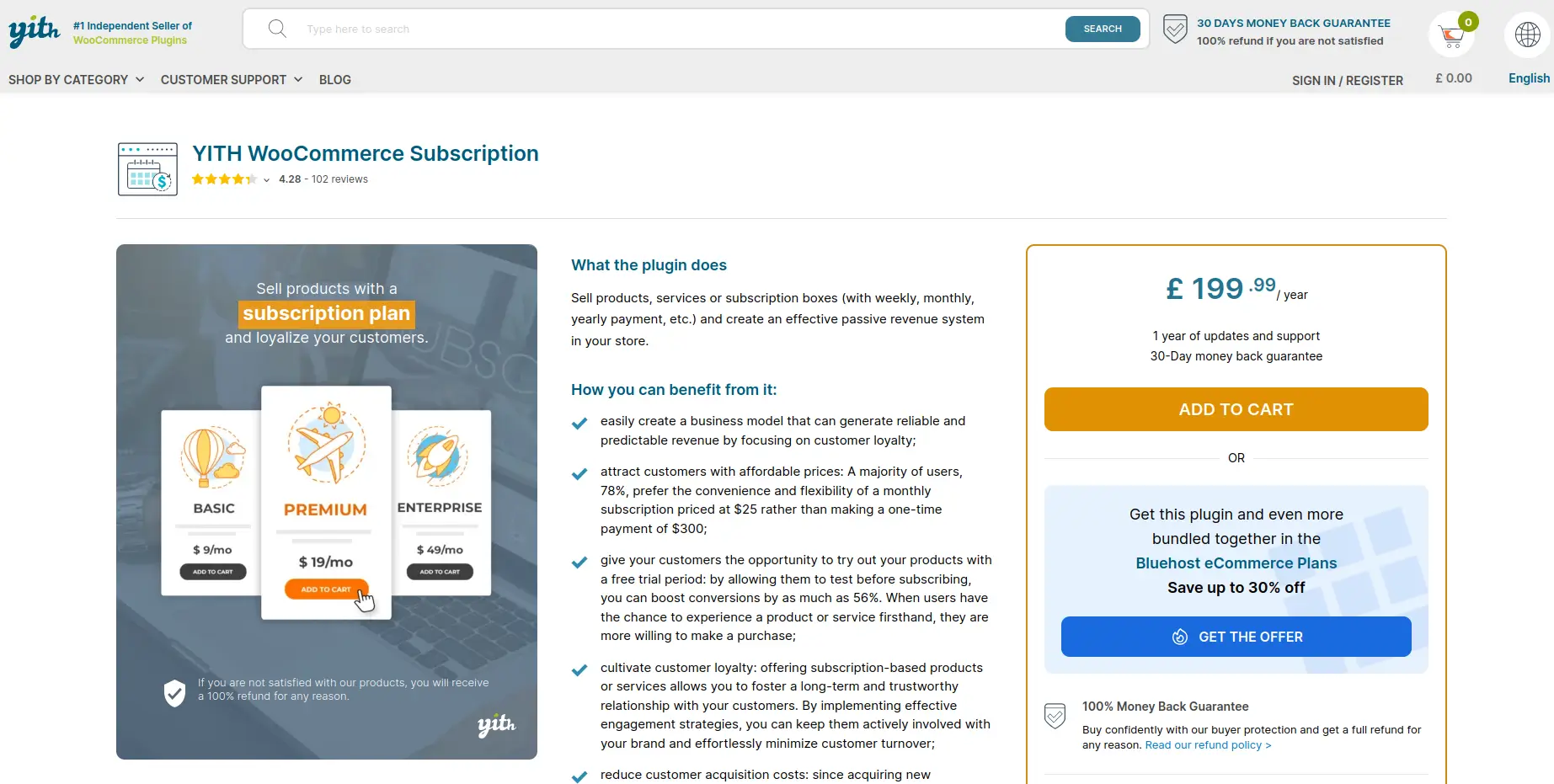
    yith

    A subscription plugin from YITH built to handle automatic billing for both physical and digital products, with strong multi-language support baked in.

    Features:

    • Recurring billing for physical and digital products
    • Subscription box functionality for curated recurring bundles
    • Built-in coupon system tied to renewals
    • Subscription analytics dashboard
    • Solid WPML compatibility for multi-language stores

    Pricing: Around €199.99/year.

    Pick this if: the store already runs other YITH plugins or serves customers across multiple languages.

    Skip it if: there’s no existing YITH setup to build on.

    WP Swings Subscriptions Pro
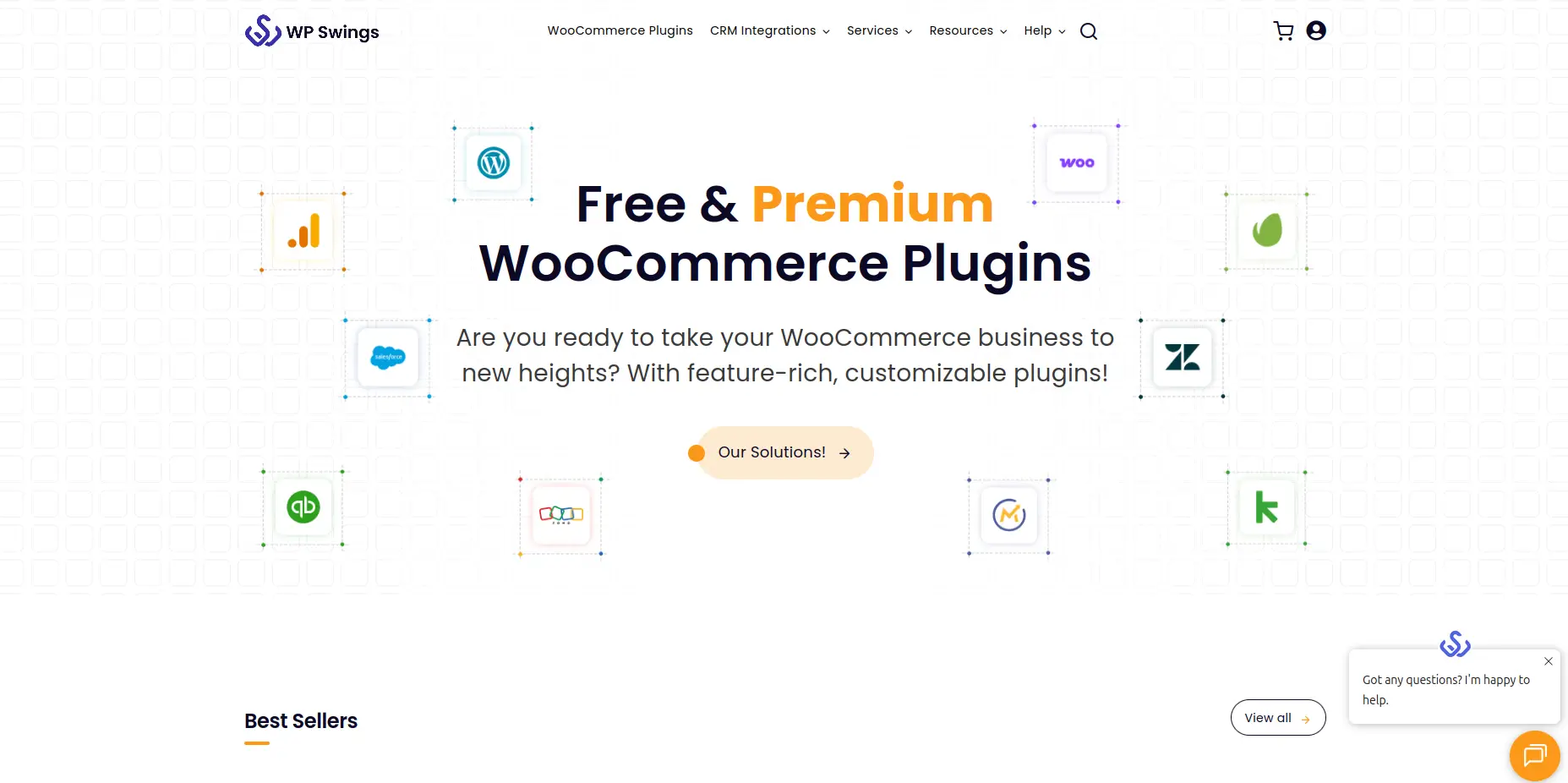
    swing

    A WooCommerce subscription plugin that ties automatic billing directly into WP Swings’s own loyalty points and wallet system, rather than treating billing as a separate concern.

    Features:

    • Automatic retry logic on failed charges
    • Subscription pause and resume from the customer’s own account
    • Loyalty points issued automatically with every renewal
    • Wallet-based balance option for subscription charges
    • Simple and variable product subscription support

    Pricing: Free core plugin. Pro from $129/year.

    Pick this if: loyalty points or a wallet system already sit alongside the store’s checkout experience.

    Skip it if: a plain, standalone billing tool covers everything that’s needed.

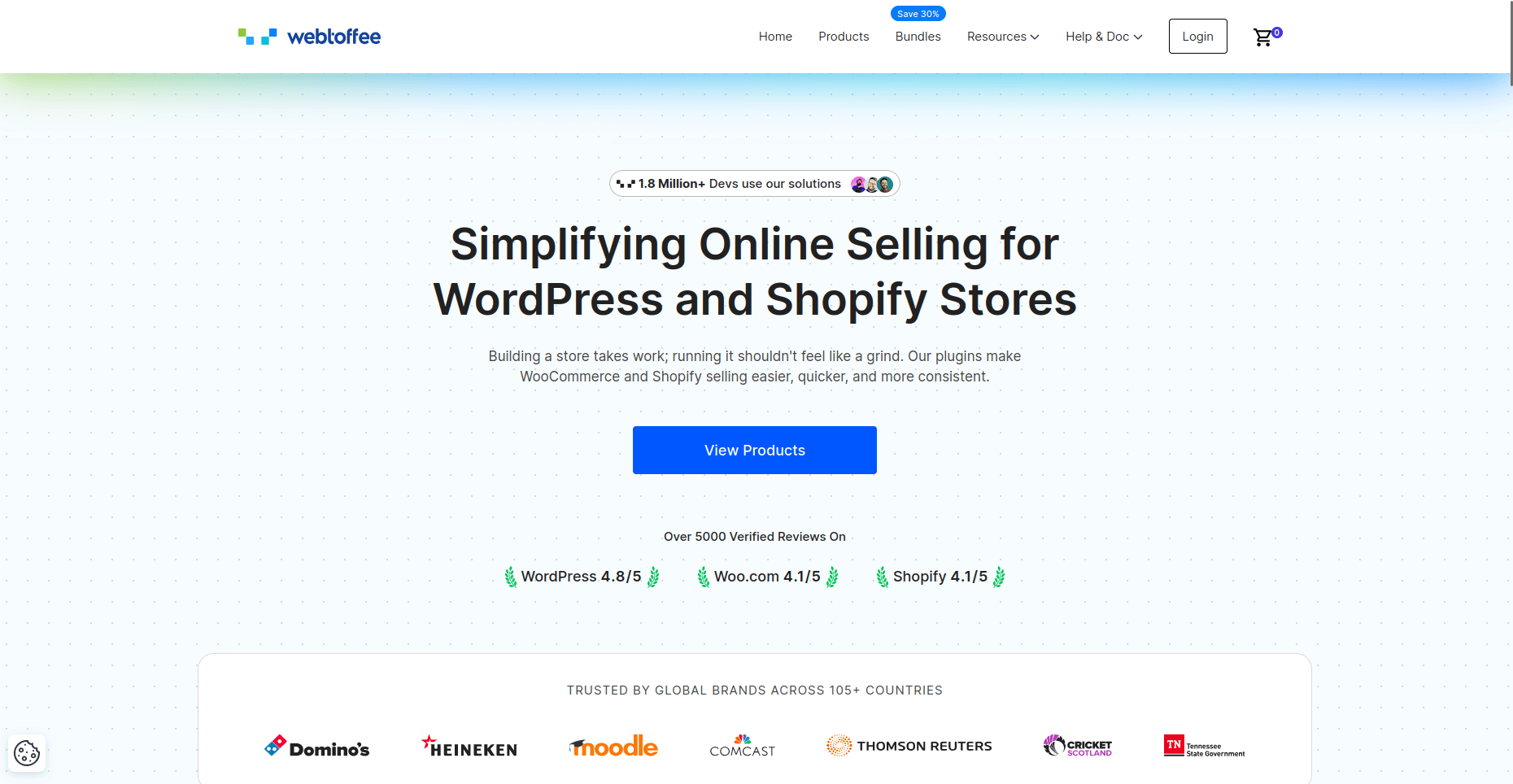
    WebToffee Subscriptions
    webtofee

    A WooCommerce subscription plugin that leans on automated renewal discounts as its main defense against losing subscribers over price.

    Features:

    • Multiple billing intervals with automatic renewals
    • Automated discount and coupon rules near renewal time
    • Customer account dashboard for self-managed plans
    • Support for both physical and digital products
    • 4.7 out of 5 average rating

    Pricing: Around $99/year for a single site.

    Pick this if: churn around renewal pricing is the main problem to solve.

    Skip it if: discount-driven retention isn’t part of the plan.

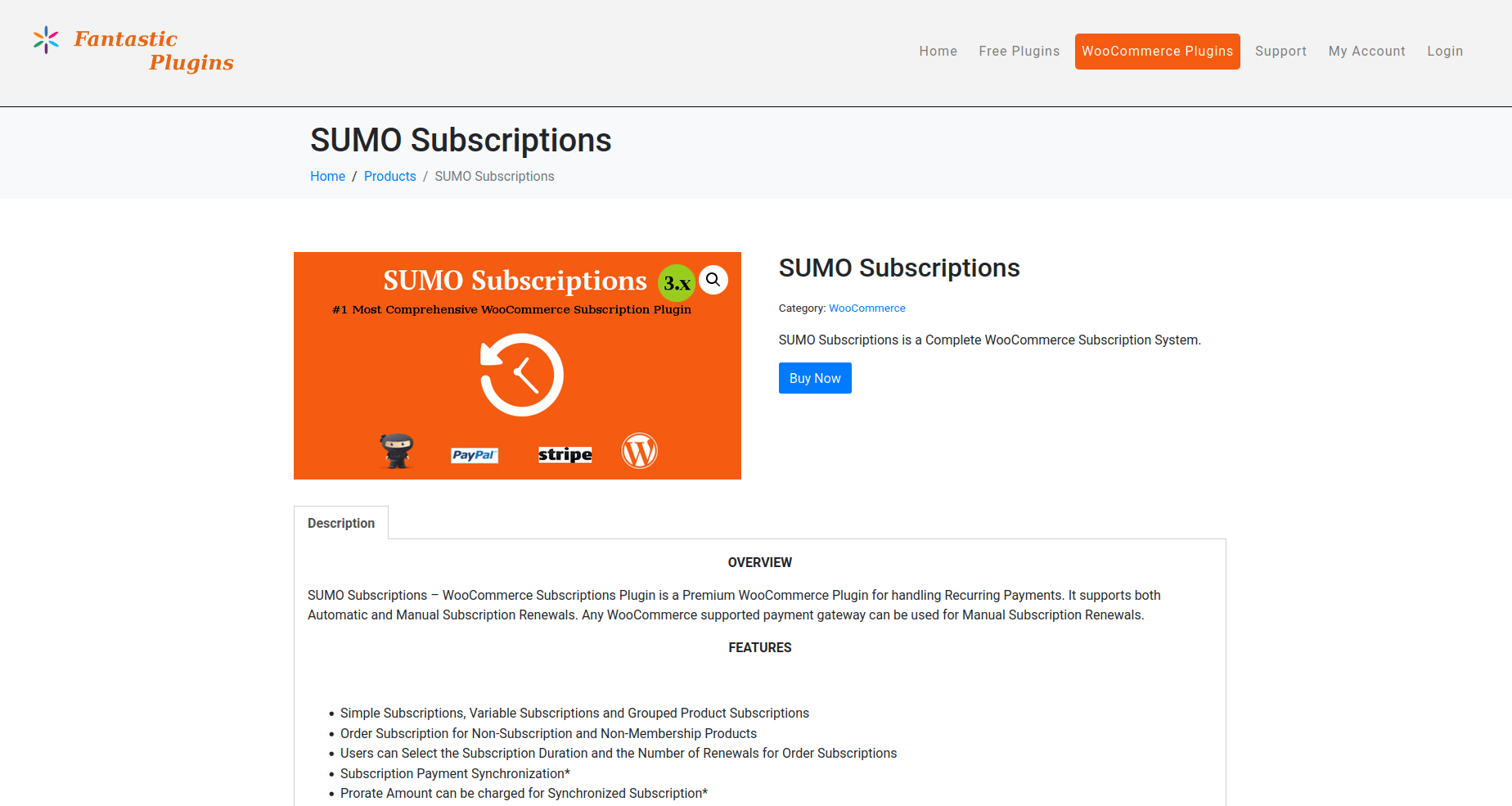
    SUMO Subscriptions
    sumo

    A one-time-fee WooCommerce subscription plugin for stores that would rather pay once than add another recurring bill on top of their own subscription income.

    Features:

    • Simple, variable, and grouped product subscriptions
    • Scheduled drip-feed of downloadable content
    • One-time license instead of an annual fee
    • Basic renewal and cancellation handling

    Pricing: $49 one-time.

    Pick this if: avoiding a recurring plugin cost matters and Stripe is the main gateway.

    Skip it if: PayPal is the primary gateway or dependable support is a priority, since both have drawn mixed feedback.

    Why Choose a WooCommerce Subscription Plugin

    Products that show as subscriptions do not automatically enable customers to make recurring payments. WooCommerce does not have any built‑in functionality to perform recurring card charges, payment retry attempts, or customer plan management because it lacks dedicated billing system logic. The staff member must create manual invoices to serve their limited number of clients because this process becomes inefficient when dealing with multiple customers. 

    Staff members need to create manual invoices because their current process becomes difficult to handle when they have more than a few clients.

    The right WooCommerce subscription plugin enables full automation of the subscription process by performing scheduled billing and card failure retry attempts, sending renewal notifications, and providing customers with a self-service platform to handle their subscription cancellations and pauses. 

    The combination of these elements creates a regular revenue stream through monthly billing, which functions as an automated system instead of becoming a manual task that gets postponed during busy initial weeks.

    Which One Is Best for You

    • Want strong automatic billing without paying for the official extension? WPSubscription is the most cost-effective all-round pick.
    • Running a large store already deep in the WooCommerce.com ecosystem? The official WooCommerce Subscriptions plugin offers the most native depth.
    • Selling to a multi-language audience or already using YITH plugins? YITH WooCommerce Subscription fits that setup best.
    • Already running loyalty points or a wallet system? WP Swings ties subscription billing directly into those tools.
    • Losing subscribers mainly at renewal time over price? WebToffee’s automated discounts target that specific issue.
    • Want to avoid an annual plugin fee entirely? SUMO’s one-time cost is the simplest way around that, with some tradeoffs.

    Conclusion

    Each ecommerce store and service business requires a specific WordPress helpdesk plugin which fits their existing team structure and their typical customer inquiries.

    A business which receives numerous order status emails needs different software solutions than a service business which receives requests for personal explanations that a brief video would clarify better than written text.

    Whatever gets picked, the goal stays the same: give every customer support message a place to land, a person responsible for it, and a record of what was said, so nothing slips through simply because the inbox got busy.
  • The Best Portfolio Website Templates for Modern Creators in 2026

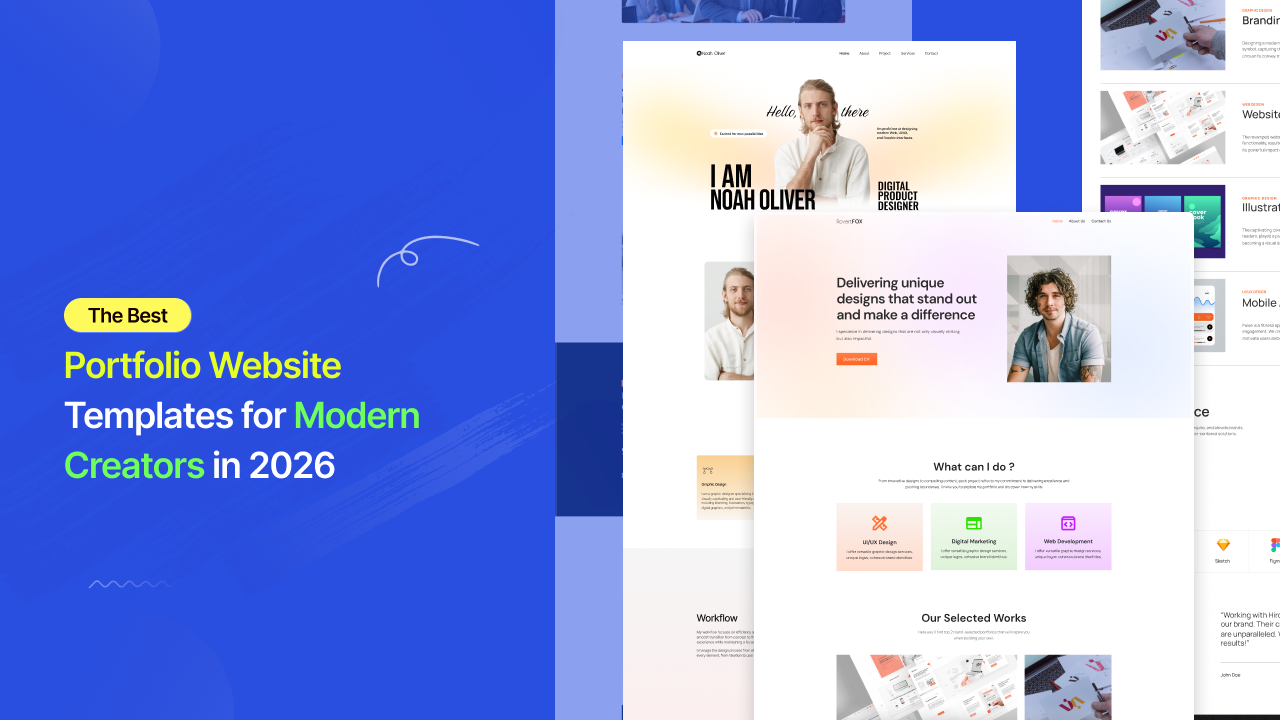
    The Best Portfolio Website Templates for Modern Creators in 2026

    A portfolio website used to be simple.

    You uploaded a few projects, added a short bio, linked your contact page, and hoped potential clients would understand your value from the work itself.

    That approach no longer works.

    In 2026, the internet moves too fast for unclear presentation. Clients scan before they read. Recruiters judge before they click. Creative agencies compare portfolios within seconds. And before someone decides whether your work deserves attention, they’ve already formed an opinion based entirely on your website experience.

    That’s why modern Portfolio Website Templates have become far more important than most creators realize.

    Not because templates save time.

    Because they shape perception.

    A clean portfolio instantly makes work feel more premium. A structured layout increases trust before a single project is opened. A smooth mobile experience creates professionalism without saying a word.

    And in creative industries, perception often influences opportunity long before skill gets evaluated properly.

    Why Most Portfolio Websites Still Feel Outdated

    Feel Outdated

    Many portfolio websites still look like digital archives instead of modern presentation systems.

    Projects feel disconnected. Layouts feel crowded. Typography lacks hierarchy. Mobile responsiveness breaks. Navigation becomes confusing. The visitor has to work too hard to understand what the creator actually does.

    That friction quietly kills opportunity.

    The problem is not always the work itself.

    The problem is presentation.

    Modern audiences are visually trained now. They interact daily with polished SaaS products, premium startups, modern creator brands, and beautifully structured digital experiences. That means expectations have changed dramatically.

    A portfolio website is no longer judged only against other portfolios.

    It is judged against the modern internet itself.

    And that changes everything.

    Why Portfolio Website Templates Matter More in 2026

    Creative competition

    Creative competition online has exploded.

    Designers, developers, photographers, video editors, marketers, artists, writers, creators, and agencies are all competing for attention across the same platforms.

    At the same time, attention spans continue shrinking.

    This creates a new reality where clarity matters more than complexity.

    The strongest Portfolio Website Templates understand this shift perfectly. They are designed around focus, readability, structure, spacing, and flow instead of unnecessary visual clutter.

    The visitor lands on the homepage and immediately understands:

    who you are,
    what you create,
    and why your work matters.

    That level of clarity is difficult to achieve manually without strong design experience.

    Modern template systems solve this problem by already understanding visual hierarchy and user behavior before customization even begins.

    Why Templates No Longer Feel Generic

    Generic

    There was a time when templates felt repetitive and low quality.

    That perception is outdated.

    Modern Portfolio Website Templates are built more like complete creative systems than static page designs. They account for typography rhythm, project spacing, responsiveness, section flow, animation balance, and conversion psychology.

    This matters because creative work is emotional.

    Clients rarely evaluate portfolios purely logically. They respond emotionally first. The presentation affects how valuable the work feels before they consciously analyze anything.

    A minimalist portfolio with clean structure and intentional spacing immediately creates confidence.

    The exact same projects placed inside a cluttered website can feel dramatically less professional.

    That difference is not accidental.

    Modern portfolio templates are designed around perception psychology as much as aesthetics.

    Why Template-Kits.com Feels Different From Traditional Template Platforms

    Template-Kits.com

    Among modern WordPress template platforms,Template-Kits.com takes a noticeably more structured approach.

    Instead of overwhelming users with thousands of inconsistent layouts, the platform focuses on curated template kits powered by aBlocks.

    The experience feels closer to a premium SaaS design ecosystem than a traditional WordPress marketplace.

    This matters for creators because most freelancers and agencies don’t want to spend weeks building websites from scratch. They want a portfolio that already feels modern while still allowing complete creative control.

    That’s exactly where aBlocks becomes important.

    The system allows users to import complete website structures in one click and customize everything visually through Gutenberg without touching code.

    For creators trying to build professional online presence quickly, this dramatically reduces the gap between creating work and presenting it professionally online.

    The Shift Toward Conversion-Focused Portfolio Websites

    Conversion-Focused

    Older portfolio websites were built mainly to showcase projects.

    Modern portfolio websites are built to create opportunities.

    That difference changes the entire structure.

    A modern homepage doesn’t overload visitors with information. Instead, it creates direction. Typography feels intentional. Projects are easy to browse. Case studies feel structured. Contact actions appear naturally throughout the experience.

    Even subtle design choices matter more now.

    Whitespace affects perceived professionalism. Layout rhythm affects readability. Typography affects trust. Mobile responsiveness affects credibility.

    The best Portfolio Website Templates already understand these patterns.

    That’s why professionally structured template systems consistently outperform randomly designed portfolio sites built without strategic flow.

    What Makes a Great Portfolio Website Template in 2026

    Great Portfolio

    The best portfolio websites all create momentum.

    The visitor lands on the homepage and naturally moves through the experience without confusion.

    The hero section establishes identity first. Featured work appears before attention drops. Testimonials or client logos reinforce credibility. About sections add personality without overwhelming the layout. Contact buttons remain visible without feeling aggressive.

    Nothing feels accidental.

    Everything exists to guide attention naturally.

    This is one reason platforms like Template-Kits.com feel more modern than older WordPress ecosystems. Instead of prioritizing builder complexity, they focus on visual consistency, fast setup, and cleaner structure powered by aBlocks.

    That approach aligns far better with how modern creators actually build brands online today.

    Why Mobile Experience Matters More Than Ever

    Experience Matters

    A huge percentage of portfolio traffic now comes from mobile devices.

    Clients open links from Instagram bios. Recruiters browse portfolios from LinkedIn. Agencies review work while multitasking on smartphones.

    And yet many portfolio websites still break completely on smaller screens.

    Text becomes unreadable. Projects feel cramped. Images crop incorrectly. Navigation becomes frustrating.

    A visitor rarely explains why they leave.

    They simply lose confidence and move on.

    Modern Portfolio Website Templates are now designed mobile-first because presentation quality directly affects credibility across every device.

    The best templates maintain spacing, readability, image quality, and visual hierarchy without sacrificing performance.

    That balance is difficult to build manually from scratch. Structured systems like aBlocks-powered template kits already solve much of that complexity automatically.

    Why Simplicity Is Becoming the Biggest Competitive Advantage

    Competitive Advantage

    Creative industries once rewarded complexity.

    Modern digital experiences reward clarity.

    The strongest portfolio websites in 2026 feel effortless. Clean navigation. Strong typography. Minimal distractions. Fast loading. Smooth browsing experience.

    Visitors should never struggle to understand your value.

    This is one reason lightweight Gutenberg-based systems are becoming more attractive than heavier page builders. Platforms like Template-Kits.com focus heavily on cleaner design systems, faster performance, and flexible visual structure through aBlocks.

    And in industries where presentation shapes opportunity, that difference matters significantly.

    Why More Creators Are Using Portfolio Website Templates Instead of Building From Scratch

    custom-building

    For many freelancers and creators, custom-building portfolio websites no longer makes practical sense.

    Not because custom design is bad, but because modern Portfolio Website Templates have dramatically closed the quality gap.

    A professionally designed portfolio template now delivers:

    Feature

    Modern Portfolio Templates

    Modern UI Structure

    Mobile Responsive Layout

    Faster Launch Speed

    Professional Visual Hierarchy

    Easy Customization

    SEO-Friendly Structure

    Gutenberg Compatibility

    without requiring weeks of manual development work.

    This is why modern creators increasingly prefer structured template systems over traditional portfolio builds.

    The goal is no longer to design everything manually.

    The goal is to present your work professionally as fast as possible.

    Final Thoughts

    A portfolio website is no longer just a place to upload projects.

    It is your presentation system, your first impression, and often your most important digital asset.

    Before clients contact you, they evaluate your presentation. Before recruiters read your experience, they judge your visual quality. Before opportunities happen, perception happens first. And that decision happens fast. Modern Portfolio Website Templates are built for that exact reality.Platforms like Template-Kits.com are helping modern creators launch clean, professional, conversion-focused portfolio websites faster through structured aBlocks-powered systems designed for clarity, performance, and modern digital presentation.

    Frequently Asked Questions

    Do I need coding knowledge to use Portfolio Website Templates?

    No. Modern Portfolio Website Templates are designed for beginners and professionals alike. Platforms like aBlocks and Template-Kits.com allow users to customize layouts, images, typography, project sections, and branding visually without coding knowledge.

    Can I customize the portfolio template for my own brand?

    Yes. You can personalize typography, colors, layouts, animations, galleries, logos, and project structures to match your personal or agency identity.

    Are Portfolio Website Templates mobile responsive?

    Yes. Most modern portfolio templates are fully optimized for mobile, tablet, and desktop devices to ensure projects look professional everywhere.

    Can portfolio templates work for agencies and freelancers?

    Absolutely. Portfolio templates are widely used by freelancers, creative agencies, developers, photographers, marketers, UI/UX designers, writers, and digital studios.

    Why are lightweight portfolio websites becoming more popular?

    Lightweight websites improve loading speed, SEO performance, readability, and user experience. Modern Gutenberg-based systems like aBlocks focus on cleaner structure and faster performance compared to heavier builder ecosystems.

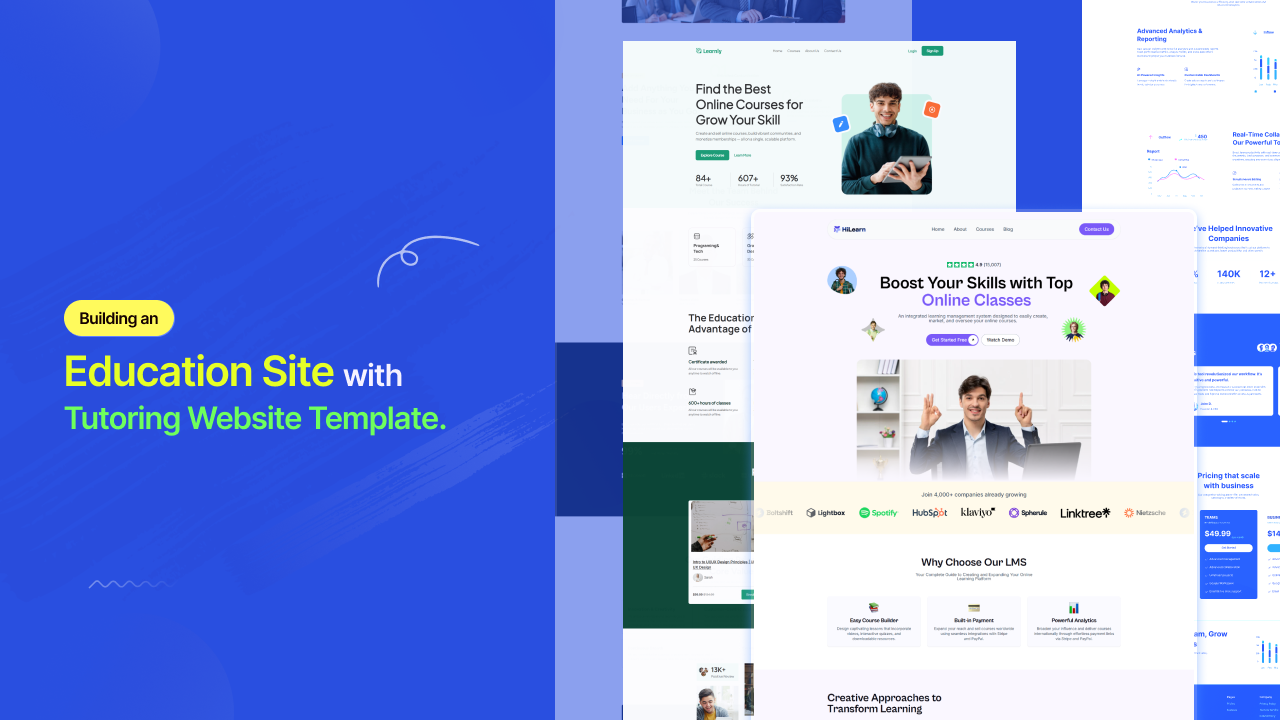
  • Building an Education Site With Tutoring Website Template

    Building an Education Site With Tutoring Website Template

    Picture this. A parent is on their phone at 9pm, stressed about their child’s next math test. They search “math tutor near me.” Three tabs open. Yours is one of them.

    In thirty seconds, they have already decided which tutor feels trustworthy, which site felt confusing, and which one they are going to email tomorrow morning.

    If your website is not designed to win that thirty-second window — clean, credible, and easy to navigate — you are not in the running. The parent closes the tab, and you never know they were there.

    The private tutoring market is now worth $142.98 billion globally in 2026, growing at a 9.1% CAGR toward $208.94 billion by 2030. Online tutoring alone is expanding at 14.5% annually, projected to reach $23.73 billion by 2030. Over 75% of U.S. parents have enrolled their children in tutoring at some point, and 65% of students now prefer online options for their convenience and flexibility.

    The opportunity is real. The competition is intense. And your website is either your strongest enrollment tool or your biggest bottleneck.

    A purpose-built tutoring website template solves that problem before you write a single word of copy.

    built tutoring website

    What Is a Tutoring Website Template?

    A tutoring website template is a professionally designed, pre-structured website layout built specifically for tutors, tutoring centers, online learning businesses, daycare providers, and childcare services. It gives you the page architecture, section flow, and visual framework that education-focused websites need — without requiring you to design anything from scratch.

    The distinction matters. A generic website template treats every business the same. A tutoring template understands that your visitors are emotionally driven decision-makers — usually parents — who are evaluating your credibility, your warmth, and your process simultaneously. Every layout choice in a great tutoring template serves that specific evaluation.

    What a quality tutoring website template delivers from the moment it is imported includes a homepage hero built for trust, subject and service pages with clear program breakdowns, a tutor profile section with credentials and personal bios, a results or testimonials block positioned early on the page, a session booking or inquiry form, and an FAQ section that reduces hesitation before the first message is sent.

    What Every SERP-Leading Tutoring Website Gets Right

    After analyzing the top-ranking tutoring websites and educational platform designs in 2026, the same design principles show up across every high-performing example. These are not accidents. They are the architecture of a site that consistently converts visitors into enrolled students.

    Results-First Messaging Above the Fold

    The best-performing tutoring websites lead with proof, not personality. A site that displays a bold “+123 average SAT score increase” stat front and center does more trust-building in three seconds than paragraphs of marketing copy. Your template should make this kind of result-driven messaging the centerpiece of your hero section — not a sidebar or footer element.

    A Step-by-Step Process Explanation

    Explaining your tutoring process step by step builds clarity and directly reduces hesitation. Parents do not just want to know that you are good. They want to understand what happens between the inquiry and the first grade improvement. Templates with a built-in “How It Works” section remove that uncertainty and dramatically improve inquiry rates.

    Tutor Profiles That Build Personal Connection

    When parents are trusting someone with their child’s academic future, anonymity is the enemy.Detailed staff profiles that give each tutor a face and a backstory matter enormously in this market. Your template should include a tutor profile section with space for photos, credentials, subject specialties, and a short personal note — not just a name and a qualification list.

    Subject and Program Pages Organized by Outcome

    Visitors should be able to find the math tutoring page, the SAT prep page, or the online English program in under three seconds from the homepage. Templates that organize service pages by subject, age group, or exam type create a frictionless path that matches how parents and students actually think when they search for help.

    Social Proof Placed Near Decision Points

    Testimonials do not belong at the bottom of the page. The tutoring websites that convert best embed client reviews and student outcome statements immediately after the hero section and adjacent to every CTA. Your template should make this placement the default, not something you have to engineer manually.

    [IMAGE PROMPT: Annotated wireframe of a high-converting tutoring website homepage showing labeled sections: hero with results stat, step-by-step process block, subject/program cards, tutor profile row, testimonials above the fold, and sticky booking CTA]

    Types of Tutoring Website Templates: Choosing the Right Fit

    Academic Tutoring Templates

    Built for subject-specific tutors and multi-subject tutoring centers. These templates use structured, organized layouts that communicate scholastic seriousness. Navy, white, and warm gold color palettes are common, conveying academic prestige without feeling cold. Look for templates with dedicated subject pages, a grade-level navigation structure, and a clean online booking integration.

    Online Tutoring Website Templates

    Designed for fully digital operations.On-demand tutoring now captures over 76% of total online tutoring revenue globally, and online-first templates reflect this with virtual session previews, platform integration sections, asynchronous course product pages, and subscription or package pricing displays. These layouts communicate accessibility and flexibility — the two reasons 70% of students choose online tutoring over in-person.

    Language Tutor Website Templates

    A category most competitors overlook entirely. Language tutoring is one of the fastest-growing segments within online education, driven by globalization and career multilingualism demand. A language tutor website template needs to communicate cultural fluency as much as academic rigor. The best layouts include:

    A language-specific hero with the tutor’s native and taught languages displayed visibly. A session format section explaining conversational practice versus structured grammar instruction. A nationality/background section that builds trust with international students. Testimonials from students of specific language backgrounds. A scheduling section compatible with international time zones.

    The language courses segment within online tutoring is expected to show significant growth as multilingual skills become a core career asset. If you are building a language tutor site, choose a template that speaks to this global, cross-cultural audience — not a generic education layout repurposed with a flag icon.

    Test Prep Website Templates

    SAT, ACT, GRE, GMAT, LSAT. This is where parents spend the most money and require the most reassurance. Test prep templates lead with score improvement data, guarantee language, structured program timelines, and instructor credentials from Ivy League or top-tier academic institutions. The visual language is polished, premium, and outcome-obsessed.

    Daycare Website Templates

    This is a category that most tutoring template roundups miss entirely — and it is a significant gap. Daycare and childcare website templates share a specific design DNA that is distinct from academic tutoring: warmth over authority, reassurance over results, and parent trust over student ambition.

    The best daycare website templates use soft, welcoming color palettes — gentle blues, greens, and warm yellows. They feature photography of real children in safe, joyful environments. They prominently display licensing, accreditation, and health and safety standards. They include age group sections from infant care through pre-K. They make the enrollment inquiry or tour booking CTA the very first thing a parent sees.

    Childcare Website Templates

    Childcare templates share similarities with daycare layouts but often serve a broader age range and may include after-school program pages, extended care scheduling, and summer program sections. These templates need to handle logistical complexity — multiple programs, multiple age groups, multiple pickup schedules — while still communicating warmth and safety above all else.

    A critical design element in both daycare and childcare templates that most builders miss: the mobile experience. Parents of young children are almost always searching on a phone, mid-commute or between drop-offs. A childcare template that is not mobile-optimized by default is not a childcare template worth using.

    Tutoring Website Templates

    The Unique Angle Most Tutoring Websites Are Missing in 2026

    Analyzing what the top SERP results cover thoroughly is useful. Knowing what they skip entirely is an advantage.

    Here is what almost no tutoring website template guide mentions, and what will separate your site from the pack.

    The Dual Audience Design Problem

    Most tutoring websites are designed for one visitor type. In reality, every tutoring website has two: the parent who is paying and the student who is learning. Their motivations are completely different, and a well-built tutoring website template serves both.

    Parents need trust signals: credentials, process clarity, pricing transparency, and testimonials from other parents. Students — especially teenagers — need energy, relatability, and proof that the experience will not feel like sitting in another boring classroom. Your template should have sections that speak separately to each of these audiences, even if it serves them from the same homepage.

    AI-Ready Layout Structure

    Nearly 85% of online tutoring companies now use artificial intelligence to personalize the learning experience, and 68% of major online tutoring platforms have integrated adaptive AI systems. If your tutoring business uses any AI-powered tools — adaptive quiz platforms, automated progress tracking, AI session scheduling — your website should have a section that explains and showcases this.

    Templates built in modular block systems make it easy to add an “Our Technology” or “How AI Powers Your Learning” section without rebuilding your layout. Most template guides in 2026 still do not mention this. You should be ahead of that curve.

    Free vs. Paid Tutoring Website Templates: The Honest Comparison

    Feature

    Generic Free

    Premium Paid

    Free Premium (aBlocks)

    Education-specific layouts

    Rarely

    Yes

    Yes

    Subject/program page templates

    No

    Sometimes

    Yes

    Tutor profile sections built in

    No

    Usually

    Yes

    Mobile-first design

    Inconsistent

    Yes

    Yes

    Booking tool integration ready

    Rarely

    Usually

    Yes

    No-code full customization

    Rarely

    Yes

    Yes

    Regular design updates

    No

    Sometimes

    Yes

    Cost

    $0

    $30 to $300+

    $0

    The Best Free Tutoring Website Templates in 2026: Template-Kits.com

    Template-Kits

    If you have been browsing Wix template libraries, Webflow clones, and ThemeForest listings, looking for a tutoring template that looks genuinely professional without a monthly platform fee attached,template kits are where you stop looking.

    It is a curated library of free, professionally designed website templates built on aBlocks — a WordPress Gutenberg-based page builder. Every template is built by professional designers. Every template is completely free — no trial, no upgrade nag, no feature wall.

    For tutors, tutoring center owners, daycare operators, and language coaches, this matters because the alternatives almost always compromise on something. Wix and Squarespace trade customization depth for simplicity and charge monthly. ThemeForest charges upfront and often requires purchasing separately for the builder. Free WordPress themes offer limited design quality. Free HTML templates offer limited no-code flexibility.

    aBlocks via template-kits.com removes all of those tradeoffs.

    The workflow is clean: browse the library, install the free aBlocks plugin, import your chosen template in one click, then customize every section — colors, fonts, images, copy, layout — without writing code. One real user described it this way:

    “There is no way I have interest to build a website by using Gutenberg, until aBlocks comes with all new intuitive features. The right sidebar is mindblowing.” (Source: template-kits.com)

    The templates work on any WordPress setup, support WooCommerce for paid course and package sales, and are built with clean, SEO-friendly code that gives your tutoring site a genuine shot at ranking in local search results.

    Your Next Student Is Already Searching

    The tutoring market is expanding at the fastest rate in its history. Parents are spending more on academic support. Students are searching for help online more than ever. And over 65% of online tutoring users choose the platform specifically because of convenience and flexibility — which means your website needs to reflect both of those values from the first page load.

    A great tutoring website template gives you the structure, the trust signals, and the enrollment flow built in. All you add is your expertise, your story, and your results.

    template-kits.com is where tutors, language coaches, childcare providers, and online education businesses go when they want premium design without the premium price. Free templates. Built by professionals. Powered by aBlocks. Fully yours.

    Browse the free tutoring and education template library at template-kits.com — import in one click, customize everything, and give your next prospective student a website worth trusting.

    Frequently Asked Questions

    Is there a free tutoring website template I can download?

    Yes.template-kits.com offers a full library of free, professionally designed tutoring templates powered by the aBlocks WordPress builder — no cost, no locked features. HTML-based free options are available at Colorlib and ThemeWagon for developers who prefer working directly with code, though no-code customization is more limited on those platforms.

    Can I get a tutoring website template in Word format?

    A Word document template is designed for offline documents — syllabi, lesson plans, student progress reports — not for a live website. If you need structured Word documents for your tutoring business, Canva and Etsy both offer downloadable education document templates. For a live, enrolling-ready website, you need a web-based template through WordPress, Wix, or Squarespace.

    What should an online tutoring website include?

    An online tutoring website needs a results-led hero section, a how-it-works process block, subject or program pages organized by outcome or age group, tutor profile bios with credentials, client testimonials positioned near CTAs, pricing or session package options, and a clear booking or inquiry form. For online-first businesses, add a virtual session format explainer and any platform or app integration links.

    What is a language tutor website template?

    A language tutor website template is a layout specifically designed for language teachers and conversational coaches. It should display the tutor’s language background, session formats (structured grammar vs conversational practice), pricing, student testimonials across language backgrounds, and a booking system that accommodates international time zones.template-kits.com includes templates that work equally well for academic tutors and language instructors with full customization.

    Are there free daycare and childcare website templates?

    Yes, though they are harder to find than academic tutoring templates. Look for education or childcare-specific templates that prioritize warm visual design, safety and licensing information sections, age group program pages, and a parent-focused booking or inquiry flow. Templates from template-kits.com can be customized to serve daycare and childcare providers with the same no-code flexibility as any other template in the library.

    What website platform is best for tutors?

    WordPress with aBlocks via template-kits.com gives you full site ownership, zero monthly platform fees beyond hosting, professional-grade free templates, and complete no-code customization. Squarespace suits solo tutors who want elegant design with built-in scheduling. Wix suits those who want design flexibility and animations without much technical setup. For tutors selling courses or packages, WordPress with WooCommerce is the most scalable long-term choice.

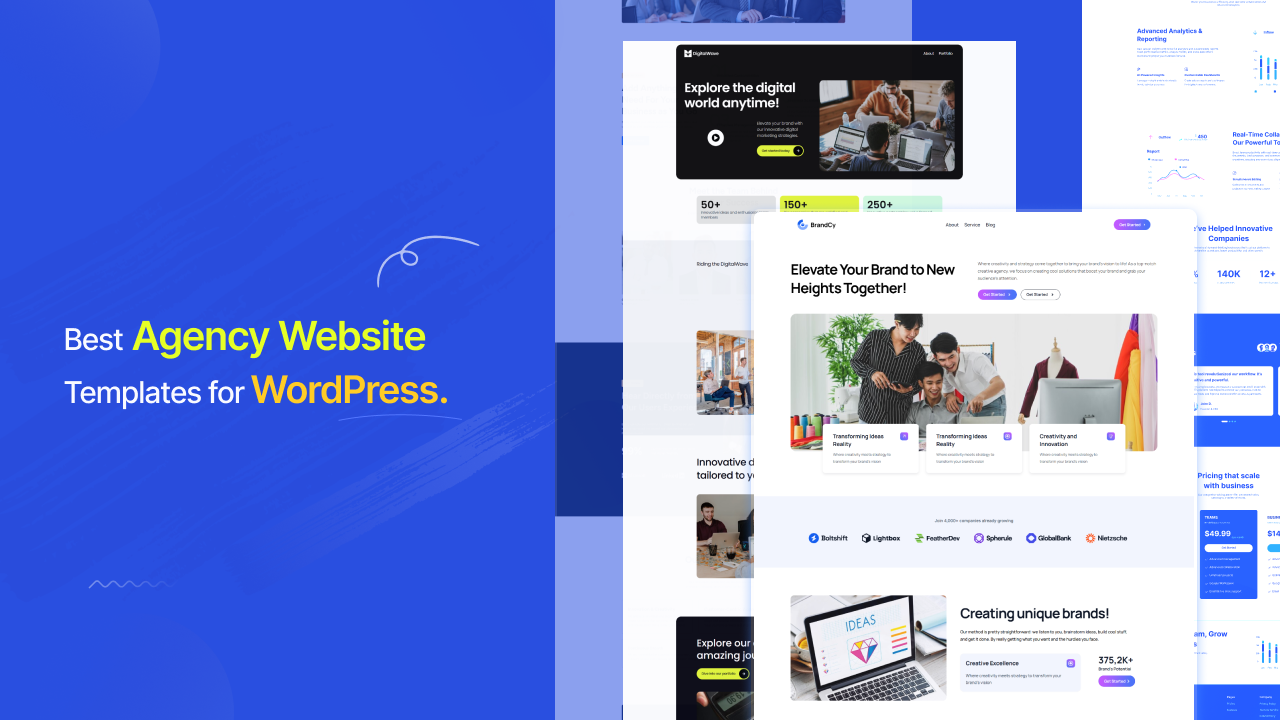
  • Best Agency Website Templates for WordPress – aBlocks Agency Templates

    Best Agency Website Templates for WordPress – aBlocks Agency Templates

    Creating a professional agency website in WordPress is now faster and easier than ever. With modern template kits, you don’t need to design everything from scratch. You can simply import a ready-made layout, customize it, and launch your website in a short time. Among the available options, aBlocks Agency Templates stand out for their simplicity, performance, and clean modern designs.

    These templates are built for agencies, freelancers, startups, and service-based businesses who want a professional online presence without spending too much time on development. With just a few clicks, you can install a complete website structure including homepage, services, about, portfolio, and contact pages.

    What is an Agency Template?

    Agency Website Templates

    An agency website templates is a pre-designed website layout built specifically for businesses such as digital agencies, marketing companies, startups, freelancers, and creative studios. Instead of creating a website from scratch, users can simply import a ready-made design and customize it to match their brand identity. These templates usually include essential pages like Home, About, Services, Portfolio, and Contact. They help save time, reduce design complexity, and ensure a professional and modern appearance. With tools like aBlocks, users can easily import, edit, and personalize these templates without any coding knowledge, making website creation fast and hassle-free. 

    For users looking for more design options, template libraries like WDesignKit offer agency-focused kits such as NexaByte, along with 3,000+ ready-made templates covering agencies, businesses, portfolios, eCommerce, and many other industries.

    Benefits of Using aBlocks Templates

    Benefits of Using aBlocks Templates

    Using aBlocks templates gives you a faster and smarter way to build websites without technical complexity. These templates are designed to save time while maintaining high-quality design standards. You can easily customize layouts, colors, and content to match your brand identity. They are also optimized for speed and responsiveness, ensuring a smooth experience across all devices.

    Types of Websites You Can Build

    Types Of Agency Website

    With aBlocks Agency Templates, you can build a wide range of professional websites for different industries. Whether you are running a digital agency, creative studio, IT company, or freelance business, these templates provide flexible design structures. They help you create modern websites that attract clients and improve your online credibility. 

    Why Choose aBlocks Agency Templates?

    Websites Ecosystem

    aBlocks Agency Templates are designed with simplicity and flexibility in mind. They are perfect for users who want professional results without learning coding or complex tools. The templates offer modern UI designs, easy customization options, and fast performance. Compared to many other template systems, aBlocks focuses more on user experience and quick setup.

    How to Import aBlocks Agency Templates

    Importing aBlocks templates is very simple and beginner-friendly:

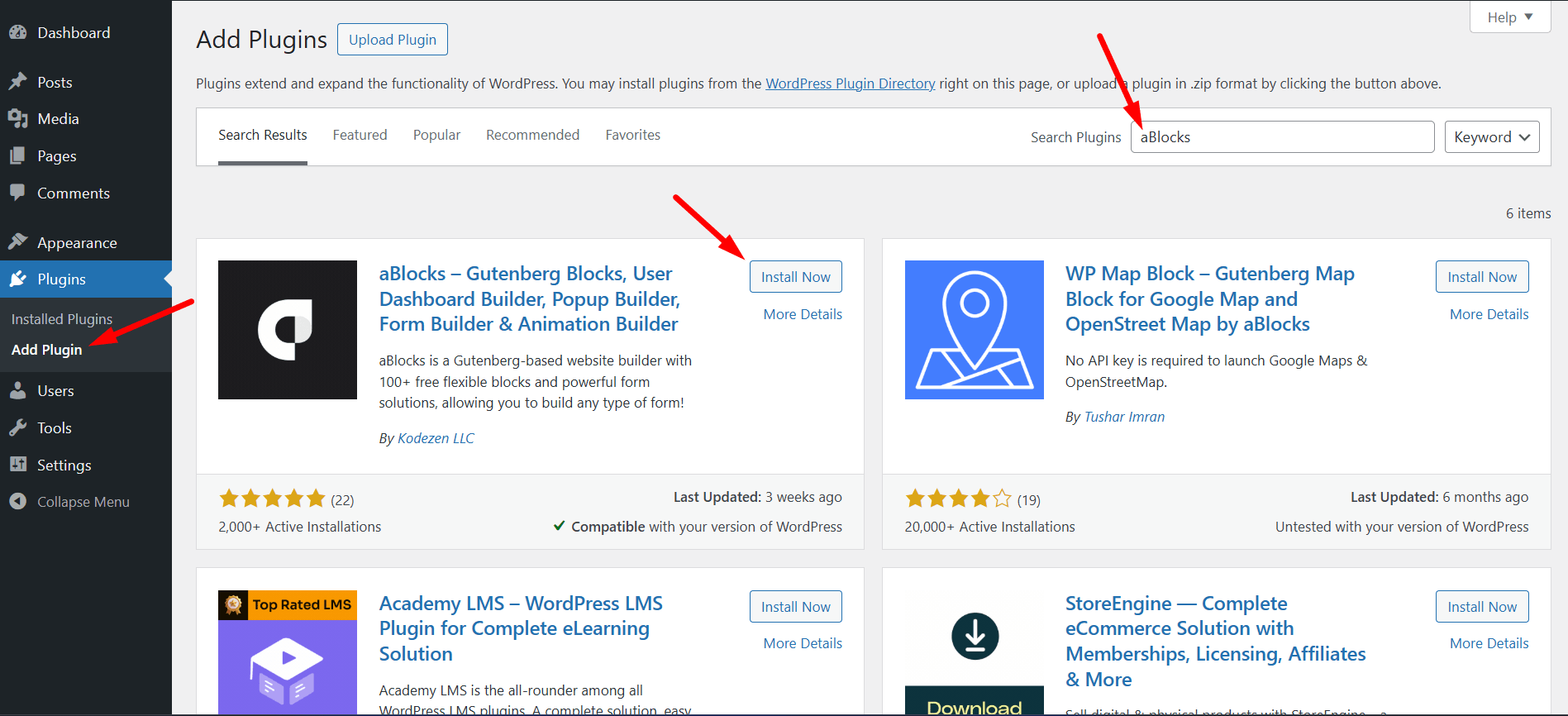
    1. Install the aBlocks plugin on your WordPress site

    IInstall aBlocks Plugin

    2. Activate the plugin

    Activate aBlocks Plugin

    3. Go Appearance to aBlocks Templates

    aBlocks Templates

    4. Open the Agency Templates section

    Agency Templates

    5. Browse available designs

    Available Designs

    6. Select your preferred template

    Select your preferred template

    7. Click the Install & Activste

    Install & Activste

    8. Wait a few seconds for installation

    Customize colors, images, text, and layout.

    After import, you can fully customize colors, images, text, and layout.

    WordPress Agency Template Comparison (aBlocks vs Competitors)

    Feature

    aBlocks TemplateKits

    Elementor Kits

    GutenKit

    Spectra Templates

    One Click Import

    ✅ Fast & Seamless

    ⚠️ Sometimes Slow

    ✅ Yes

    ✅ Yes

    Gutenberg Support

    ✅ Full Native Support

    ❌ Limited (Elementor-based)

    ✅ Yes

    ✅ Yes

    Performance

    🚀 Lightweight & Optimized

    ⚠️ Heavier Pages

    ✅ Good

    ✅ Good

    Beginner Friendly

    ⭐ Very Easy for Everyone

    ⭐ Easy but Complex System

    ⭐ Easy

    ⭐ Easy

    Customization Flexibility

    🔥 High & Flexible Control

    ⚠️Plugin Dependent

    ⚠️ Medium

    ⚠️ Medium

    Agency-Ready Designs

    ✅ Modern & Professional Kits

    ✅ Available

    ✅ Available

    ✅ Available

    Free Templates

    🎁All Free Collection

    ⚠️ Limited Free Kits

    ⚠️ Free & Pro

    ⚠️ Free & Pro

    Plugin Dependency

    ✅aBlocks

    ✅Elementor

    ✅GutenKit

    ✅Spectra

    Design Consistency

    🎯 Clean & Modern UI System

    🎨 Highly Diverse but Heavy

    🎯 Good

    🎯 Good

    Best Use Case

    🚀 Fast Agency Website Setup

    🏗️ Advanced Page Building

    🧱 Gutenberg Users

    🧱 Block Editor Users

    Final Thoughts

    aBlocks Agency Templates provide a powerful and easy solution for building modern WordPress websites. Whether you are a beginner or a professional, these templates help you create stunning agency websites quickly without any coding knowledge. With ready-to-use designs, fast import, and full customization control, aBlocks is a smart choice for anyone looking to build a strong online presence.

    FAQ Section

    Are aBlocks Agency Templates free?

    Yes, many Agency Templates in aBlocks are completely free to use.

    Do I need coding knowledge to import templates?

    No, you can import and customize templates without any coding skills.

    Can I customize the templates?

    Yes, you can fully customize colors, typography, layouts, images, and content.

    Are these templates mobile responsive?

    Yes, all Agency Templates are fully responsive across desktop, tablet, and mobile devices.

    Does aBlocks support Gutenberg?

    Yes, aBlocks is fully compatible with the Gutenberg editor.

    How long does template import take?

    In most cases, templates are imported within a few seconds.