

Tag: template-kits

  • The Ultimate Guide to Building a High-Converting Technology Website Template in 2026

    The Ultimate Guide to Building a High-Converting Technology Website Template in 2026

    You built a real tech company. You offer serious services, including IT consulting, cloud solutions, software development, cybersecurity, and managed services. And then a potential client lands on your website and… clicks away in eight seconds.

    That’s the gap technology website templates were built to close. Not just to make your site look impressive, but to make it work, capturing leads, communicating expertise, and converting strangers into clients before they ever speak to your team.

    This guide covers everything you need to know about technology website templates in 2026: what they are, why the right one matters more than ever, what features to look for, and where to find the best options, including templates built with aBlocks, the most powerful Gutenberg block builder for WordPress.

    What Is a Technology Website Template?

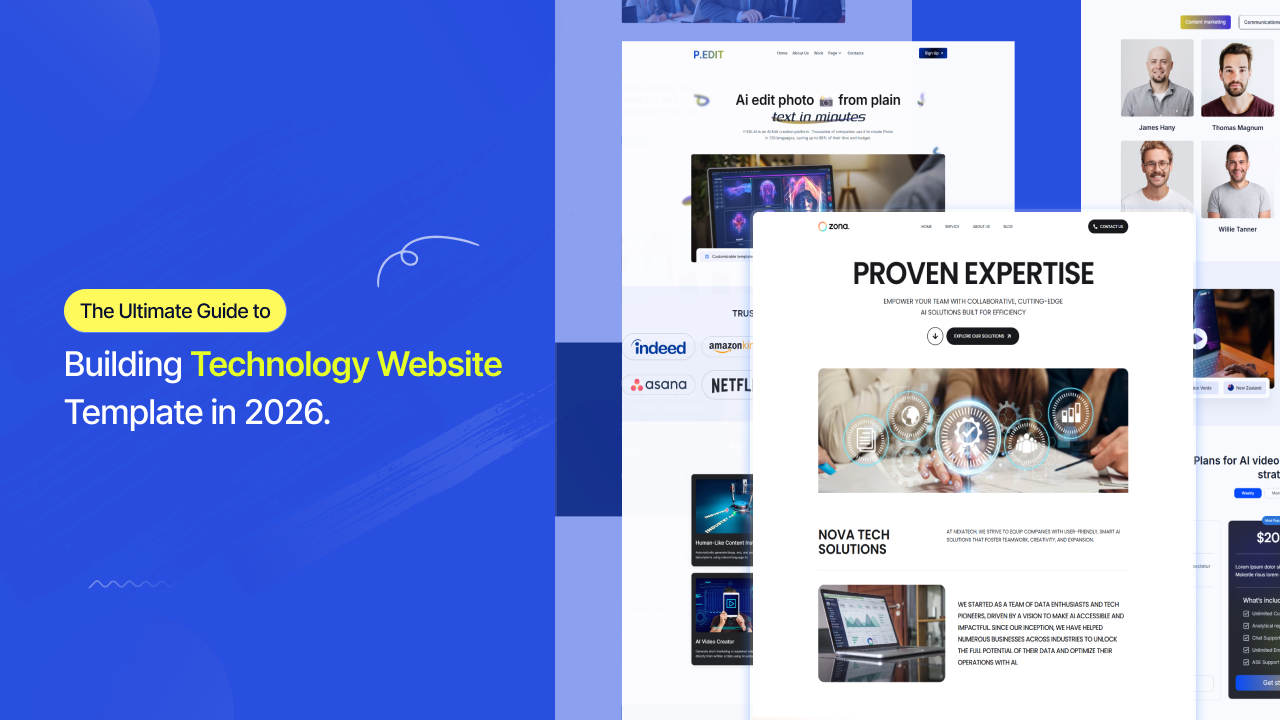
    Technology Website

    A technology website template is a pre-designed, ready-to-launch website layout built specifically for tech-focused businesses, IT service providers, software agencies, SaaS companies, app developers, cybersecurity firms, and cloud service companies, among others.

    Rather than building from scratch, you get a professionally structured design with defined sections for services, case studies, team bios, pricing, and contact. The best modern templates are built inside WordPress using powerful Gutenberg block builders like aBlocks,  meaning you get full visual control without writing a single line of code.

    Think of it as the architectural blueprint for your digital office. You walk in, rearrange the furniture, paint the walls your brand color, and hang your signage, the bones are already there, tested and pixel-perfect.

    What separates a technology template from a generic business one is the built-in intent. Service cards for development stacks, icon sets for cloud and security services, integration-ready contact forms, and dark-mode UI by default, these details are designed with the tech buyer in mind, not retrofitted from a generic layout.

    Why Technology Website Templates Matter More in 2026 Than Ever Before

    design personalization

    Here’s a data point worth sitting with: brands using AI-driven design personalization have pushed average conversion rates to 6.8% in 2026, with top performers now exceeding 14.3%. Meanwhile, most generic tech websites hover well below 2%.

    The gap isn’t about budget. It’s about design intent.

    The best tech website designs in 2026 set new benchmarks for innovation, usability, and branding, taking advantage of AI, scrollytelling, and inclusive design to create immersive digital experiences. Visitors now arrive with higher expectations. They’ve seen Apple, Stripe, Vercel, and Linear. They know what a serious tech company looks like online. A poorly structured template signals inexperience before you’ve said a word.

    At the same time, the website template market in 2026 is characterized by a profound shift towards intelligent, user-centric, and ethically conscious design. The days of pretty-but-static templates are over. Your template needs to load fast, feel responsive on mobile, integrate with your tools, and present your services clearly to both human visitors and AI search overviews.

    For IT agencies and SaaS companies specifically, purpose-built landing pages with a single CTA typically convert at 2–5x the rate of general pages served the same traffic. The right template structure,  especially one built on a flexible, block-based system, gives you that edge without months of custom development.

    What Makes a Great Technology Website Template?

    Great Technology

    Most people choose templates based on screenshots. That’s the mistake. A great technology website template has to perform, on every screen, for every visitor, against every competitor in your niche.

    Here’s what actually matters in 2026:

    Mobile-first architecture. Over 60% of B2B research now starts on mobile. If your template isn’t built with mobile-first logic, not just responsive, but genuinely mobile-first, you’re already behind. Modern templates use CSS Grid and Flexbox for better layout control, ensuring every section adapts cleanly across devices.

    Performance under pressure. Page speed is both a ranking factor and a trust signal. Templates loaded with unnecessary scripts can add seconds to your load time. aBlocks solves this from the ground up; it uses smart asset generation that loads only the CSS and JavaScript actually used on each page, with zero bloat and no unnecessary dependencies.

    No-code flexibility. For IT companies whose team has better things to do than write CSS, a visually editable template is essential. aBlocks lets you customize every block, colors, fonts, layouts, animations- directly inside the WordPress Gutenberg editor without touching code.

    Service-first layout logic. The best IT services templates lead with clarity, a concise hero statement, a services grid, trust badges or client logos, a case study section, and a CTA. That sequence mirrors exactly how a tech buyer evaluates a vendor.

    Dark mode support. It’s no longer optional in the tech space. A large portion of developers and IT decision-makers browse in dark mode. Templates without it feel dated to the very audience you’re trying to impress.

    SEO-ready structure. Clean semantic HTML, proper heading hierarchies (H1 → H2 → H3), schema-friendly markup, and fast Core Web Vitals scores all feed directly into how Google ranks your site. aBlocks is built jQuery-free and generates clean, minimal code, which means better performance scores out of the box.

    Free vs. Premium Technology Website Templates: Which One Should You Choose?

    Feature

    Free Templates

    Premium Templates

    Cost

    $0

    $15 – $299+

    Design Quality

    Good (basic)

    Excellent (polished)

    Number of Pages

    1–5

    10–50+

    Support

    Community only

    Dedicated support

    Customization

    Limited

    Extensive

    Plugin Integrations

    Minimal

    CRM, analytics, forms

    Update Frequency

    Rare

    Regular

    Branding

    Template watermark possible

    Fully white-labeled

    Best For

    MVPs, freelancers, prototypes

    Agencies, funded startups

    Free templates work well when you need something live fast,  especially when you’re validating a concept or operating with limited runway. aBlocks includes a built-in library of ready-made templates, full pages, and patterns, giving you a solid free starting point without hunting across multiple marketplaces.

    But if you’re an IT services company trying to win $50k+ contracts, a basic free template signals budget constraints to buyers who are silently evaluating your credibility. Premium templates come with page-level polish, conversion-optimized section sequences, and design systems your whole team can maintain.

    The smarter play: use a premium template kit that offers multiple niche-specific designs under one license. That’s exactly what Template-Kits is built for, curated, professional template kits powered by aBlocks, designed for specific tech business contexts.

    The Best Technology Website Template Categories in 2026

    Categories

    Not every technology company needs the same layout. Here’s a practical breakdown of the main categories and what each one is built to accomplish.

    IT Services & Consulting Templates are structured around credibility. They lead with certifications, partner badges (AWS, Microsoft, Google Cloud), and service breakdowns by category. The goal is trust, not flash. The buyer is a CTO or IT manager comparing three vendors — your template needs to speak their language before your sales team ever picks up the phone.

    SaaS & Software Product Templates are conversion machines. They lead with the product value proposition, demo CTAs, feature breakdowns, pricing tables, and social proof. Every section is engineered to answer one question: “Why should I try this?”

    Tech Startup & Agency Templates balance brand personality with portfolio presentation. They show work, tell a story, and signal creative capability alongside technical depth.

    Cloud & Cybersecurity Templates deal with high-trust, high-stakes buying decisions. These templates emphasize compliance credentials, security frameworks (SOC 2, ISO 27001), and case studies over aesthetics.

    App Landing Page Templates are tightly focused: one product, one CTA, maximum persuasion. They typically include device mockup sections, animated feature reveals, and App Store/Play Store download buttons.

    Technology Templates: What You Need to Know
    Technology Templates

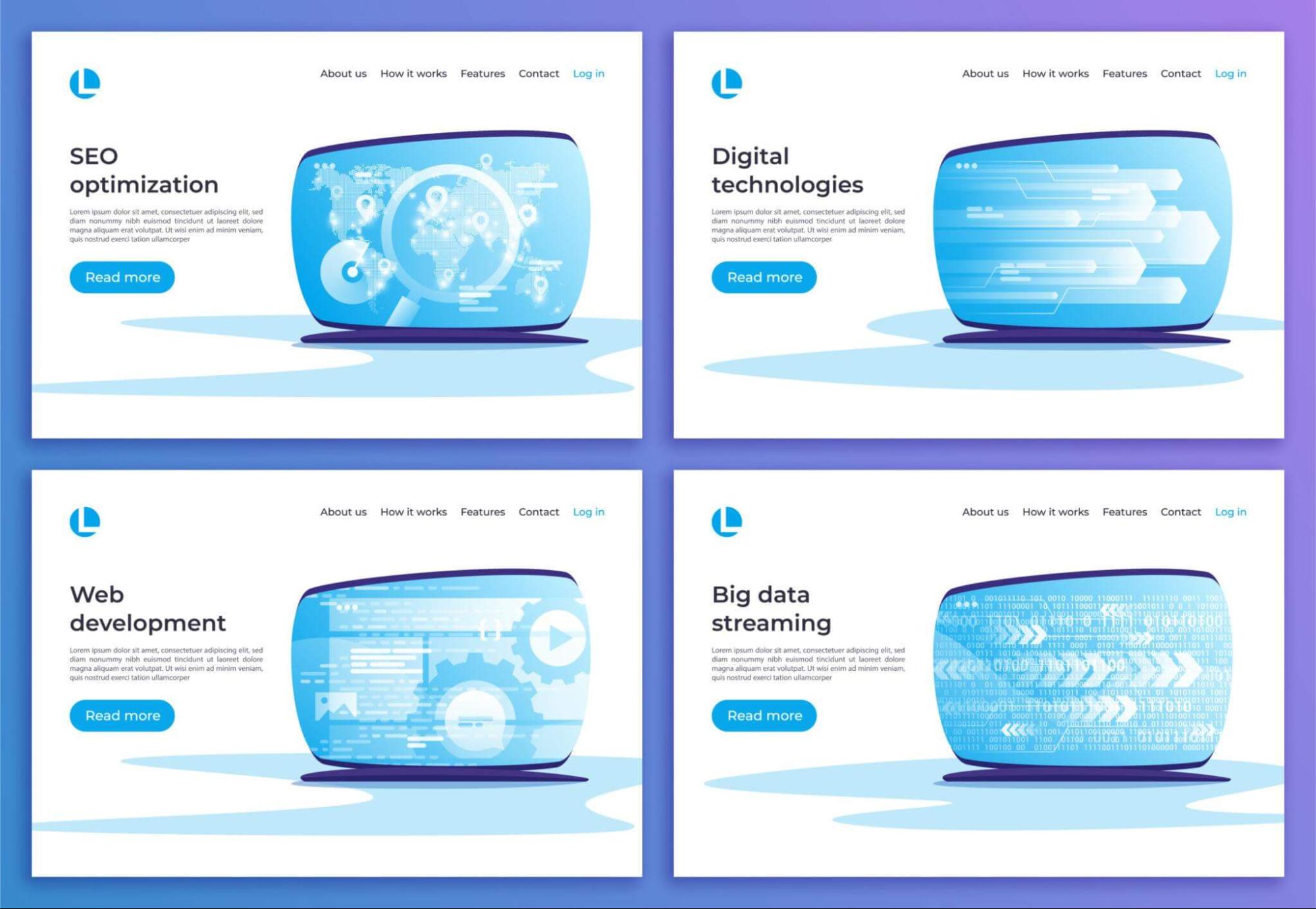
    Most website templates are static files; you download them, edit the HTML, fight with the CSS, and hope nothing breaks when your client wants to change a heading color. aBlocks takes a fundamentally different approach.

    aBlocks is a true all-in-one WordPress website and theme builder, not just another block plugin. It offers a comprehensive collection of highly customizable Gutenberg blocks that give you full design control inside the WordPress editor you already know.

    For technology businesses, this matters in three specific ways:

    Speed without sacrifice. aBlocks is built for performance from the core. Smart asset generation means your website loads only the scripts and styles used on each page, nothing else. Editor assets stay in the editor; frontend assets stay on the frontend. The result is a tech website that scores well on Core Web Vitals without a developer running optimization passes after launch.

    Design power without code. aBlocks includes GSAP-powered animations, advanced layout containers, hover effects, scroll-triggered motion, and interactive elements that feel modern and alive. Your IT services website can look like it cost $30,000 to build, while your team managed it entirely inside WordPress.

    Everything in one system. Built-in form builder, popup builder, animation builder, demo importer, and a full template library, aBlocks replaces the need for 20+ separate plugins. For tech companies that value clean, lean infrastructure, that’s not a minor benefit. It’s the whole point.

    Real-World Examples: Technology Websites That Get It Right
    Real-World Examples

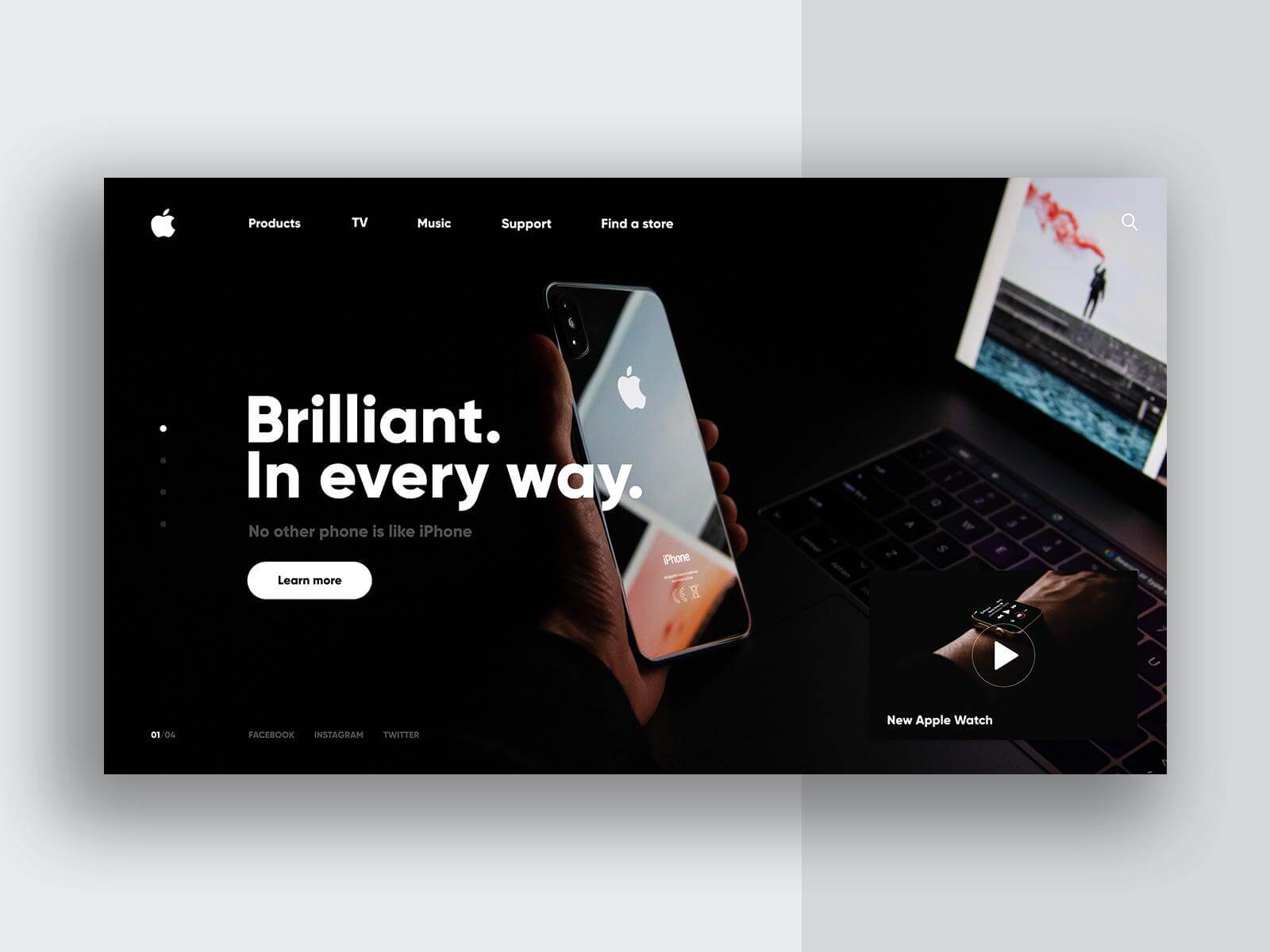
    Look at how industry leaders approach the problem. Companies like Apple, Tesla, Google, Asana, and PayPal set the benchmark, combining storytelling with scrollytelling, personality with playful cursors, and sophistication with dark mode elegance.

    For startups and agencies working with template-based builds, the gap between a polished template and a custom design has narrowed significantly. The Framer Marketplace alone has over 2,000 templates designed for SaaS startups, IT services, and enterprise tech companies, each pre-structured with industry-specific elements and conversion best practices.

    One standout pattern from the top-performing tech sites: they don’t try to say everything. A homepage with 12 service categories, 3 sliders, and a news ticker is an anxiety attack disguised as a website. The best ones pick a clear primary message, build a visual hierarchy around it, and use secondary pages for depth.

    Top tech startup sites like Vercel and Lovable combine strong narrative with spatial design and subtle generative motion,  transforming abstract technology into a tangible experience that earns trust before a single word is read.

    Tools Used to Build and Customize Technology Website Templates
    stomize Technology Website Templates

    The era of the lone developer hand-coding every page is mostly over for template-based builds. Today’s smart approach for launching a technology website combines the right tools with the right template foundation.

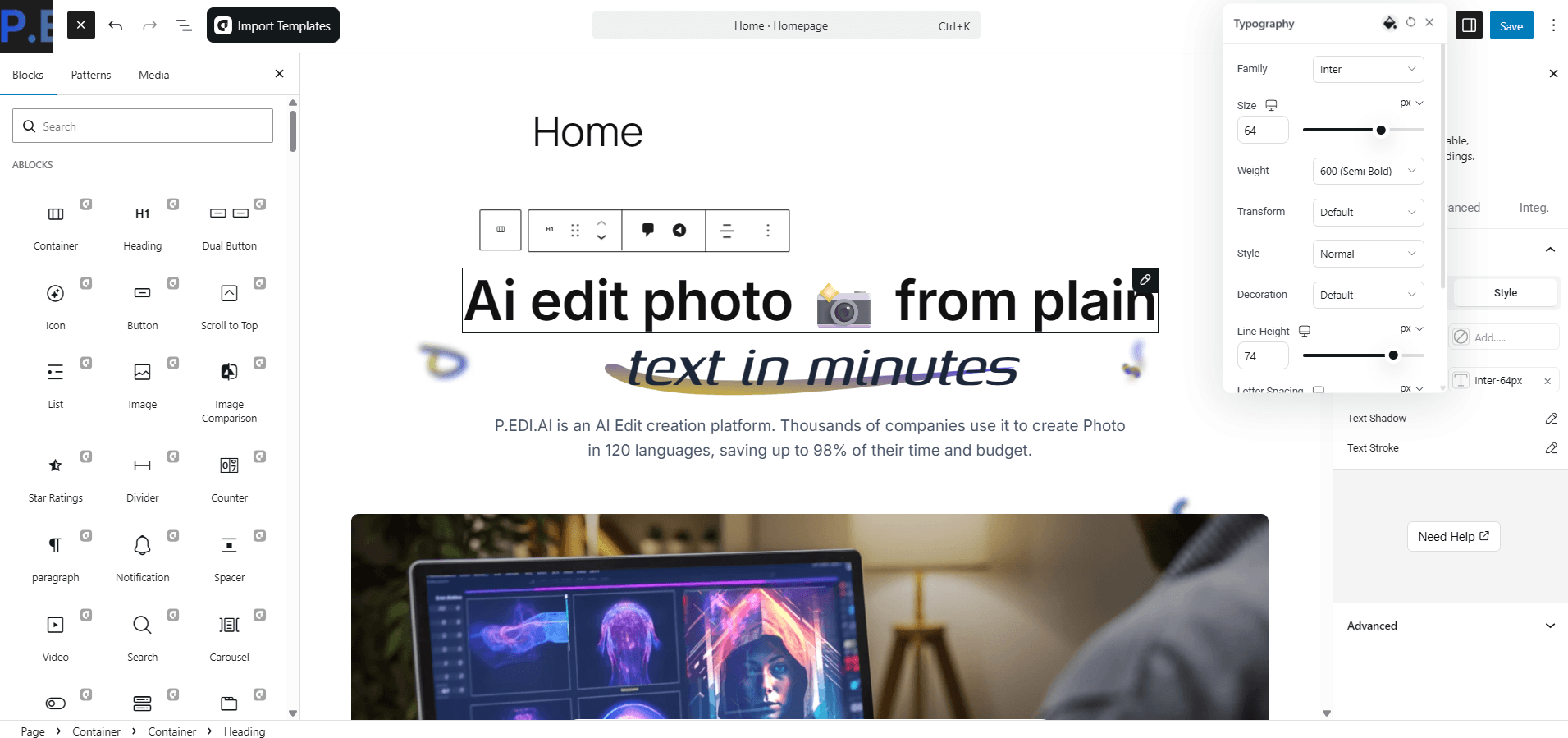
    aBlocks is the foundation. It handles layout, animation, forms, popups, and the full design system inside WordPress Gutenberg. With 100+ versatile blocks, you can build any section your tech business needs,  hero sections, service grids, pricing tables, testimonials, case study cards, and team bios, without installing a stack of separate plugins.

    Figma integration is built into aBlocks. You can copy styles directly from a Figma design and paste them into your WordPress editor, keeping the handoff between designer and developer clean and fast.

    Template-Kits sits on top of this stack. It’s the place where professionally designed, aBlocks-powered template kits for specific tech niches live, ready to import in one click and customize through the familiar WordPress editor. No hunting across five different marketplaces. No compatibility guesswork.

    Google PageSpeed Insights and Lighthouse should be run on any template before launch. Because aBlocks generates minimal, jQuery-free code, technology templates built on it tend to start at strong performance baselines, meaning you spend less time fixing scores and more time launching.

    Technology Website Templates vs. Custom Web Design: The Real Tradeoff

    The Real Tradeoff

    Consideration

    Template-Based

    Custom Design

    Launch Time

    Days to weeks

    Months

    Upfront Cost

    $0

    $5,000 – $50,000+

    Design Uniqueness

    Moderate

    High

    Maintenance

    Easier

    Requires the dev team

    Performance

    Template-dependent

    Fully optimized

    SEO Flexibility

    Good (with the right template)

    Excellent

    Best For

    SMBs, startups, agencies

    Enterprise, funded scale-ups

    The honest answer: for most IT services companies and tech startups, a well-chosen premium template outperforms a poorly executed custom design. Buyers don’t care whether your site was hand-coded from scratch. They care whether it answers their questions, loads fast, and makes them feel like they’ve found the right partner.

    Custom design is worth the investment when your brand is a genuine differentiator, when your visual identity is as important as your product. Until you’ve reached that point, a great technology website template built on aBlocks gets you 90% of the way there at 10% of the cost.

    Design Trends Showing Up in the Best Technology Templates

    Technology Templates

    The biggest web design trends of 2026 bring a tactile element to the digital sphere, embracing texture, movement, and a human touch. Here’s how that translates into technology website templates specifically:

    Motion Narrative — Scroll-triggered animations that tell a story as the visitor moves down the page. Not decorative bouncing icons, but purposeful transitions that reveal information at exactly the right moment. aBlocks includes GSAP-powered animation controls that make this achievable without custom JavaScript.

    Dark Mode as Default — Tech audiences skew dark. The best IT services and SaaS templates now ship with dark mode as the primary theme, with a light toggle available. aBlocks supports full dark/light theming through its global color palette system.

    Bold, Saturated Color — Bright, saturated color palettes are making a comeback in 2026, fueled by Y2K nostalgia and “dopamine design” aesthetics,  with neon gradients and high-contrast pairings replacing minimal tones. For tech companies, this shows up in vibrant accent colors layered over dark backgrounds.

    Typography as Hero — Typography is taking center stage in 2026, moving beyond legibility into storytelling. Brands are using oversized headlines, custom font pairings, and layered text styles to make bold first impressions, and aBlocks gives you full typographic control at the block level.

    Future of Technology Website Templates: What 2027 Looks Like

    Future of Technology Website Templates

    The next wave is already forming. By 2027, expect three major shifts in how technology website templates are built and used.

    AI-Personalized Template Rendering. The same template will show different content, different hero messages, and different CTAs depending on who’s visiting, industry, company size, geography, and behavior signals. This is already happening at the enterprise level; WordPress-based systems built on flexible block architectures are best positioned to adopt it as it becomes accessible to SMBs.

    Component-Level Template Libraries. Rather than full-page templates, the shift is toward composable block libraries. You pick your hero section, your services layout, and your pricing block, each designed to work together but fully modular. The market opportunity in 2026 and beyond is in high-quality, niche-specific component sets for SaaS, IT services, and technology startups.

    Native AI Integration Blocks. Expect templates to ship with built-in chatbot sections, AI demo embeds, and interactive product explorers as standard components, not plugins you bolt on after launch. aBlocks is already expanding in this direction with every new release.

    The technology businesses that choose templates built on extensible, clean Gutenberg-based systems today are the ones best positioned to upgrade seamlessly as these capabilities arrive.

    Where to Find the Best Technology Website Templates

    Template-Kits

    You’ve got solid options at every price point. Here’s where to look, and why the starting point matters:

    Template-Kits is the first place to check if you want aBlocks-powered templates built for specific tech niches. Unlike general marketplaces where you wade through thousands of irrelevant results, Template-Kits offers curated collections designed for IT services companies, SaaS products, tech agencies, and more, all importable in one click inside the aBlocks environment. If you’re using aBlocks on WordPress, this is your native ecosystem.

    Free template options are available within aBlocks itself; the plugin ships with a built-in library of ready-made templates, pages, and patterns that work with any WordPress theme. Good for getting started; premium kits are where the real conversion-focused designs live.

    General WordPress marketplaces like ThemeForest and Envato Elements stock large volumes of tech templates. Quality is highly variable; read reviews, check last update dates, and always test the demo on mobile before committing. The advantage of Template-Kits over these marketplaces is specificity: a template kit built for IT services will always outperform a generic multipurpose layout adapted after the fact.

    Your Website Is Your Best Salesperson — Give It the Right Foundation

    The right technology website template isn’t just a design shortcut. It’s a strategic asset. It sets the tone for every first impression, every demo request, every enterprise deal that starts with someone Googling your company name at 11 pm.

    In 2026, the bar is high, but it’s also more achievable than ever. With aBlocks powering the design and Template-Kits supplying the niche-specific layouts, you can launch an IT services website or SaaS product page that looks genuinely professional in a fraction of the time and cost of custom development. The gap between a well-chosen template and a $30,000 custom build is smaller than most agencies want to admit.

    What matters is the choice you make. Template quality. Niche relevance. The platform is built on.

    Start with the right kit. Explore the curated technology and IT services template collections at Template-Kits, professionally designed, aBlocks-powered templates that give your tech business the foundation it deserves, without the six-month development timeline.

    Your next client is going to visit your website before they ever call you. Make sure what they find makes the decision easy.

    Frequently Asked Questions

    Where can I find free technology website templates to download?

    aBlocks includes a built-in template library with free pre-made pages and patterns directly inside WordPress. For more niche-specific options, Template-Kits offers both free and premium template kits designed for IT services, SaaS products, and tech agencies — all powered by aBlocks.

    Are technology website templates available without coding?

    Yes. aBlocks-powered templates are built entirely inside the WordPress Gutenberg editor, with no coding required. You customize colors, fonts, images, layouts, and animations visually through drag-and-drop block controls. It’s designed to be accessible for beginners and powerful enough for experienced users.

    What is a Gutenberg technology website template?

    A Gutenberg technology website template is a pre-built WordPress website layout created with the native Gutenberg block editor. aBlocks extends Gutenberg with 70+ custom blocks, animation controls, and a full design system — meaning Gutenberg templates built with aBlocks are far more powerful than basic WordPress templates.

    What are good examples of technology website design?

    Strong reference points include Stripe, Vercel, Linear, Framer, and Notion — all using clean typography, purposeful motion, and clear information hierarchy. For smaller IT companies and agencies, the goal is to mirror that clarity and polish, not the budget. aBlocks-powered templates on Template-Kits are designed with those benchmarks in mind.

    What’s the difference between a technology website template and an IT services template?

    The difference is in focus. Technology website templates cover a broad range of tech businesses, SaaS, software agencies, and app companies. IT services templates are narrower, designed specifically for managed service providers, consulting firms, and solution providers. IT services templates typically lead with trust signals, compliance credentials, and service breakdowns rather than product features.

    Do I need a developer to customize a technology website template?

    Not if you’re using aBlocks. The entire customization process happens inside the WordPress editor — colors, fonts, layouts, animations, forms, and popups are all adjustable through visual controls. Template-Kits are specifically designed to minimize the technical lift while maintaining professional-grade output.

    What makes aBlocks different from other WordPress page builders?

    aBlocks works as a true all-in-one website and theme builder — not just a blocks plugin. It replaces 20+ separate plugins with built-in form building, popup creation, animation tools, a user dashboard builder, a demo importer, and a smart asset system that loads only what each page actually needs. For tech companies that care about site performance, that architecture is a meaningful differentiator.

  • Essential WordPress Plugins for Better E-commerce Customer Experience

    Essential WordPress Plugins for Better E-commerce Customer Experience

    Online shoppers in 2026 have zero patience. Customers must wait before they can begin their chat interaction. Customers get lost during checkout because the process lacks clarity. The website lacks an essential page that displays product information. 

    The smallest details from this list will direct customers to choose a different business. The process of gaining their confidence requires only a few brief seconds instead of multiple minutes. 

    WooCommerce stores now fight their most intense battle for e-commerce customer experience superiority. Product pages need more than their current state of attractiveness to succeed. 

    The complete process, which starts with initial customer arrival until they become repeat buyers, must provide an unbroken experience that delivers assistance and creates individual connections. 

    The WordPress platform provides an entire system of plugins that enhance the shopping experience for customers. The correct combination of tools enables support management and communication, review processing, and personalization and post-purchase customer interaction. 

    Each tool comes with verified pricing, main features, and the specific part of the customer journey it improves. By the end, building a top-tier shopping experience on WordPress should feel doable. 

    Let’s get into it.

    Why E-commerce Customer Experience Matters More Than Ever

    The plugins did not exist yet when the core reason for this situation became evident.

    Research indicates that 86% of customers will pay extra to receive an enhanced e-commerce shopping experience. 

    The total number of cases reached a significant amount. Customer Experience (CX) generates revenue directly without depending on intangible performance indicators. 

    Negative customer experiences generate quick social media reactions. One frustrated buyer tells 9-15 people about a bad shopping experience.

    One happy buyer tells about 3. The mathematical system generates unfavorable results for shops that choose to disregard customer experience (CX). 

    WordPress plugins that excel in customer journey management operate through three main functional domains. They make support fast and personal. The customers establish trust through their reviews and the social proof, which becomes evident to other buyers. 

    The system creates personalized buyer experiences by utilizing intelligent recommendation systems and automated email marketing campaigns. 

    The right tool stack covers all three. Let’s break it down by category.

    Category 1: Helpdesk and Live Chat Plugins

    When a shopper has a question, the answer needs to come fast. A 24-hour reply window kills sales. A 5-minute reply window closes them. The right helpdesk plugin is the foundation of a solid e-commerce customer experience.

    ThriveDesk (Top Pick for Support)

    td-new

    The system operates as a native WordPress and WooCommerce solution, which enables it to integrate with any store through a straightforward setup process.

    When a customer contacts a store regarding their order, the agent can view all WooCommerce order information through the ticket system. Order ID. Shipping status. Payment method. Past purchases. 

    Users can access the system without switching between different tabs. The fast speed, together with relevant information, improves customer satisfaction through verifiable enhancements in their buying experience.

    Verified Pricing (from thrivedesk.com/pricing):

    • Basic: $29/month (2 teammates, 1 inbox)
    • Standard: $69/month (5 teammates, 2 inboxes)
    • Unlimited: $129/month (unlimited teammates, 5 inboxes)
    • Annual plans save up to $360/year (Unlimited drops to $99/month)
    • 7-day free trial, no credit card required

    Main Features:

    • Native WooCommerce order info
    • Shared inbox 
    • Live chat widget 
    • AI assistant trained on past chats and docs
    • Knowledge base with AI-powered search
    • Automation 
    • Mobile apps for iOS and Android

    Pros:

    • Built for WooCommerce from day one
    • Flat Unlimited plan saves over $10,000/year vs Zendesk
    • 4.8/5 G2 rating, 4.7/5 Capterra rating
    • AI trained on store-specific data
    • Setup takes under 15 minutes
    • Free 7-day trial without credit card

    Cons:

    • Newer than Zendesk or Help Scout

    For shops serious about lifting the customer journey, ThriveDesk is the smart top pick. Faster replies. Cleaner workflows. Happier shoppers.

    Category 2: ReachShip Multi-Carrier Shipping Plugin

    ReachShip Multi-Carrier Shipping Plugin

    Verified Pricing

    • Free core plugin
    • Premium add-ons available for advanced carrier integrations and shipping automation

    Main Features

    • Real-time shipping rates at checkout
    • Shipping label generation and bulk printing
    • Live shipment tracking
    • Intelligent parcel packaging
    • Conditional shipping and table rate shipping
    • Bulk shipment creation and pickup scheduling
    • Address validation and autocomplete (US addresses)
    • Estimated delivery dates
    • Support for UPS, USPS, FedEx, DHL Express, Australia Post, Canada Post, Aramex, Sendle, and more

    Pros

    • Free to use with essential multi-carrier shipping features.
    • Centralizes shipping management across multiple carriers.
    • Reduces manual work with automated shipping workflows.
    • Improves shipping accuracy through intelligent parcel packaging and address validation.
    • Offers flexible shipping options with conditional shipping rules and estimated delivery dates.
    • Supports both domestic and international shipping.
    • Scales easily for growing WooCommerce stores.

    Cons

    • Advanced carrier integrations and automation features require premium add-ons.
    • Requires carrier account setup to access live rates, labels, and tracking services.

    Category 3: Reviews and Social Proof Plugins

    Customer reviews function as the most vital trust factor, which enables online shopping transactions. 93% of buyers read reviews before purchasing. Businesses fail to maximize their revenue because they do not have an efficient review system in place to operate their retail establishments.

    Site Reviews

    Site Reviews functions as a free WordPress review plugin that lets users collect customer feedback that appears in customizable display templates. The system functions with all themes while providing built-in WooCommerce integration through its standard installation process.

    Verified Pricing:

    • Free core plugin on WordPress.org
    • Premium add-ons available
    • Active development and community support

    Main Features:

    • Star-rating reviews on products and pages
    • Customizable review forms
    • Schema markup for SEO
    • Review moderation tools
    • Email notifications for new reviews
    • Spam protection

    Customer Reviews for WooCommerce

    WooCommerce users can implement this dedicated review plugin which enables them to gather and present product feedback through photo and video content and verify purchase status.

    Verified Pricing:

    • Free version on WordPress.org
    • Pro: $59/year (single site)
    • 30-day money-back guarantee

    Main Features:

    • Photo and video reviews
    • Verified purchase badges
    • Review reminder emails
    • Reviews aggregation across variants
    • Schema for Google rich snippets
    • Q&A section for products

    The two evaluation systems enhance customer shopping experiences through trust indicators which appear at critical buyer decision points on product pages.

    Category 4: Email Marketing and Recovery Plugins

    Email functions as the vital yet overlooked communication channel that enables buyers to reach their purchasing destination. Welcome flows. Cart abandonment. 

    Win-back sequences. Post-purchase touchpoints. The right email plugin keeps shoppers engaged long after they leave the site.

    FluentCRM

    The system operates flawlessly with WooCommerce while providing email automation services, which do not require users to pay monthly fees.

    Verified Pricing:

    • Single Site License: $129/year
    • Agency License (5 sites): $249/year
    • 50-Site License: $499/year
    • 14-day free trial

    Main Features:

    • Email campaigns and automation
    • Tag-based segmentation
    • WooCommerce, EDD, MemberPress integrations
    • Visual automation builder
    • Contact profiles with purchase history
    • Email analytics and reports
    • Unlimited contacts on all plans

    Retainful

    Retainful focuses specifically on cart recovery and post-purchase follow-up emails for WooCommerce stores. The free version handles basic cart abandonment. Paid plans add referral programs, next-order coupons, and full email automation.

    Verified Pricing:

    • Free plan on WordPress.org
    • Starter: $19/month (annual)
    • Growth: $49/month
    • Pro: $99/month

    Main Features:

    • Abandoned cart recovery emails
    • Next-order coupons for repeat sales
    • Referral program with rewards
    • Post-purchase upsell emails
    • WooCommerce-specific email templates
    • Order recovery dashboard

    These email plugins lift the shopping experience by closing the gap between site visits. Every recovered cart and every personal follow-up adds revenue and builds loyalty.

    Category 5: Subscription and Recurring Revenue Plugins

    Subscriptions are one of the strongest ways to lift the shopper experience over the long term. They turn one-time buyers into long-term members with predictable touchpoints every month.

    WPSubscription

    wpsubscription-new

    WPSubscription offers a subscription plugin which provides an affordable solution for WooCommerce stores through its clean design. 

    The system supports recurring payment management along with free trial access and payment division options and enables customers to manage their accounts through dedicated dashboards.

    Verified Pricing:

    • Free version on WordPress.org
    • Basic: $89/year (1 site)
    • Standard: $149/year (5 sites)
    • Pro: $299/year (50 sites)
    • 14-day money-back guarantee

    Main Features:

    • Recurring billing in any cycle
    • Split payment for installment plans
    • Free trials and sign-up fees
    • Customer self-service dashboard
    • User role assignment
    • Stripe, PayPal, Paddle, Mollie, Razorpay
    • Pending cancellation feature

    Subscriptions deepen the customer relationship by creating ongoing value. Members get content. Stores get predictable income. Both sides win.

    Category 6: Search and Navigation Plugins

    FacetWP

    FacetWP provides WooCommerce users with an advanced filtering system and improved search capabilities. Shoppers can narrow products by price, color, size, brand, and any custom attribute. The interface presents a contemporary design that operates effectively with different website themes.

    Verified Pricing (from facetwp.com):

    • Standard: $99/year (1 site)
    • Professional: $249/year (3 sites)
    • Developer: $399/year (20 sites)
    • 30-day money-back guarantee

    Main Features:

    • Drag-and-drop filter builder
    • AJAX filtering (no page reload)
    • WooCommerce product attribute filters
    • Search with autocomplete
    • Compatible with most page builders
    • Schema markup for SEO

    SearchWP

    SearchWP replaces WordPress’s default search engine with a far more powerful version. It indexes everything: products, attributes, custom fields, PDF content, and more. For stores with hundreds or thousands of products, this is a game-changer.

    Verified Pricing (from searchwp.com):

    • Standard: $99/year (1 site)
    • Pro: $199/year (10 sites)
    • Agency: $399/year (25 sites)
    • 14-day money-back guarantee

    Main Features:

    • Replaces default WordPress search
    • Indexes products, attributes, custom fields, PDFs
    • Synonym handling for natural search
    • AJAX live search
    • Search analytics dashboard
    • 50+ extensions for specific use cases

    Better search means shoppers find what they need in seconds. That alone lifts the buyer journey and conversion rates by measurable amounts.

    Category 7: Performance and Speed Plugins

    Users experience the worst impact from slow websites because these sites block their ability to purchase products. Research indicates that web pages that take one second longer to load will experience a 7% reduction in their conversion rates. 

    The store loses $7K in revenue for each second that its website experiences delays when it generates $100K in monthly sales

    WP Rocket

    WP Rocket stands as the leading caching solution that WooCommerce users choose for their store operations. The system provides page caching functions together with image lazy loading capabilities, database optimization tools, and CDN integration features. Most websites require only

    Verified Pricing (from wp-rocket.me):

    • Single: $59/year (1 site)
    • Plus: $119/year (3 sites)
    • Infinite: $299/year (unlimited sites)
    • 14-day money-back guarantee

    Main Features:

    • Page caching with WooCommerce-aware exceptions
    • Image lazy loading and optimization
    • Database cleanup
    • CDN integration
    • Critical CSS generation
    • Lazy load for iframes and videos
    • Mobile-specific cache

    Perfmatters

    Perfmatters functions as a simple performance enhancement tool which turns off WordPress elements that the store does not require including emojis and embeds and dashicons. Pairs well with WP Rocket for maximum speed.

    Verified Pricing (from perfmatters.io):

    • 1 site: $24.95/year
    • 3 sites: $54.95/year
    • Unlimited: $124.95/year

    Main Features:

    • Disable WordPress bloat
    • Script manager for selective loading
    • Lazy load images and videos
    • Database optimization
    • DNS prefetch
    • Local Google Fonts hosting

    Websites that load quickly enable customers to finish their purchases without problems while they can view products at full speed and stay on the site for longer periods. 

    Every step in this process creates an improved shopping experience for customers.

    Putting It All Together: The Ideal Stack

    Most WordPress and WooCommerce shops will operate their perfect customer experience stack during 2026 by implementing these components:

    Helpdesk and Chat: ThriveDesk provides native WooCommerce support together with fixed monthly costs.

    Reviews: Site Reviews (free) along with Customer Reviews for WooCommerce provide photo support and display verified badges.

    Email Marketing: FluentCRM operates as a complete automation system that works together with Retainful to retrieve abandoned shopping carts.

    Subscriptions: WPSubscription for affordable, modern subscription billing.

    Search: SearchWP or FacetWP for better product discovery.

    Performance: WP Rocket plus Perfmatters for fast page loads.

    The complete stack requires an expense of $500-$</span

    Why The Right Plugin Stack Lifts Revenue

    Better ecommerce customer experience creates actual business growth, which exceeds basic positive feelings. It moves real numbers.

    Shops with fast support response times see 60% higher repeat sales. Stores that maintain effective review systems achieve conversion rates that are two to three times higher than stores without such systems. Email-driven cart recovery brings back 5-15% of abandoned orders. Subscription products enable businesses to generate five to ten times more value from customers than they would obtain through individual product sales.

    The data elements build upon each other. A shop running the full plugin stack above can lift annual revenue by 30-50% over a year compared to the same shop running bare-bones WooCommerce.

    You can verify the mathematical calculations. The right WordPress plugins will generate a return on investment that exceeds the $500-$800 annual cost through their ability to increase customer retention, improve conversion rates and generate better reviews.

    Final Thoughts

    WooCommerce stores now face their main competition in 2026 through their development of e-commerce customer experience systems. The complete customer path from initial website entry to multiple purchase transactions holds more importance than visually attractive product pages.

    The right WordPress plugins handle every touchpoint. ThriveDesk for support. Site Reviews for trust. FluentCRM and Retainful for email. WPSubscription for recurring revenue. SearchWP for product discovery. WP Rocket for speed.

    Pick the categories that matter most for the shop. Start with helpdesk and performance. Add reviews and email next. Layer in subscriptions and advanced search as the business grows.

    Each plugin lifts the shopping experience by a measurable amount. The elements function together to transform a basic WooCommerce store into a successful brand that customers find appealing.

    Start with one this week. Watch the metrics change. Then add the next one.

    A better ecommerce customer experience changes everything for WooCommerce shops. Higher conversions. More repeat sales. Stronger reviews. The plugins above make it possible.

  • The Best Portfolio Website Templates for Modern Creators in 2026

    The Best Portfolio Website Templates for Modern Creators in 2026

    A portfolio website used to be simple.

    You uploaded a few projects, added a short bio, linked your contact page, and hoped potential clients would understand your value from the work itself.

    That approach no longer works.

    In 2026, the internet moves too fast for unclear presentation. Clients scan before they read. Recruiters judge before they click. Creative agencies compare portfolios within seconds. And before someone decides whether your work deserves attention, they’ve already formed an opinion based entirely on your website experience.

    That’s why modern Portfolio Website Templates have become far more important than most creators realize.

    Not because templates save time.

    Because they shape perception.

    A clean portfolio instantly makes work feel more premium. A structured layout increases trust before a single project is opened. A smooth mobile experience creates professionalism without saying a word.

    And in creative industries, perception often influences opportunity long before skill gets evaluated properly.

    Why Most Portfolio Websites Still Feel Outdated

    Feel Outdated

    Many portfolio websites still look like digital archives instead of modern presentation systems.

    Projects feel disconnected. Layouts feel crowded. Typography lacks hierarchy. Mobile responsiveness breaks. Navigation becomes confusing. The visitor has to work too hard to understand what the creator actually does.

    That friction quietly kills opportunity.

    The problem is not always the work itself.

    The problem is presentation.

    Modern audiences are visually trained now. They interact daily with polished SaaS products, premium startups, modern creator brands, and beautifully structured digital experiences. That means expectations have changed dramatically.

    A portfolio website is no longer judged only against other portfolios.

    It is judged against the modern internet itself.

    And that changes everything.

    Why Portfolio Website Templates Matter More in 2026

    Creative competition

    Creative competition online has exploded.

    Designers, developers, photographers, video editors, marketers, artists, writers, creators, and agencies are all competing for attention across the same platforms.

    At the same time, attention spans continue shrinking.

    This creates a new reality where clarity matters more than complexity.

    The strongest Portfolio Website Templates understand this shift perfectly. They are designed around focus, readability, structure, spacing, and flow instead of unnecessary visual clutter.

    The visitor lands on the homepage and immediately understands:

    who you are,
    what you create,
    and why your work matters.

    That level of clarity is difficult to achieve manually without strong design experience.

    Modern template systems solve this problem by already understanding visual hierarchy and user behavior before customization even begins.

    Why Templates No Longer Feel Generic

    Generic

    There was a time when templates felt repetitive and low quality.

    That perception is outdated.

    Modern Portfolio Website Templates are built more like complete creative systems than static page designs. They account for typography rhythm, project spacing, responsiveness, section flow, animation balance, and conversion psychology.

    This matters because creative work is emotional.

    Clients rarely evaluate portfolios purely logically. They respond emotionally first. The presentation affects how valuable the work feels before they consciously analyze anything.

    A minimalist portfolio with clean structure and intentional spacing immediately creates confidence.

    The exact same projects placed inside a cluttered website can feel dramatically less professional.

    That difference is not accidental.

    Modern portfolio templates are designed around perception psychology as much as aesthetics.

    Why Template-Kits.com Feels Different From Traditional Template Platforms

    Template-Kits.com

    Among modern WordPress template platforms,Template-Kits.com takes a noticeably more structured approach.

    Instead of overwhelming users with thousands of inconsistent layouts, the platform focuses on curated template kits powered by aBlocks.

    The experience feels closer to a premium SaaS design ecosystem than a traditional WordPress marketplace.

    This matters for creators because most freelancers and agencies don’t want to spend weeks building websites from scratch. They want a portfolio that already feels modern while still allowing complete creative control.

    That’s exactly where aBlocks becomes important.

    The system allows users to import complete website structures in one click and customize everything visually through Gutenberg without touching code.

    For creators trying to build professional online presence quickly, this dramatically reduces the gap between creating work and presenting it professionally online.

    The Shift Toward Conversion-Focused Portfolio Websites

    Conversion-Focused

    Older portfolio websites were built mainly to showcase projects.

    Modern portfolio websites are built to create opportunities.

    That difference changes the entire structure.

    A modern homepage doesn’t overload visitors with information. Instead, it creates direction. Typography feels intentional. Projects are easy to browse. Case studies feel structured. Contact actions appear naturally throughout the experience.

    Even subtle design choices matter more now.

    Whitespace affects perceived professionalism. Layout rhythm affects readability. Typography affects trust. Mobile responsiveness affects credibility.

    The best Portfolio Website Templates already understand these patterns.

    That’s why professionally structured template systems consistently outperform randomly designed portfolio sites built without strategic flow.

    What Makes a Great Portfolio Website Template in 2026

    Great Portfolio

    The best portfolio websites all create momentum.

    The visitor lands on the homepage and naturally moves through the experience without confusion.

    The hero section establishes identity first. Featured work appears before attention drops. Testimonials or client logos reinforce credibility. About sections add personality without overwhelming the layout. Contact buttons remain visible without feeling aggressive.

    Nothing feels accidental.

    Everything exists to guide attention naturally.

    This is one reason platforms like Template-Kits.com feel more modern than older WordPress ecosystems. Instead of prioritizing builder complexity, they focus on visual consistency, fast setup, and cleaner structure powered by aBlocks.

    That approach aligns far better with how modern creators actually build brands online today.

    Why Mobile Experience Matters More Than Ever

    Experience Matters

    A huge percentage of portfolio traffic now comes from mobile devices.

    Clients open links from Instagram bios. Recruiters browse portfolios from LinkedIn. Agencies review work while multitasking on smartphones.

    And yet many portfolio websites still break completely on smaller screens.

    Text becomes unreadable. Projects feel cramped. Images crop incorrectly. Navigation becomes frustrating.

    A visitor rarely explains why they leave.

    They simply lose confidence and move on.

    Modern Portfolio Website Templates are now designed mobile-first because presentation quality directly affects credibility across every device.

    The best templates maintain spacing, readability, image quality, and visual hierarchy without sacrificing performance.

    That balance is difficult to build manually from scratch. Structured systems like aBlocks-powered template kits already solve much of that complexity automatically.

    Why Simplicity Is Becoming the Biggest Competitive Advantage

    Competitive Advantage

    Creative industries once rewarded complexity.

    Modern digital experiences reward clarity.

    The strongest portfolio websites in 2026 feel effortless. Clean navigation. Strong typography. Minimal distractions. Fast loading. Smooth browsing experience.

    Visitors should never struggle to understand your value.

    This is one reason lightweight Gutenberg-based systems are becoming more attractive than heavier page builders. Platforms like Template-Kits.com focus heavily on cleaner design systems, faster performance, and flexible visual structure through aBlocks.

    And in industries where presentation shapes opportunity, that difference matters significantly.

    Why More Creators Are Using Portfolio Website Templates Instead of Building From Scratch

    custom-building

    For many freelancers and creators, custom-building portfolio websites no longer makes practical sense.

    Not because custom design is bad, but because modern Portfolio Website Templates have dramatically closed the quality gap.

    A professionally designed portfolio template now delivers:

    Feature

    Modern Portfolio Templates

    Modern UI Structure

    Mobile Responsive Layout

    Faster Launch Speed

    Professional Visual Hierarchy

    Easy Customization

    SEO-Friendly Structure

    Gutenberg Compatibility

    without requiring weeks of manual development work.

    This is why modern creators increasingly prefer structured template systems over traditional portfolio builds.

    The goal is no longer to design everything manually.

    The goal is to present your work professionally as fast as possible.

    Final Thoughts

    A portfolio website is no longer just a place to upload projects.

    It is your presentation system, your first impression, and often your most important digital asset.

    Before clients contact you, they evaluate your presentation. Before recruiters read your experience, they judge your visual quality. Before opportunities happen, perception happens first. And that decision happens fast. Modern Portfolio Website Templates are built for that exact reality.Platforms like Template-Kits.com are helping modern creators launch clean, professional, conversion-focused portfolio websites faster through structured aBlocks-powered systems designed for clarity, performance, and modern digital presentation.

    Frequently Asked Questions

    Do I need coding knowledge to use Portfolio Website Templates?

    No. Modern Portfolio Website Templates are designed for beginners and professionals alike. Platforms like aBlocks and Template-Kits.com allow users to customize layouts, images, typography, project sections, and branding visually without coding knowledge.

    Can I customize the portfolio template for my own brand?

    Yes. You can personalize typography, colors, layouts, animations, galleries, logos, and project structures to match your personal or agency identity.

    Are Portfolio Website Templates mobile responsive?

    Yes. Most modern portfolio templates are fully optimized for mobile, tablet, and desktop devices to ensure projects look professional everywhere.

    Can portfolio templates work for agencies and freelancers?

    Absolutely. Portfolio templates are widely used by freelancers, creative agencies, developers, photographers, marketers, UI/UX designers, writers, and digital studios.

    Why are lightweight portfolio websites becoming more popular?

    Lightweight websites improve loading speed, SEO performance, readability, and user experience. Modern Gutenberg-based systems like aBlocks focus on cleaner structure and faster performance compared to heavier builder ecosystems.

  • Free Fitness Trainer Website Template to Build Training Site

    Free Fitness Trainer Website Template to Build Training Site

    Your Clients Are Searching. Is Your Website Ready?

    You’ve got the physique, the certifications, and the track record to prove it. But when a potential client Googles “personal trainer near me” at 10pm on a Tuesday — the moment they’re most motivated and most likely to book — your website is either winning them over or sending them straight to your competitor.

    This isn’t a design problem. It’s a revenue problem.

    The personal fitness trainer industry is valued at $15.6 billion in 2026, growing toward $43.3 billion by 2036. The U.S. alone is home to 329,000 personal trainer businesses, and fitness trainer employment is projected to grow 14% from 2022 to 2032 — nearly double the average for all other occupations.

    The market is growing. The competition is growing faster. And the trainers winning online are not necessarily the most experienced ones in the room. They’re the ones with the sharpest, fastest, most client-focused website — built on a template that does the hard work of converting visitors before a single message is sent.

    This guide breaks down everything you need: what makes a great fitness trainer website template, the key sections that turn visitors into clients, how martial arts and gym templates differ, and where to find free premium designs that look like they cost thousands.

    [IMAGE PROMPT: High-energy hero section of a personal trainer website showing a trainer in action with a bold headline, dark background, and a strong “Book a Session” CTA button — desktop and mobile view side by side]

    What Is a Fitness Trainer Website Template?

    A fitness trainer website template is a professionally designed, pre-built website layout built specifically for personal trainers, gym owners, fitness coaches, and martial arts instructors.

    Think of it as a proven blueprint. The section structure, the CTA placement, the page flow — all of it has already been mapped to how fitness clients actually behave online. You’re not guessing where to put your transformation photos or how to structure your pricing page. The template already knows.

    A purpose-built fitness template includes pages for services and training programs, trainer credentials and story, client testimonials and before/after results, class schedules and booking integrations, membership or pricing tiers, and a contact or discovery call form. What separates a fitness template from a generic business template is its energy. Fitness clients are motivated buyers who respond to intensity, proof, and momentum. Every design element in a great fitness trainer website template is engineered to sustain that momentum from the first scroll to the booking button.

    Why Your Fitness Website Is Your Highest-Converting Sales Tool

    Most trainers treat their website as a digital business card. The best trainers treat it as a 24/7 sales machine.

    Here is what the numbers show about the fitness industry’s online landscape in 2026:

    Market Indicator

    Data

    Source

    Personal fitness trainer industry value (2026)

    $15.6 billion

    Future Market Insights

    U.S. personal trainer market size (2026)

    $11.9 billion

    IBISWorld

    Employment growth projection (2022 to 2032)

    14%

    WifiTalents

    Online fitness market projection by 2030

    $138.69 billion

    The Business Research Company

    Personal trainer businesses in the U.S.

    329,000

    IBISWorld

    Online personal training segment growth rate

    33.1%

    Wellness Creative Co.

    The shift to online and hybrid training has permanently changed how clients find and vet personal trainers. Before they ever step foot in your gym or open a Zoom session, they have already decided whether you’re credible. That decision is made on your website — usually within the first five seconds.

    A fitness trainer website template built for conversion closes that gap instantly.

    What Makes a Great Fitness Trainer Website Template

    Not every template that looks good in a screenshot will perform. Here is what separates the templates that win clients from the ones that just look nice in the demo.

    A Bold Hero Section That Sells the Transformation

    Your homepage hero is the most valuable real estate on your entire website. It needs to do three things before the visitor scrolls even once: communicate what you offer, show them who you are, and give them an immediate reason to take action.

    The best fitness trainer website templates place a full-bleed training photograph above the fold, pair it with benefit-led headline copy — not “Welcome to My Studio” but something like “Turn Your Body Into Your Strongest Version” — and position a single, unmissable CTA button that links directly to a booking or contact form.

    Client Results as Social Proof, Not Decoration

    Generic fitness sites hide testimonials at the bottom of the page. High-converting ones lead with them. The best fitness trainer website templates include testimonials or before/after transformation sections within the first two scrolls of the homepage. Visitors need to see proof before they feel comfortable enough to inquire.

    Class Schedules and Program Pages Built In

    A fitness website template should have more than a homepage. It needs dedicated program or service pages, a class schedule display, a pricing or membership section, and an about page built around your credentials and training philosophy. Templates that include all of these as pre-structured layouts cut your setup time dramatically.

    Mobile-First Design That Performs on Any Screen

    More than half of visitors to personal trainer websites use mobile over desktop. A template that looks sharp on a desktop but breaks on a phone is not a template — it’s a liability. Mobile responsiveness is non-negotiable, and the best templates are designed mobile-first, not adapted after the fact.

    Booking and Scheduling Integration

    The fastest path from website visitor to paying client runs through a frictionless booking flow. Your template should make it easy to embed Calendly, Acuity, or any scheduling tool directly into the page. Every extra click between “I’m interested” and “I’m booked” is a conversion you lose.

    Fitness Trainer Website

    Types of Fitness Trainer Website Templates

    Personal Trainer Website Templates

    Built for solo practitioners and independent coaches. These templates center personal branding — your face, your story, your method. They typically feature a strong personal photography section above the fold, a credentials and certifications block, one-on-one and small group program pages, and a client results gallery.

    The key visual language here is energy and authority. Visitors are choosing you as much as they are choosing a training program. Your template should make that personal connection instantly.

    Gym Website Templates

    Designed for multi-trainer studios, boutique gyms, and fitness centers. Gym templates need to handle more complexity: multiple instructors, multiple class types, location information, membership tiers, and in some cases an online store for gear or supplements.

    Strong gym website templates use bold typography and high-contrast photography to communicate intensity, while keeping navigation clean enough that a new visitor can find the class schedule or membership pricing in under ten seconds.

    Online Fitness Coach Templates

    The online coaching economy is exploding.The online fitness market is projected to grow at a rate of 33.1%, and templates designed for digital delivery reflect this with program sales pages, video course previews, email opt-in sections, and app or platform integration links. These templates tend to lean into lifestyle photography and outcome-focused copy more than facility shots.

    Martial Arts Website Templates

    Martial arts studios have their own distinct design language, and generic fitness templates rarely do them justice. A great martial arts website template communicates tradition, discipline, and community — while still converting visitors into students efficiently.

    Category

    Martial Arts Website Templates: A Category of Their Own

    The best martial arts websites in 2026 do more than look sharp — they convert leads, build trust, and reflect the unique culture of each school. Great martial arts websites combine high-impact visuals, conversion optimization, and mobile-first experiences, all tailored to bring in new students consistently.

    Whether you run a BJJ academy, a karate dojo, an MMA gym, or a traditional Taekwondo school, your template needs to account for a specific set of design principles that generic fitness layouts miss entirely.

    A standout martial arts website template includes:

    A full-screen hero with action photography that communicates the intensity and community of training. Age-based program segmentation — Kids, Teens, Adults, Competitors — so visitors can self-identify quickly. Prominent class schedule display so prospective students can see when and where to show up. Google Reviews or testimonials displayed natively, close to the top of the page. A free trial or intro class offer as the primary CTA, not a generic contact form.

    The design tone shifts depending on the discipline. A traditional karate or aikido dojo benefits from a restrained, Zen-inspired aesthetic — clean typography, muted tones, kanji or cultural imagery that communicates heritage. An MMA gym or BJJ academy earns its credibility from bold typography, dark color palettes, action shots, and the kind of raw intensity that makes someone think, “That’s where I want to train.”

    The best martial arts websites in 2026 have their websites positioned as the school’s number one marketing asset — increasingly the first impression in AI search results, Google AI Overviews, and discovery platforms your prospects already use. The right martial arts website template makes sure that impression is the right one.

    [IMAGE PROMPT: Three martial arts website homepage designs side by side — a traditional karate dojo with dark calm tones and Japanese design elements, an MMA gym with bold black and red action photography, and a kids martial arts school with a bright welcoming family-oriented layout]

    Free vs. Paid Fitness Trainer Website Templates: The Real Comparison

    Feature

    Generic Free

    Premium Paid

    Free Premium (aBlocks)

    Fitness-specific layouts

    Rarely

    Yes

    Yes

    Professional design quality

    Variable

    High

    High

    Mobile optimization

    Inconsistent

    Yes

    Yes

    No-code customization

    Sometimes

    Usually

    Yes

    Booking tool integration

    Rarely

    Usually

    Yes

    Class schedule section

    No

    Sometimes

    Yes

    Regular design updates

    No

    $Sometimes

    Yes

    Cost

    $0

    $30 to $300+

    $0

    The assumption that free templates look cheap is outdated. The right platform gives you professional-grade fitness and martial arts templates with full customization capability at zero cost.

    The Best Free Fitness Trainer Website Templates in 2026: Template-Kits.com

    Free Templates

    If you have been sorting through Squarespace themes, Wix layouts, and ThemeForest listings trying to find a design that actually looks like it was made for a serious fitness professional — stop.

    template-kits is a library of free, professionally designed website templates built on aBlocks, a WordPress Gutenberg-based page builder. Every template is designed by professional designers and available at no cost. Not a trial version. Not a stripped-down free tier. Completely free.

    For fitness trainers, this matters in a very specific way.

    Designed for Performance, Not Just Aesthetics

    Every template in the library reflects the visual language of high-converting fitness websites: bold photography sections, program cards with clear CTAs, testimonial blocks, and mobile-first layouts. These are not generic marketing templates repurposed for fitness. They are built with the fitness client journey in mind.

    One-Click Import Through aBlocks

    The aBlocks WordPress plugin transforms the Gutenberg editor into a full visual page builder. You browse the template library at template-kits Feetness and gym template, import your chosen layout with a single click, and then customize every block — colors, fonts, images, section order, copy — without touching a line of code.

    For a personal trainer building their first professional site, or a gym owner upgrading from a dated template, this workflow removes every technical barrier between having an idea and having a live website.

    Users who have built with aBlocks describe the experience this way:

    “aBlocks has completely changed how I see Gutenberg. The customization options are incredibly intuitive, and everything feels polished and professional. It’s like Gutenberg finally found its missing piece.” (Source: template-kits.com user testimonials)

    Works on Any WordPress Setup

    No theme lock-in. No proprietary ecosystem. aBlocks works with classic and block-based WordPress themes alike, which means you retain full ownership and flexibility over your site as it grows.

    New Templates Added Continuously

    The library expands regularly across fitness, wellness, martial arts, consulting, and more — with every new addition built to the same professional design standard as the rest.

    [IMAGE PROMPT: Screenshot of the template-kits.com library grid showing fitness and wellness template previews with clean card layout, template names, and preview buttons visible on a light background]

    How to Choose the Right Fitness Trainer Website Template

    Follow this framework before you commit to a layout.

    First, define your primary goal. Is it booking one-on-one sessions, selling an online coaching program, growing gym memberships, or enrolling new martial arts students? Your goal determines which template structure serves you best.

    Second, match the template tone to your brand energy. A high-intensity bootcamp coach and a mindfulness-based wellness trainer both need fitness templates — but they need very different ones. Bold and dark versus soft and inviting. Action photography versus lifestyle photography. Be honest about what your brand actually communicates and find a template that matches it.

    Third, check the mobile experience before anything else. Open the demo on your phone. Navigate to the class schedule. Find the contact button. If it takes more than three taps to get to the booking form, look for a different template.

    Fourth, look for booking-ready layouts. A template with a dedicated booking section or an embedded CTA tied to a scheduling tool will save you hours of customization work.

    Fifth, think about scalability. Can you add new program pages, a blog, or a merchandise section without rebuilding the site? Templates built on modular block systems — like those available through template-kits.com via aBlocks — give you that flexibility from day one.

    What the Best Fitness Trainer Websites Have in Common in 2026

    Looking across the personal trainer websites that consistently rank, attract leads, and convert clients, a few patterns repeat without fail.

    They put a real person front and center. Stock photography of gym equipment does not convert. A great trainer photo — ideally in action, not posing — placed prominently above the fold immediately creates personal connection.

    They lead with outcomes, not credentials. Credentials matter, but they belong below the fold. The hero section of a high-converting fitness site speaks directly to the result the client wants: “Lose the first 20 pounds in 90 days” lands better than “NASM-Certified Personal Trainer.”

    They make the booking step obvious and easy. The best fitness trainer websites have a clear, repeated CTA — “Book a Free Consultation,” “Claim Your First Session,” “Start Today” — positioned after the hero, after the services section, and in the footer. Visitors always know what to do next.

    They display social proof where it counts. Client transformation stories, before/after photos with permission, and video testimonials are placed near the top of the homepage — not buried in a testimonials tab. Proof converts faster than any headline.

    Frequently Asked Questions

    Is there a free fitness trainer website template I can download?

    Yes. template-kits.com offers a library of free professional fitness templates powered by aBlocks for WordPress. Other platforms like Colorlib and ThemeWagon also offer free HTML fitness templates, though customization options are more limited without a no-code builder.

    What should a personal trainer website include?

    A personal trainer website needs a strong hero section with a clear value proposition and CTA, an about page that builds personal credibility, a services or programs page with pricing or inquiry options, a client testimonials or results section, and a booking or contact form. For online trainers, add a program sales page and an email opt-in.

    What is the best website builder for a personal trainer?

    WordPress with aBlocks via template-kits.com gives you full ownership, professional templates at no cost, and complete no-code customization freedom. Squarespace and Wix are user-friendly alternatives, though ongoing platform fees apply and template depth is more limited for fitness-specific layouts.

    Are there free martial arts website templates?

    Yes. Free martial arts website templates are available through Colorlib, uiCookies (HTML templates), and template-kits.com for WordPress via aBlocks. For paid premium options with more discipline-specific features, ThemeForest and TemplateMonster carry a wide range of karate, BJJ, MMA, and general dojo themes.

    What makes a martial arts website template different from a regular fitness template?

    Martial arts templates are built around discipline-specific content: class schedule displays for belt ranks and age groups, program segmentation by age or experience level, an intro class or free trial CTA, and a design tone that matches the school’s philosophy. A BJJ academy and a children’s karate studio both need martial arts templates — but they need very different visual identities.

    Can I use a fitness trainer website template if I only do online coaching?

    Absolutely. Online coaching has its own template category optimized for digital delivery: program sales pages, video preview sections, email list building, and course or membership platform integrations.template-kits.com includes templates built for digital-first fitness businesses alongside traditional gym and in-person training layouts.

    Build the Website Your Training Business Deserves

    The fitness industry is one of the most competitive markets online. A generic template, a slow-loading homepage, or a design that communicates doubt instead of authority loses clients before your first session ever happens.

    The good news is that the gap between a forgettable fitness website and a client-converting one is not a budget gap. It is a template gap.

    template-kits.com is where that gap closes. Free, professionally designed fitness trainer website templates powered by aBlocks — built by designers who understand what energy, credibility, and conversion look like in this industry. Import in one click. Customize everything. Publish without writing code.

    Your next client is already searching. Give them a reason to stop scrolling.Browse free fitness and martial arts website templates at template-kits.com and launch the professional fitness site your training business has always deserved.