

Author: Mustafizur Rahman

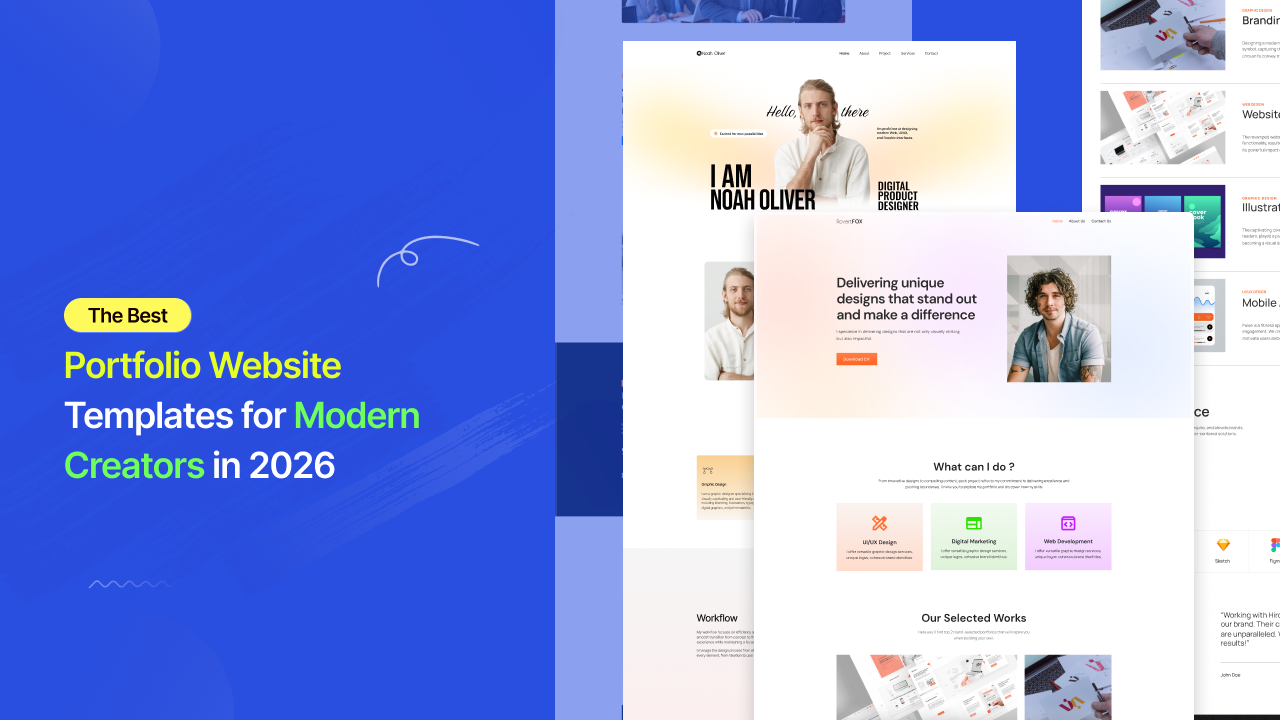
  • The Best Portfolio Website Templates for Modern Creators in 2026

    The Best Portfolio Website Templates for Modern Creators in 2026

    A portfolio website used to be simple.

    You uploaded a few projects, added a short bio, linked your contact page, and hoped potential clients would understand your value from the work itself.

    That approach no longer works.

    In 2026, the internet moves too fast for unclear presentation. Clients scan before they read. Recruiters judge before they click. Creative agencies compare portfolios within seconds. And before someone decides whether your work deserves attention, they’ve already formed an opinion based entirely on your website experience.

    That’s why modern Portfolio Website Templates have become far more important than most creators realize.

    Not because templates save time.

    Because they shape perception.

    A clean portfolio instantly makes work feel more premium. A structured layout increases trust before a single project is opened. A smooth mobile experience creates professionalism without saying a word.

    And in creative industries, perception often influences opportunity long before skill gets evaluated properly.

    Why Most Portfolio Websites Still Feel Outdated

    Feel Outdated

    Many portfolio websites still look like digital archives instead of modern presentation systems.

    Projects feel disconnected. Layouts feel crowded. Typography lacks hierarchy. Mobile responsiveness breaks. Navigation becomes confusing. The visitor has to work too hard to understand what the creator actually does.

    That friction quietly kills opportunity.

    The problem is not always the work itself.

    The problem is presentation.

    Modern audiences are visually trained now. They interact daily with polished SaaS products, premium startups, modern creator brands, and beautifully structured digital experiences. That means expectations have changed dramatically.

    A portfolio website is no longer judged only against other portfolios.

    It is judged against the modern internet itself.

    And that changes everything.

    Why Portfolio Website Templates Matter More in 2026

    Creative competition

    Creative competition online has exploded.

    Designers, developers, photographers, video editors, marketers, artists, writers, creators, and agencies are all competing for attention across the same platforms.

    At the same time, attention spans continue shrinking.

    This creates a new reality where clarity matters more than complexity.

    The strongest Portfolio Website Templates understand this shift perfectly. They are designed around focus, readability, structure, spacing, and flow instead of unnecessary visual clutter.

    The visitor lands on the homepage and immediately understands:

    who you are,
    what you create,
    and why your work matters.

    That level of clarity is difficult to achieve manually without strong design experience.

    Modern template systems solve this problem by already understanding visual hierarchy and user behavior before customization even begins.

    Why Templates No Longer Feel Generic

    Generic

    There was a time when templates felt repetitive and low quality.

    That perception is outdated.

    Modern Portfolio Website Templates are built more like complete creative systems than static page designs. They account for typography rhythm, project spacing, responsiveness, section flow, animation balance, and conversion psychology.

    This matters because creative work is emotional.

    Clients rarely evaluate portfolios purely logically. They respond emotionally first. The presentation affects how valuable the work feels before they consciously analyze anything.

    A minimalist portfolio with clean structure and intentional spacing immediately creates confidence.

    The exact same projects placed inside a cluttered website can feel dramatically less professional.

    That difference is not accidental.

    Modern portfolio templates are designed around perception psychology as much as aesthetics.

    Why Template-Kits.com Feels Different From Traditional Template Platforms

    Template-Kits.com

    Among modern WordPress template platforms,Template-Kits.com takes a noticeably more structured approach.

    Instead of overwhelming users with thousands of inconsistent layouts, the platform focuses on curated template kits powered by aBlocks.

    The experience feels closer to a premium SaaS design ecosystem than a traditional WordPress marketplace.

    This matters for creators because most freelancers and agencies don’t want to spend weeks building websites from scratch. They want a portfolio that already feels modern while still allowing complete creative control.

    That’s exactly where aBlocks becomes important.

    The system allows users to import complete website structures in one click and customize everything visually through Gutenberg without touching code.

    For creators trying to build professional online presence quickly, this dramatically reduces the gap between creating work and presenting it professionally online.

    The Shift Toward Conversion-Focused Portfolio Websites

    Conversion-Focused

    Older portfolio websites were built mainly to showcase projects.

    Modern portfolio websites are built to create opportunities.

    That difference changes the entire structure.

    A modern homepage doesn’t overload visitors with information. Instead, it creates direction. Typography feels intentional. Projects are easy to browse. Case studies feel structured. Contact actions appear naturally throughout the experience.

    Even subtle design choices matter more now.

    Whitespace affects perceived professionalism. Layout rhythm affects readability. Typography affects trust. Mobile responsiveness affects credibility.

    The best Portfolio Website Templates already understand these patterns.

    That’s why professionally structured template systems consistently outperform randomly designed portfolio sites built without strategic flow.

    What Makes a Great Portfolio Website Template in 2026

    Great Portfolio

    The best portfolio websites all create momentum.

    The visitor lands on the homepage and naturally moves through the experience without confusion.

    The hero section establishes identity first. Featured work appears before attention drops. Testimonials or client logos reinforce credibility. About sections add personality without overwhelming the layout. Contact buttons remain visible without feeling aggressive.

    Nothing feels accidental.

    Everything exists to guide attention naturally.

    This is one reason platforms like Template-Kits.com feel more modern than older WordPress ecosystems. Instead of prioritizing builder complexity, they focus on visual consistency, fast setup, and cleaner structure powered by aBlocks.

    That approach aligns far better with how modern creators actually build brands online today.

    Why Mobile Experience Matters More Than Ever

    Experience Matters

    A huge percentage of portfolio traffic now comes from mobile devices.

    Clients open links from Instagram bios. Recruiters browse portfolios from LinkedIn. Agencies review work while multitasking on smartphones.

    And yet many portfolio websites still break completely on smaller screens.

    Text becomes unreadable. Projects feel cramped. Images crop incorrectly. Navigation becomes frustrating.

    A visitor rarely explains why they leave.

    They simply lose confidence and move on.

    Modern Portfolio Website Templates are now designed mobile-first because presentation quality directly affects credibility across every device.

    The best templates maintain spacing, readability, image quality, and visual hierarchy without sacrificing performance.

    That balance is difficult to build manually from scratch. Structured systems like aBlocks-powered template kits already solve much of that complexity automatically.

    Why Simplicity Is Becoming the Biggest Competitive Advantage

    Competitive Advantage

    Creative industries once rewarded complexity.

    Modern digital experiences reward clarity.

    The strongest portfolio websites in 2026 feel effortless. Clean navigation. Strong typography. Minimal distractions. Fast loading. Smooth browsing experience.

    Visitors should never struggle to understand your value.

    This is one reason lightweight Gutenberg-based systems are becoming more attractive than heavier page builders. Platforms like Template-Kits.com focus heavily on cleaner design systems, faster performance, and flexible visual structure through aBlocks.

    And in industries where presentation shapes opportunity, that difference matters significantly.

    Why More Creators Are Using Portfolio Website Templates Instead of Building From Scratch

    custom-building

    For many freelancers and creators, custom-building portfolio websites no longer makes practical sense.

    Not because custom design is bad, but because modern Portfolio Website Templates have dramatically closed the quality gap.

    A professionally designed portfolio template now delivers:

    Feature

    Modern Portfolio Templates

    Modern UI Structure

    Mobile Responsive Layout

    Faster Launch Speed

    Professional Visual Hierarchy

    Easy Customization

    SEO-Friendly Structure

    Gutenberg Compatibility

    without requiring weeks of manual development work.

    This is why modern creators increasingly prefer structured template systems over traditional portfolio builds.

    The goal is no longer to design everything manually.

    The goal is to present your work professionally as fast as possible.

    Final Thoughts

    A portfolio website is no longer just a place to upload projects.

    It is your presentation system, your first impression, and often your most important digital asset.

    Before clients contact you, they evaluate your presentation. Before recruiters read your experience, they judge your visual quality. Before opportunities happen, perception happens first. And that decision happens fast. Modern Portfolio Website Templates are built for that exact reality.Platforms like Template-Kits.com are helping modern creators launch clean, professional, conversion-focused portfolio websites faster through structured aBlocks-powered systems designed for clarity, performance, and modern digital presentation.

    Frequently Asked Questions

    Do I need coding knowledge to use Portfolio Website Templates?

    No. Modern Portfolio Website Templates are designed for beginners and professionals alike. Platforms like aBlocks and Template-Kits.com allow users to customize layouts, images, typography, project sections, and branding visually without coding knowledge.

    Can I customize the portfolio template for my own brand?

    Yes. You can personalize typography, colors, layouts, animations, galleries, logos, and project structures to match your personal or agency identity.

    Are Portfolio Website Templates mobile responsive?

    Yes. Most modern portfolio templates are fully optimized for mobile, tablet, and desktop devices to ensure projects look professional everywhere.

    Can portfolio templates work for agencies and freelancers?

    Absolutely. Portfolio templates are widely used by freelancers, creative agencies, developers, photographers, marketers, UI/UX designers, writers, and digital studios.

    Why are lightweight portfolio websites becoming more popular?

    Lightweight websites improve loading speed, SEO performance, readability, and user experience. Modern Gutenberg-based systems like aBlocks focus on cleaner structure and faster performance compared to heavier builder ecosystems.
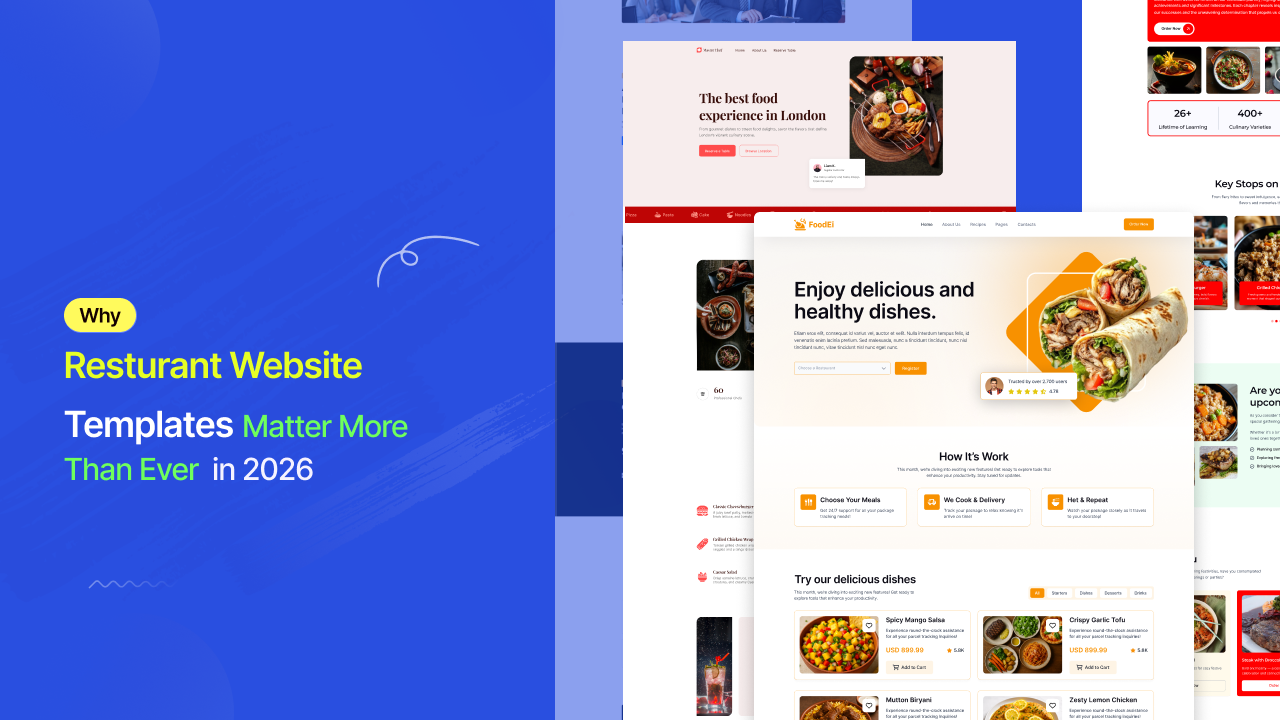
  • Why Restaurant Website Templates Matter More Than Ever in 2026

    Why Restaurant Website Templates Matter More Than Ever in 2026

    A few years ago, most restaurant websites existed for one simple reason: to display a menu and phone number. That’s no longer enough.

    Today, a restaurant website shapes the customer’s first emotional impression long before they walk through the door. People discover restaurants through Google searches, Instagram posts, TikTok videos, and AI-generated search experiences. But eventually, almost all serious buying decisions lead back to one place — the website.

    And in that moment, design becomes business. A slow homepage, outdated layout, or confusing mobile experience silently damages trust before the customer even sees your food. On the other hand, a modern restaurant website creates anticipation immediately. It makes the place feel alive, professional, and worth visiting. This is exactly why Restaurant Website Templates have become one of the most important tools for modern food businesses. Not because restaurant owners suddenly became designers, but because templates now solve something far more valuable than aesthetics: structure, conversion flow, and customer experience.

    The Real Problem With Most Restaurant Websites

    Restaurant Website Templates

    Most restaurant websites fail in surprisingly small ways. The menu is difficult to read on mobile. The reservation button is hidden. Food images feel generic. The layout looks crowded. Pages load slowly. Nothing feels intentional.

    Individually, these problems seem minor. Together, they quietly push customers away. And the hardest part is that many restaurant owners don’t notice it happening because the website technically “works.” But modern customers compare digital experiences instantly. Whether they realize it or not, they judge professionalism through visual clarity, speed, and simplicity. A visitor doesn’t consciously think, This website has poor visual hierarchy. They simply feel uncertain — and leave.

    That’s why modern Restaurant Website Templates are designed differently. Instead of treating a website like a collection of pages, they treat it like a guided customer journey. The visitor sees the atmosphere first. Then the food. Then the credibility. Then the action. Everything flows naturally.

    Why Templates No Longer Feel “Template-Based”

    Modern Restaurant Website UI Inspiration

    The idea that templates look generic is outdated.

    Modern website templates are built more like complete digital systems. They already understand spacing, visual hierarchy, mobile responsiveness, conversion behavior, and user attention patterns. In the restaurant industry, this matters even more because food businesses rely heavily on emotional decision-making.

    A customer chooses a restaurant because it feels right. That feeling often comes from visuals, layout rhythm, typography, photography, and the overall energy of the website. A great Restaurant Website Template quietly controls all of those elements without making the experience feel artificial.

    The result is a website that feels professionally designed from the very first scroll.

    Why Template-Kits.com Stands Out for Restaurant Websites

    Restaurant Template Kit Examples

    Among modern WordPress template platforms,Template-Kits.com has positioned itself differently.

    Instead of offering overwhelming template marketplaces filled with inconsistent designs, the platform focuses on professionally structured website kits powered by aBlocks. The experience feels closer to a modern SaaS design system than a traditional WordPress template library. What makes this especially valuable for restaurant businesses is the balance between simplicity and quality.

    Restaurant owners usually don’t want to spend weeks building layouts manually. They want something that already feels polished but still gives them freedom to customize branding, food imagery, colors, typography, and sections.

    That’s exactly where the aBlocks ecosystem becomes important. The platform allows users to import full website structures in one click and customize everything visually through Gutenberg without touching code. According to Template-Kits.com, the system is designed around fast setup, responsive layouts, and flexible customization workflows.

    This dramatically reduces the gap between having an idea and launching a real restaurant website.

    The Shift Toward Conversion-Focused Restaurant Templates

    Restaurant Homepage Conversion Design

    Modern restaurant templates are no longer designed only for appearance.

    They are designed around customer behavior. A good homepage immediately communicates atmosphere. A strong hero section creates appetite before explanation. Reservation buttons remain visible without overwhelming the design. Menus feel easy to explore instead of cluttered.

    Even small details matter more now. Spacing affects readability. Typography affects perceived quality. Image placement affects emotional response. Mobile responsiveness affects trust. The best Restaurant Website Templates already understand these patterns.

    That’s why professionally structured template kits consistently outperform random custom layouts built without strategic flow.

    What a High-Converting Restaurant Template Actually Includes

    Essential Restaurant Website Sections

    The strongest restaurant websites all create a sense of momentum.

    The customer lands on the page and immediately understands three things:

    • What type of restaurant this is.
    • What kind of experience it offers.
    • What action they should take next.

    Modern Restaurant Website Templates usually achieve this through a carefully layered structure.

    The hero section creates visual appetite first. Then the menu or featured dishes appear before attention drops. Reviews and testimonials reinforce credibility naturally. Reservation or order buttons appear repeatedly without feeling aggressive. Nothing feels forced because the layout is already designed around decision-making behavior.

    This is where platforms like Template-Kits.com feel noticeably more modern than many older WordPress ecosystems. Instead of overwhelming users with endless builder complexity, they focus on guided structure and polished visual consistency.

    Why Mobile Experience Matters More for Restaurants Than Almost Any Industry

    Essential Restaurant Website Sections

    Restaurant traffic is overwhelmingly mobile.

    People search while commuting, standing outside locations, traveling, or deciding where to eat with friends. That means the mobile experience often matters more than the desktop version. And this is where many restaurant websites still fail badly. Menus become unreadable. Buttons overlap. Images crop incorrectly. Reservation systems break. Navigation becomes frustrating. A customer rarely complains about these issues. They simply leave. Modern Restaurant Website Templates are now designed mobile-first because customer behavior demands it. The best templates maintain visual quality, readability, and speed across every screen size without sacrificing atmosphere or branding.That balance is difficult to build manually from scratch. But structured systems like aBlocks-powered template kits already account for it by default.

    Why Speed and Simplicity Are Becoming Competitive Advantages

    Mobile Responsive Restaurant Website

    Restaurant competition online has become extremely visual. Every restaurant now has social media, food photography, and online presence. That means design quality alone is no longer enough to stand out.

    Speed and simplicity are becoming the real advantages. Customers reward websites that feel effortless. Fast loading. Clear navigation. Immediate understanding.A restaurant website should never feel like work. This is one reason lightweight Gutenberg-based systems are gaining attention over heavier builder ecosystems. Platforms like Template-Kits.com position their aBlocks templates around performance optimization and cleaner design systems rather than bloated visual effects. And in industries where attention spans are short, that difference matters.

    Restaurant Templates Are Quietly Replacing Traditional Website Builds

    Modern Restaurant Website Layout Showcase

    For many restaurant owners, hiring a custom design agency no longer makes practical sense. Not because custom websites are bad, but because modern template systems have closed the quality gap dramatically.

    A professionally designed Restaurant Website Template now delivers:

    • modern UI structure
    • responsive layouts
    • visual consistency
    • faster launch speed
    • easier customization
    • lower development cost

    without sacrificing professionalism. This is why restaurant businesses increasingly prefer structured template systems over expensive custom development cycles. The goal is no longer to build everything from zero. The goal is to launch faster with systems that already work.

    Frequently Asked Questions

    Do I need coding knowledge to use a Restaurant Website Template?

    No. Modern Restaurant Website Templates are designed for non-technical users. With platforms like aBlocks and Template-Kits.com, you can import a complete website layout and customize text, images, colors, menus, and sections visually using the WordPress Gutenberg editor.

    Can I customize the restaurant template to match my brand?

    Yes. You can fully personalize the design based on your restaurant’s identity. This includes changing typography, colors, food photography, section layouts, logos, menu styles, and reservation buttons without rebuilding the website from scratch.

    Are Restaurant Website Templates mobile responsive?

    Yes. Most modern restaurant templates are built mobile-first because the majority of restaurant traffic now comes from smartphones. A responsive template ensures your menu, reservation system, and images look clean across mobile, tablet, and desktop devices.

    Can I add an online reservation system to my website?

    Absolutely. Most Restaurant Website Templates support reservation integrations such as Calendly, OpenTable, contact forms, WhatsApp booking, or custom reservation systems. This helps customers book tables directly from your website without unnecessary friction.

    Is Template-Kits.com suitable for small restaurants and cafes?

    Yes. Template-Kits.com is designed for businesses of all sizes, including cafes, bakeries, coffee shops, food trucks, fine dining restaurants, and local family-owned restaurants. The templates are flexible enough to adapt to different restaurant styles and branding needs.

    Will my restaurant website load fast?

    Website speed depends on hosting, images, and optimization, but lightweight systems like aBlocks are designed with performance in mind. Compared to many heavy page builders, modern Gutenberg-based templates usually provide a cleaner and faster browsing experience.

    Why do modern restaurants prefer template-based websites now?

    Modern templates reduce development time while still delivering premium design quality. Restaurant owners can launch faster, maintain visual consistency, improve mobile experience, and focus more on customers instead of technical website management.

    Final Thoughts

    A restaurant website is no longer just part of the business. It is part of the dining experience. Before customers see your interior, they see your homepage. Before they taste your food, they experience your branding. Before they decide to visit, they decide whether your website feels trustworthy enough to deserve attention. That decision happens fast. Modern Restaurant Website Templates are built for that exact moment.

  • Best Agency Website Templates for WordPress – aBlocks Agency Templates

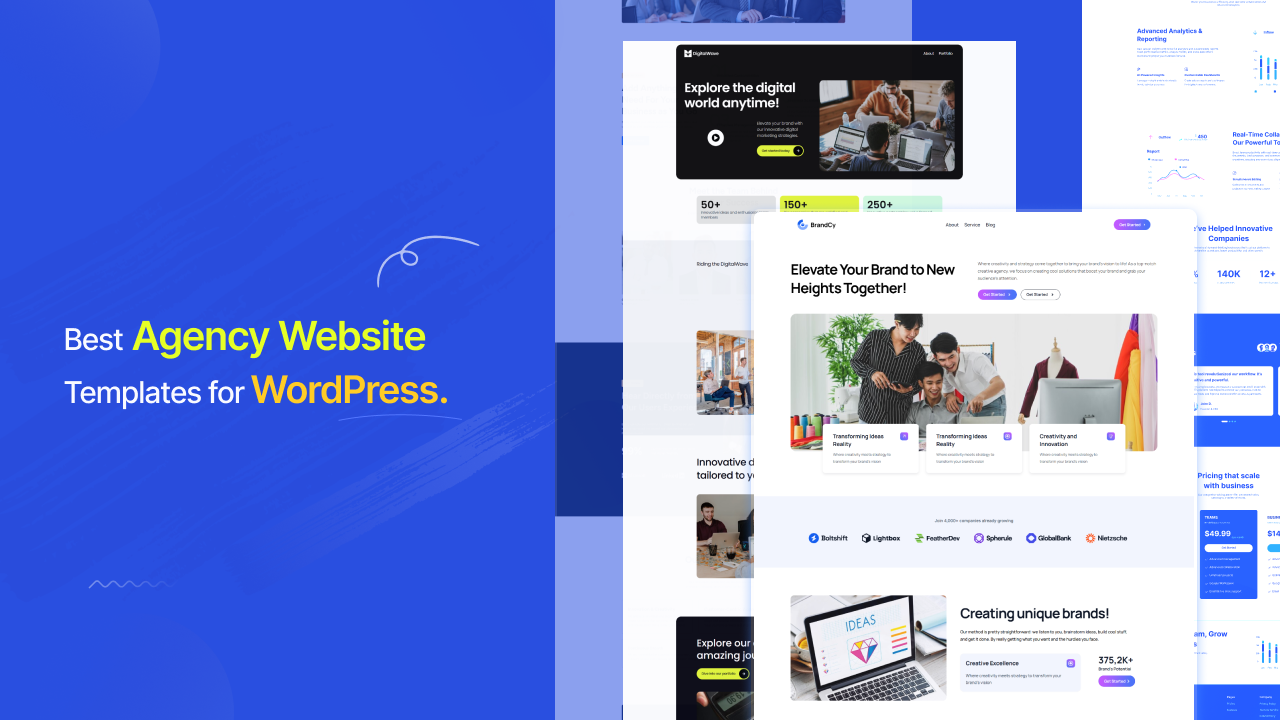
    Best Agency Website Templates for WordPress – aBlocks Agency Templates

    Creating a professional agency website in WordPress is now faster and easier than ever. With modern template kits, you don’t need to design everything from scratch. You can simply import a ready-made layout, customize it, and launch your website in a short time. Among the available options, aBlocks Agency Templates stand out for their simplicity, performance, and clean modern designs.

    These templates are built for agencies, freelancers, startups, and service-based businesses who want a professional online presence without spending too much time on development. With just a few clicks, you can install a complete website structure including homepage, services, about, portfolio, and contact pages.

    What is an Agency Template?

    Agency Website Templates

    An agency website templates is a pre-designed website layout built specifically for businesses such as digital agencies, marketing companies, startups, freelancers, and creative studios. Instead of creating a website from scratch, users can simply import a ready-made design and customize it to match their brand identity. These templates usually include essential pages like Home, About, Services, Portfolio, and Contact. They help save time, reduce design complexity, and ensure a professional and modern appearance. With tools like aBlocks, users can easily import, edit, and personalize these templates without any coding knowledge, making website creation fast and hassle-free. 

    Benefits of Using aBlocks Templates

    Benefits of Using aBlocks Templates

    Using aBlocks templates gives you a faster and smarter way to build websites without technical complexity. These templates are designed to save time while maintaining high-quality design standards. You can easily customize layouts, colors, and content to match your brand identity. They are also optimized for speed and responsiveness, ensuring a smooth experience across all devices.

    Types of Websites You Can Build

    Types Of Agency Website

    With aBlocks Agency Templates, you can build a wide range of professional websites for different industries. Whether you are running a digital agency, creative studio, IT company, or freelance business, these templates provide flexible design structures. They help you create modern websites that attract clients and improve your online credibility. 

    Why Choose aBlocks Agency Templates?

    Websites Ecosystem

    aBlocks Agency Templates are designed with simplicity and flexibility in mind. They are perfect for users who want professional results without learning coding or complex tools. The templates offer modern UI designs, easy customization options, and fast performance. Compared to many other template systems, aBlocks focuses more on user experience and quick setup.

    How to Import aBlocks Agency Templates

    Importing aBlocks templates is very simple and beginner-friendly:

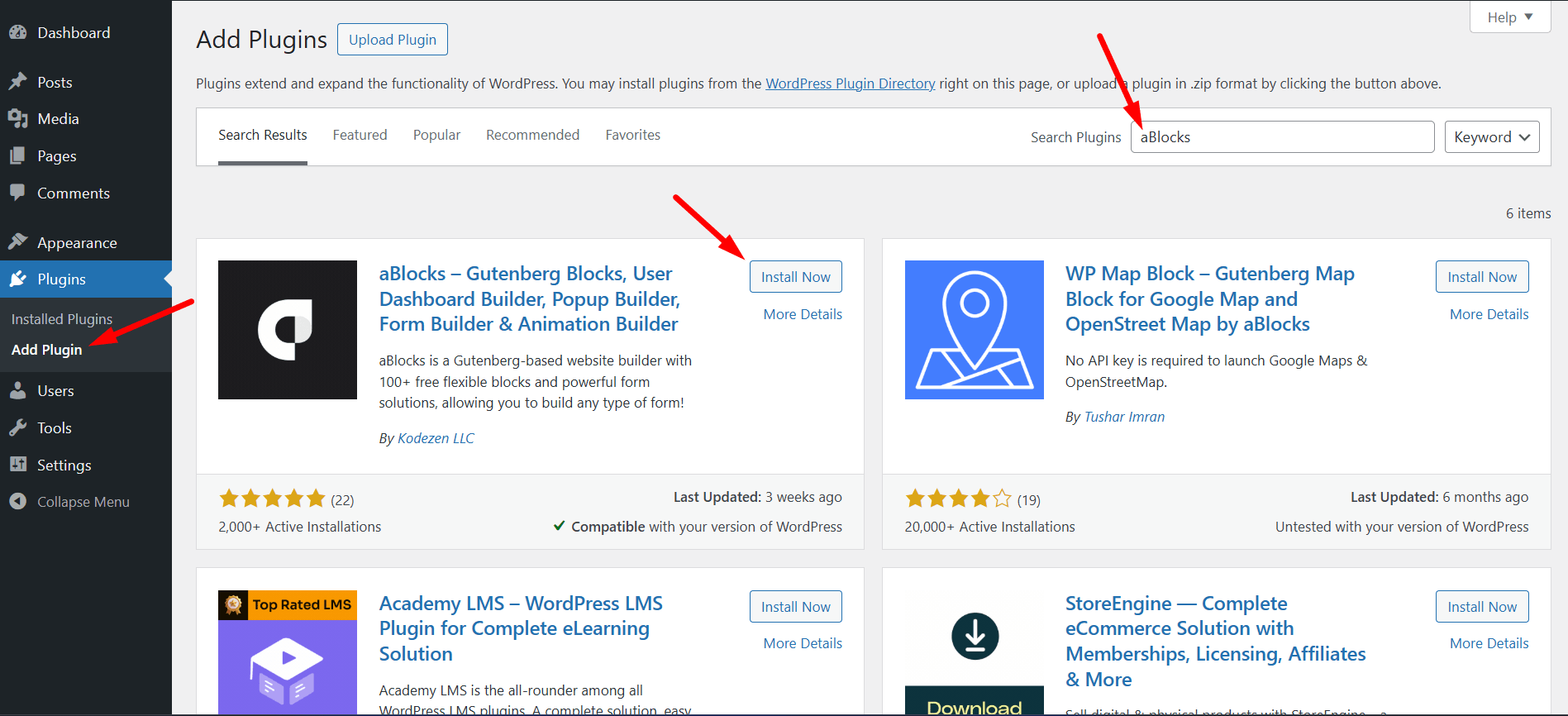
    1. Install the aBlocks plugin on your WordPress site

    IInstall aBlocks Plugin

    2. Activate the plugin

    Activate aBlocks Plugin

    3. Go Appearance to aBlocks Templates

    aBlocks Templates

    4. Open the Agency Templates section

    Agency Templates

    5. Browse available designs

    Available Designs

    6. Select your preferred template

    Select your preferred template

    7. Click the Install & Activste

    Install & Activste

    8. Wait a few seconds for installation

    Customize colors, images, text, and layout.

    After import, you can fully customize colors, images, text, and layout.

    WordPress Agency Template Comparison (aBlocks vs Competitors)

    Feature

    aBlocks TemplateKits

    Elementor Kits

    GutenKit

    Spectra Templates

    One Click Import

    ✅ Fast & Seamless

    ⚠️ Sometimes Slow

    ✅ Yes

    ✅ Yes

    Gutenberg Support

    ✅ Full Native Support

    ❌ Limited (Elementor-based)

    ✅ Yes

    ✅ Yes

    Performance

    🚀 Lightweight & Optimized

    ⚠️ Heavier Pages

    ✅ Good

    ✅ Good

    Beginner Friendly

    ⭐ Very Easy for Everyone

    ⭐ Easy but Complex System

    ⭐ Easy

    ⭐ Easy

    Customization Flexibility

    🔥 High & Flexible Control

    ⚠️Plugin Dependent

    ⚠️ Medium

    ⚠️ Medium

    Agency-Ready Designs

    ✅ Modern & Professional Kits

    ✅ Available

    ✅ Available

    ✅ Available

    Free Templates

    🎁All Free Collection

    ⚠️ Limited Free Kits

    ⚠️ Free & Pro

    ⚠️ Free & Pro

    Plugin Dependency

    ✅aBlocks

    ✅Elementor

    ✅GutenKit

    ✅Spectra

    Design Consistency

    🎯 Clean & Modern UI System

    🎨 Highly Diverse but Heavy

    🎯 Good

    🎯 Good

    Best Use Case

    🚀 Fast Agency Website Setup

    🏗️ Advanced Page Building

    🧱 Gutenberg Users

    🧱 Block Editor Users

    Final Thoughts

    aBlocks Agency Templates provide a powerful and easy solution for building modern WordPress websites. Whether you are a beginner or a professional, these templates help you create stunning agency websites quickly without any coding knowledge. With ready-to-use designs, fast import, and full customization control, aBlocks is a smart choice for anyone looking to build a strong online presence.

    FAQ Section

    Are aBlocks Agency Templates free?

    Yes, many Agency Templates in aBlocks are completely free to use.

    Do I need coding knowledge to import templates?

    No, you can import and customize templates without any coding skills.

    Can I customize the templates?

    Yes, you can fully customize colors, typography, layouts, images, and content.

    Are these templates mobile responsive?

    Yes, all Agency Templates are fully responsive across desktop, tablet, and mobile devices.

    Does aBlocks support Gutenberg?

    Yes, aBlocks is fully compatible with the Gutenberg editor.

    How long does template import take?

    In most cases, templates are imported within a few seconds.

  • 10+ Free and Small Business Website Templates That Look Premium

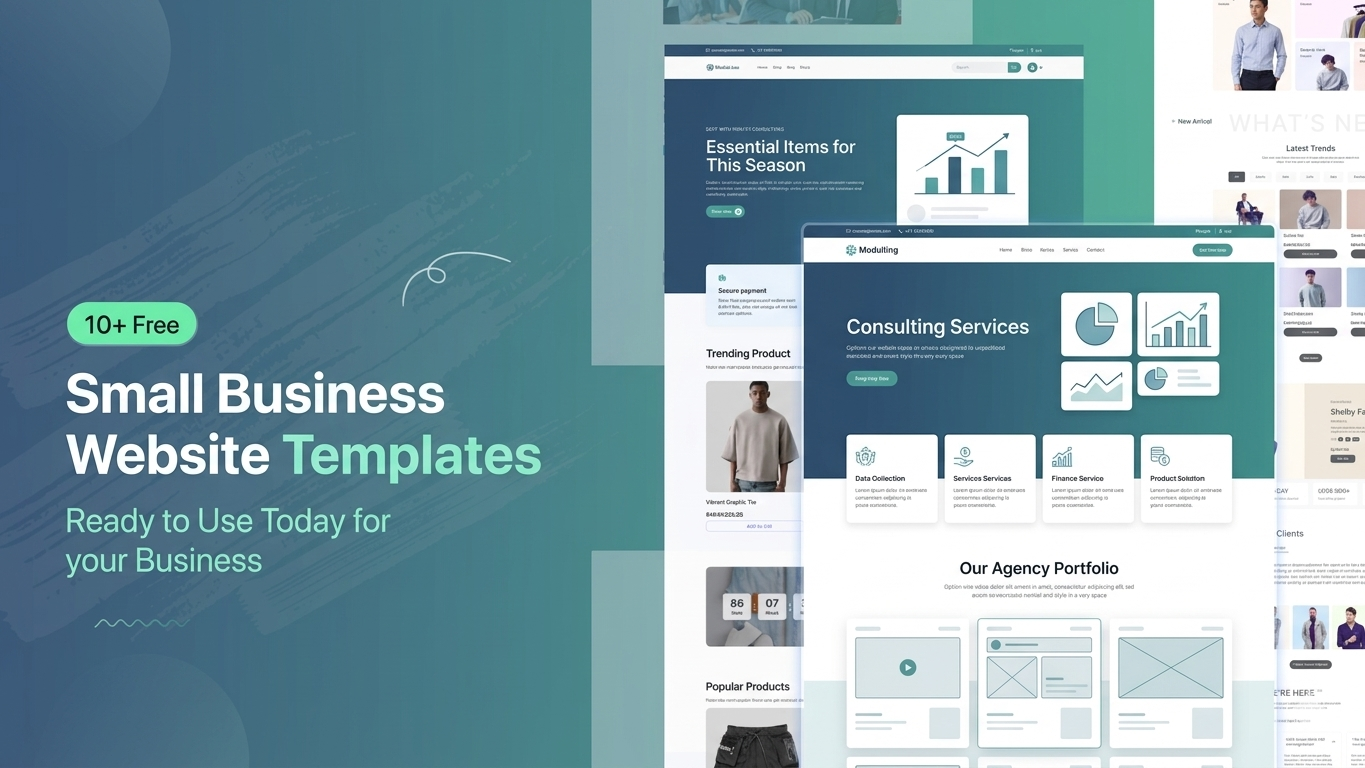
    10+ Free and Small Business Website Templates That Look Premium

    Building a professional website for a small business can be challenging, especially when you have a limited budget and no technical background. Hiring a developer is expensive and time-consuming. That’s why free website templates have become so popular. They allow anyone to launch a modern, responsive, and premium-looking website quickly without coding. In this article, you’ll discover the best free small business website templates and platforms to help you launch your business online today.

    Why Use Free Small Business Templates?

    Business Templates

    Free templates are a smart solution for startups and small businesses that want to go online quickly without spending money on design or development. These templates are pre-designed, fully responsive, and easy to customize. They help you save time, reduce cost, and still achieve a professional look. Most importantly, they are beginner-friendly, so even non-technical users can easily build a complete business website in just a few hours.

    • Cost-effective solution
    • Quick website launch
    • No coding required
    • Mobile responsive design
    • Easy customization

    10+ Free and Small Business Website Templates You Can Use Today

    10+ Free Small Business Website Templates

    There are many high-quality free templates available for different types of businesses such as consulting, SaaS, agencies, finance, and startups. These templates are designed with modern UI/UX principles, making your website look premium and trustworthy. Whether you are running a service-based business or a digital startup, you can find a suitable ready-made template that matches your brand identity and can be customized easily.

    • Corporate Business Template
    • Consulting Agency Template
    • SaaS / Startup Template
    • Finance & Investment Template
    • Digital Agency Template
    • IT Service Template
    • Personal Portfolio Template
    • Marketing Agency Template
    • Fintech / Payment Template
    • Software Company Template

    Template Platform Comparison

    High-quality Free Template

    Choosing the right platform is very important because it affects your website’s speed, flexibility, and ease of customization. Some platforms are beginner-friendly with drag-and-drop builders, while others offer more advanced control but require a bit of learning. Below is a simple comparison of popular template platforms like Templatekits, Elementor Kits, Gutenkits, and others to help you decide which one suits your needs best.

    Feature

    aBlocks Templatekits

    Elementor Kits

    Gutenkits

    Others

    Ease of Use

    Very Easy

    Not Biginar Friendly

    Medium

    Varies

    Page Builder

    aBlocks

    Elementor

    Gutenberg

    Mixed

    Customization

    High

    High

    Medium

    Low–High

    Speed

    Fast

    Medium

    Very Fast

    Varies

    Beginner Friendly

    Yes

    Yes

    Moderate

    Not Always

    Ready Templates

    Many

    Many

    Moderate

    Limited

    Design Quality

    Premium

    Premium

    Simple

    Mixed

    Plugins Needed

    aBlocks and ECM

    Elementor

    Gutenberg Blocks

    Depends

    Which Platform Should You Choose?

    Platform Should You Choose

    Each platform has its own strengths depending on your skill level and business needs. If you are a beginner and want a simple setup, Templatekits is a great choice. Elementor Kits is perfect for users who want more design flexibility. Gutenkits is lightweight and fast but slightly more technical. Other platforms may vary in quality, so it’s important to choose carefully based on your project requirements.

    • Templatekits → Best for All User
    • Elementor Kits → Flexible & popular
    • Gutenkits → Fast performance
    • Others → Depends on quality

    How to Use These Templates

    How to Use These Templates

    Using these templates is very simple and requires no technical knowledge. Most platforms provide one-click installation and drag-and-drop editing features. You just need to select a template, import it into your website builder, customize the content according to your business, and then publish it. Within less than an hour, your professional-looking website can be live and ready for customers.

    Step-by-step process:

    • Choose a template
    • Import with one click
    • Customize content & images
    • Publish your website

    Important Note (Template Import Guide)

    To import these templates, you must first install the aBlocks plugin.

    Then follow these steps:

    1. Install the aBlocks plugin first
    2. Go to Appearance → aBlocks Templates
    3. From the menu, select Business Templates
    4. You will see all available templates there
    5. Click on the “Start Import” button
    6. The template will be imported within a few seconds
    Import Template

    By following these steps, you can easily import and use your business templates without any issues.

    Who Should Use These Templates?

    Who Should Use These Templates

    These free templates are ideal for anyone who wants to build a professional online presence without investing heavily in development. They are especially useful for small business owners, startups, freelancers, agencies, and non-technical users. If you want to launch quickly and look professional from day one, these templates are one of the easiest and most effective solutions available today.

    • Small business owners
    • Startup founders
    • Freelancers
    • Agencies
    • Non-technical users

    Final Thoughts

     Free small business website templates are a powerful solution for anyone looking to build a modern and professional website without spending money on developers. They are fast, easy to use, and highly customizable. With the right template, you can launch your business online in minutes and create a strong first impression. Whether you choose Templatekits, Elementor Kits, or Gutenkits, the key is to start quickly and focus on growing your business.

    FAQ

    Are free templates safe to use?

    Yes, if you download them from trusted platforms, they are completely safe and secure.

    Can I build a professional website using free templates?

    Absolutely. Many free templates are designed with premium-level UI and functionality.

    Do I need coding skills?

    No, all templates are built with aBlocks Import Template.

    Will free templates affect SEO?

    No, as long as the template is optimized, fast, and mobile-friendly.

  • Free and Modern eCommerce Templates to Build Your Online Store

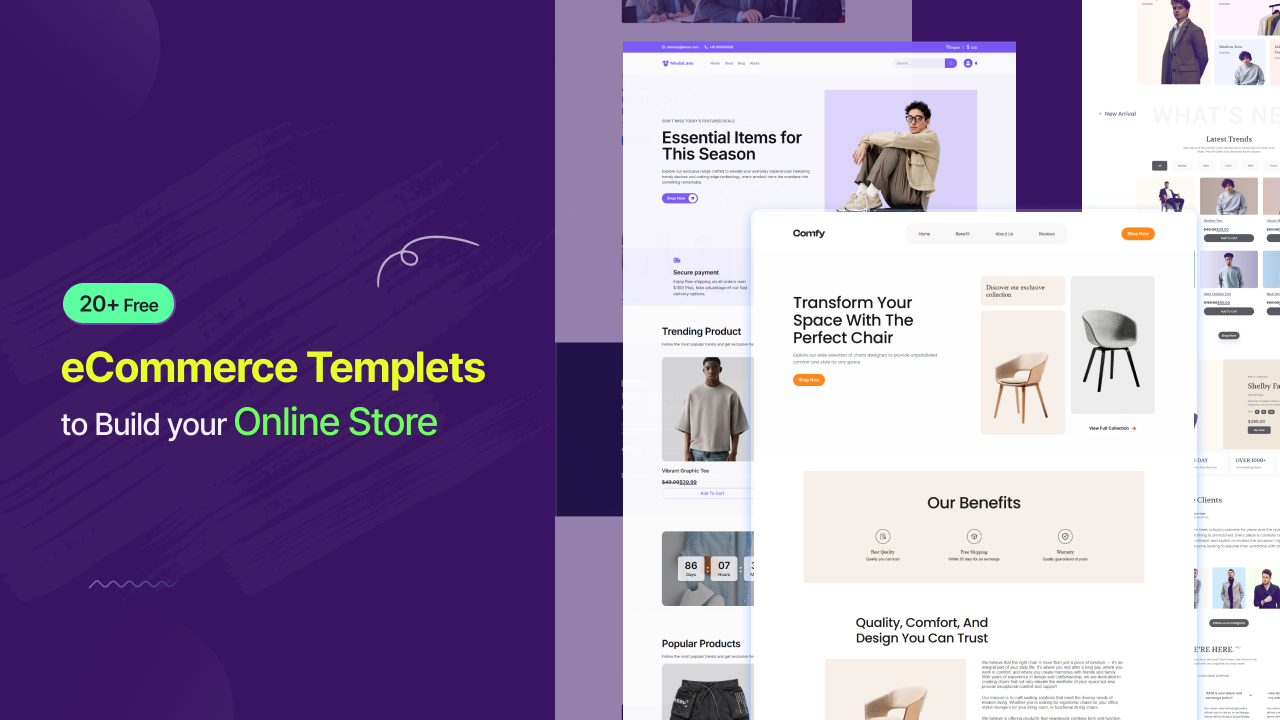
    Free and Modern eCommerce Templates to Build Your Online Store

    Starting an online store in 2026 is easier than ever—especially when you have access to free, ready-to-use eCommerce templates. If you want to build your online business without spending money on design or development, our collection of 20+ free e-commerce template kits is the perfect solution. Built with aBlocks and StoreEngine, these templates are modern, fast, and optimized for real online stores. You can preview them easily and import them in just a few clicks.

    Ready-to-Use Free E-Commerce Templates That Save Time

    Our free eCommerce templates are designed to help you launch your online store quickly. Instead of building everything from scratch, you can import a complete website layout and start customizing instantly. These templates are structured for real businesses, so you can focus on adding products and generating sales. This saves time, reduces effort, and helps you go live faster in 2026

    Free ECommerce Templates

    Built with aBlocks and StoreEngine for Better Performance

    All our free eCommerce template kits are built using aBlocks and StoreEngine, giving you a smooth and flexible website-building experience. You can easily customize layouts, update content, and design your store without coding. These tools provide powerful eCommerce features while keeping everything beginner-friendly. Whether you are new or experienced, managing your online store becomes simple and efficient.

    Design Your Store With aBlocks and StoreEngine

    One-Click Import and Live Preview 

    Before importing any template, you can preview it on Templatekits.com to see how your online store will look. Once you choose a design, simply install the aBlocks plugin and import the template in one click. This fast and easy process allows you to set up your eCommerce website within minutes, making it ideal for beginners and business owners.

    Install aBlocks plugin and Import Your Template

    Start Your Online Store Business

    These free eCommerce templates are not just for design—they are built to help you start a real online business. Each template includes product pages, shop layouts, and conversion-focused sections. You can quickly add your products, customize branding, and launch your store. It’s the perfect solution for anyone looking to start an online store in 2026 without technical complexity.

    Live Your Online Store

    Free E-Commerce Templates vs Other Template Kits

    Here’s a quick comparison to show why our free eCommerce templates stand out in 2026:

    Feature

    Our Templates

    Other Template Kits

    Free to Use

    ✅ Yes

    Built with aBlocks

    ✅ Yes

    StoreEngine Support

    ✅ Yes

    One-Click Import

    ✅ Yes

    ⚠️ Partial

    Business-Ready Design

    ✅ Yes

    ⚠️ Basic

    Beginner Friendly

    ✅ Yes

    Flexible and Scalable E-Commerce Website Design

    Our templates are designed to grow with your online business. You can start small and expand your eCommerce store as your business grows. The flexible layout system allows you to add new sections, improve design, and optimize user experience anytime. This ensures your website remains modern, scalable, and competitive in 2026.

    Frequently Asked Questions (FAQ)

    Are these free eCommerce templates really 100% free to use?

    Yes, these free eCommerce templates are completely free for personal and business use. You can import and use them without any hidden cost.

    How can I import these e-commerce templates?

    Install the aBlocks plugin on your WordPress site and import any template with one click.

    Do I need coding skills to customize these templates?

    No, you can customize everything using aBlocks without coding knowledge.

    Can I start an online store using these templates?

    Yes, these templates include full eCommerce features, allowing you to launch and run an online store.

    You can preview all templates on Templatekits.com before importing.

    You can preview all templates on Templatekits.com before importing.

    Are these templates customizable?

    Yes, you can fully customize design, layout, colors, and branding.

    Final Thoughts

    If you’re looking for the best free eCommerce templates in 2026, this collection gives you everything you need to build and launch your online store. With modern design, easy customization, and one-click import using aBlocks and StoreEngine, you can skip the complicated setup and start your eCommerce journey today.

  • 20+ Free Education Themes for Schools to Build a Pro Website 2026

    20+ Free Education Themes for Schools to Build a Pro Website 2026

    In 2026, a school’s website is more than just an online presence—it’s a digital campus. Whether you’re running a school, college, university, or coaching center, having a professional and modern website is essential for attracting students, engaging parents, and building credibility. The good news? You don’t need a huge budget. 20+ high-quality free educational themes can help you create a stunning website without spending a dime.In this guide, we’ll explore the best options and what features you should look for.


    Why Schools Need a Professional Website.

    A modern education website helps you:

    • Build trust with parents and students
    • Showcase courses, facilities, and achievements
    • Simplify admissions and communication
    • Stay competitive in a digital-first world

    Without a proper website, your institution risks falling behind.

    What to Look for in an Educational Theme

    Before choosing a theme, make sure it includes:

    1. Clean & Modern Design

    Your website should look professional, organized, and easy to navigate.

    2. Mobile Responsiveness

    Most users browse from mobile—your site must look perfect on all devices.

    3. Easy Customization

    Drag-and-drop builders or Gutenberg compatibility save time and effort.

    4. Fast Loading Speed

    A slow website can turn visitors away quickly.

    5. SEO-Friendly Structure

    Helps your school rank higher on search engines like Google.

    Top Solution: aBlocks Education Library

    Instead of testing dozens of individual themes, a smarter approach is to use an all-in-one solution like aBlocks – Gutenberg Blocks plugin.

    It provides access to 20+ premium-quality education templates in one place, allowing you to switch designs with just one click.

    Top Designs Included:

    • Acadigo – Ideal for universities with detailed department pages
    • LearnHub – Perfect for primary schools with colorful layouts
    • SkillStream – Designed for coaching centers focused on course sales
    • EduGate – Clean and professional for corporate training and many more specialized layouts.

    Key Features of Modern Education Themes

    To stay competitive in 2026, an education website is no longer just a digital brochure. It needs to act like a smart, interactive platform that supports students, parents, and administrators in real time. Below are the most important features that modern education themes must include: 

    • Dynamic Event Calendars
    • Virtual Campus Tours
    • One-Click Admissions
    • Smart Announcements 
    • Mobile Friendly Design 
    • Fast & Lightweight Performance 

    Benefits of Using Free Educational Themes

    Benefits of Using

    Using free themes doesn’t mean compromising quality. You get modern design, responsive layouts, and essential features without any cost. They are easy to install, beginner-friendly, and ideal for schools or small institutions. Free educational themes also allow quick setup, basic customization, and a good starting point for online presence. You get:

    • Cost-effective website solutions
    • Quick setup and launch
    • Professional design without hiring developers
    • Flexibility to upgrade anytime

    Tips to Build a Better School Website

    Use clear content, high-quality campus images, and highlight achievements and success stories. Add real testimonials from students and parents to build trust. Ensure fast loading, mobile-friendly design, and proper SEO optimization, so your website ranks better and attracts more visitors online. 

    Education Template Comparison

    Feature / Platform

    aBlocks Education Themes

    Elementor Template Kits

    Gutenberg Block Themes / Patterns

    Traditional Education Themes

    Ease of Use

    ⭐ Very easy (1-click switch skins)

    Easy but requires

    Medium learning curve

    Easy but limited flexibility

    Design Quality

    ⭐ Premium, modern, education-focused

    High-quality but varies by kit

    Simple & functional

    Depends on theme developer

    Speed / Performance

    ⭐ Lightweight

    Can be heavy due to Elementor

    Native WP blocks

    Medium

    Customization

    ⭐High (global design system)

    Very high but complex

    Medium

    Limited

    Template Variety

    ⭐ 20+ education-Free

    10–30 kits per package

    Patterns

    Usually 1 design per theme

    One-Click Demo Import

    ⭐ Yes

    Yes (but separate kits)

    Sometimes

    Yes

    Learning Curve

    ⭐ Low

    Medium

    Medium

    Easy

    Best For

    ⭐ All Education System

    Freelancers, agencies

    Developers, performance sites

    Basic school websites

    Price / Licensing

    ⭐ All Templates Free

    Mostly Premium (paid kits + subscriptions)

    Free (WordPress core)

    Mostly Premium themes

    Step-by-Step: How to Build Your Professional Campus in Minutes 

    To access these 20+ professional designs, follow this simple implementation guide using our proven workflow. Start by installing the theme, import the demo with one click, and customize layouts using the drag-and-drop builder. Then replace content, adjust branding, and publish your site for a fully professional education website in minutes.

    Step 1: Install the aBlocks plugin

    To get started, you need the aBlocks – Gutenberg Blocks plugin. This acts as the gateway to all 20+ education templates.

    • Navigate to Plugins > Add New in WordPress.
    • Search for “aBlocks”, install, and Activate.
    Install and Active aBlocks Plugin

    Step 2: Open the Template Library

    Once activated, go to Appearance > aBlocks Templates. This is where your collection of 100+ templates (including the 20+ education designs) is stored.

    Open aBlocks Template

    Step 3: Filter by Education

    To see only the designs tailored for schools and colleges, click the “More” dropdown and select the “Education” category.

    Select The Education

    Step 4: Choose Your Style & Import

    Browse through the 20+ options. When you find the one that fits your institution’s brand, click “Start Import”.

    Click Start Import Button

    Step 5: Activate Essential Education Tools

    Modern campuses need functional tools. The system will prompt you to install necessary plugins like Academy LMS. Make sure to check “Import with Image” to get the full professional demo look.

    Activate Essential Education Tools

    Step 6: Automated Setup

    Wait for the importer to sync the styles, pages, and layouts. The “Live Log” will show you exactly what is being updated in your system.

    Your Theme Is Importing

    Step 7: Launch Your Digital Campus

    Once the success message appears, click “Visit Website”. You now have a high-performance, professional education site ready for your students!

    Your Theme Import Successful

    Frequently Asked Questions (FAQs)

    What is the best free educational theme for schools in 2026?

    The best free educational theme depends on your needs. For example, themes designed for universities focus on detailed departments, while school themes prioritize simplicity and engagement. All-in-one solutions like aBlocks offer multiple designs in one place.

    Are free school website themes reliable?

    Yes, many free themes are reliable and professionally designed. However, you should choose themes that are regularly updated, responsive, and optimized for performance and SEO.

    Can I build a professional school website without coding?

    Absolutely. Most modern educational themes support drag-and-drop builders like Gutenberg, allowing you to create a full website without any coding knowledge.

    What features should a school website have in 2026?

    A modern school website should include: Event calendar, Online admission system, Mobile-friendly design, Fast loading speed

    Are these themes mobile-friendly?

    Yes, most modern educational themes are fully responsive, meaning they work smoothly on mobile, tablet, and desktop devices.

    Final Thoughts

    Building a professional campus website shouldn’t be a technical nightmare or a financial burden. By using the aBlocks Education Collection, you gain access to over 20 diverse, high-quality designs that are built for the future of learning.