

Author: Rabbi Aual Ratul

  • Best Free Portfolio Website Templates to Get Hired Fast

    Best Free Portfolio Website Templates to Get Hired Fast

    Most hiring managers spend less than 45 seconds on a portfolio before deciding whether to keep reading or move on, according to industry research compiled by SattiveDev Labs. Clients do the same. In those 45 seconds, they are not reading your bio or studying your process. They are forming a feeling — professional or amateur, confident or uncertain, worth the rate or not.

    That feeling is shaped almost entirely by your template.

    Here is the number that should drive the decision: freelancers with their own portfolio websites earn 35% more than those relying solely on platforms like Upwork or Fiverr, according to Colorlib’s 2026 freelance statistics. The U.S. alone has 72.9 million freelancers — close to 38% of the entire workforce, and 79% of hiring managers plan to rely more on freelance talent in the coming years, according to SQ Magazine’s 2026 freelance economy analysis.

    The market is growing. The competition for attention is growing faster. And the difference between a freelancer who wins clients and one who watches their pitch get ignored is often not the quality of the work. It is the template presenting it.

    Portfolio Website Templates

    What Is a Portfolio Website Template?

    A portfolio website template is a professionally designed, pre-structured website layout built for creatives, freelancers, and professionals who need to showcase their work online. It gives you the page architecture and visual framework — so you skip the blank-canvas problem and go straight to making it yours.

    The distinction from a generic business template matters. Portfolio templates are built around work display, not service description. Every layout decision — gallery grid density, whitespace distribution, typography scale, case study flow — exists to make your work the undeniable focal point of every page.

    According to Colorlib’s analysis of thousands of portfolio websites, an effective portfolio needs five core elements:

    A filterable project gallery that lets visitors sort work by category with smooth animations on rearrange. An about section that tells your professional story with enough personality to create real connection. A clear list of services or skills that converts interest into inquiry. Social proof through client testimonials or brand logos. An easy-to-find contact form that never makes the visitor hunt.

    Optional but high-converting additions include case study pages that walk clients through your problem, process, and result — and a blog that builds topical authority over time. Show your 8 to 12 strongest pieces, not everything you have ever done. Quality over quantity is not a creative preference — it is a conversion strategy.

    Why Your Portfolio Template Is a Business Decision in 2026

    Most creatives treat their portfolio as a digital brochure. The ones winning clients treat it as a 24/7 sales tool.

    48% of CEOs are planning to boost freelance hiring in the coming year, according to Upwork’s Future Work Index. Over 99% of major employers plan to continue or increase their use of freelancers throughout 2026, per DemandSage’s 2026 analysis. 75% of workers in the art and design profession in the U.S. are freelancers, which means the competition for client attention in creative fields is structural, not temporary.

    Your template determines whether a potential client who discovers your work stays long enough to become curious, or bounces in three seconds because the gallery was slow, the navigation was unclear, or the design communicated doubt instead of confidence. A great template does not just display work; it converts interest into inquiry.

    Template Determines

    Types of Portfolio Website Template

    Photography Website Templates

    Photography templates are the most image-forward category in portfolio design. The entire layout is built around one principle: images must fill the viewport without compression, distortion, or slow loading.

    The best photography website templates use masonry grid galleries, lightbox viewing, and category filtering — portrait, editorial, commercial, landscape, events — so visitors navigate by the type of work they need. A single arresting hero shot above the fold converts better than a rotating carousel of five images. One image, chosen well, stops the scroll. Five images split the attention.

    Critical details that separate strong photography templates from weak ones: lazy loading for performance, watermarking support for unpurchased work displayed publicly, and a pricing section for photographers selling sessions directly through the site. Some templates include both portfolio album pages and individual category galleries — a structure that works well for photographers whose work spans multiple specialties. Always test the demo on mobile before desktop. A gallery that breaks or crops on a phone screen is not worth building on.

    Wedding Photographer Website Templates

    Wedding photography is a category within photography that deserves entirely separate consideration — because its buyer psychology is fundamentally different.

    A couple choosing their wedding photographer is not making a rational evaluation. They are making an emotional one. They want to feel that this specific person understands how to capture the version of their day that exists in their imagination. Your website needs to create that feeling before a pricing page is ever seen.

    The most effective wedding photographer website templates lead with romantic, cinematic imagery above the fold — ideally a full-screen photograph from an actual wedding, not a stock image. They include a section that speaks directly to the couple’s experience of working together, not just a package list. Testimonials from past couples carry enormous trust-building weight and should appear before any pricing information, not after it.

    Templates designed for wedding photographers include testimonial sliders, portfolio carousels, newsletter subscription forms, and predefined internal pages for Work, About, and Booking, according to Colorlib’s 2026 wedding photography template roundup. The practical infrastructure matters too: a consultation booking form with a wedding date field, a client gallery password system for private delivery, and a separate page structure for albums and engagement shoots.

    Artist Website Templates

    Artist website templates share visual DNA with photography templates — large imagery, gallery-first layouts, generous whitespace — but the underlying content structure is different in one critical way.

    Artists need to tell the story of a body of work, not just display individual pieces. A fine art portfolio is not a product catalog. It is a curated narrative. The best art website templates are built around this distinction with a collections or series architecture, a statement or process section where the artist’s voice and context come through, an exhibitions and press section for institutional credibility, and a shop integration for originals, prints, or commissions.

    The color palette and typography in an artist template need to disappear into the work. A loud, opinionated design competes with the art. Think of the template as the gallery wall — present but invisible, existing only to frame what is on it. Squarespace’s Cami template is recommended by Squarespace’s own editorial team for fine artists specifically because its large photos and strategic whitespace let the breadth of a multidisciplinary practice breathe without visual competition from the interface itself.

    Web Developer Portfolio Templates

    Developers have a specific relationship with their portfolio template: the site itself is part of the portfolio. A developer using a slow, bloated, or poorly structured template sends an implicit signal about their technical standards that no headline can fix.

    For developers, the most relevant format is a portfolio template with source code — downloadable HTML, CSS, and JavaScript files or React component templates hosted on GitHub — which allow full customization and self-hosting on GitHub Pages, Vercel, or Netlify at essentially zero cost.

    Key sections that convert for a developer portfolio: a projects grid with live demo links and repository links visible on hover, a skills matrix with technology icons organized by category, a timeline-style work history, and a contact section with a stated response time. Clean, fast, self-hosted — that is the signal a developer portfolio needs to send before a single line of their code is read.

    Personal Portfolio Templates

    Built for professionals who span roles — consultants, marketers, writers, UX researchers, strategists. Personal portfolio templates prioritize personal branding over project display. The hero leads with the person, not the work. A strong positioning headline — “UX Designer helping fintech startups simplify complexity” — sets the frame before any scrolling happens.

    Navigation here is simpler: About, Work, Resume, Contact. Case study layouts that walk through problem, process, and result are essential for fields where the thinking matters as much as the deliverable.

    Personal Portfolio Templates

    Portfolio Website Templates: Platform Comparison

    Platform

    Best For

    No-Code

    Truly Free Option

    Customization Depth

    Ongoing Cost

    WordPress + aBlocks

    All creative types

    Yes

    Yes — template-kits.com

    Full block-level

    Hosting only

    WordPress + Elementor

    Designers, agencies

    Yes

    Limited

    Deep

    Hosting + plugin fee

    Squarespace

    Photographers, artists

    Yes

    No

    Moderate

    $16–$49/month

    Wix

    Generalists, beginners

    Yes

    Limited

    Moderate

    $17–$35/month

    Webflow

    Design-forward creatives

    Partial

    Limited

    High

    $14–$39/month

    Framer

    Modern creatives

    Partial

    Limited

    High

    $10–$30/month

    GitHub Pages (HTML/React)

    Developers

    No

    Yes

    Full code control

    $0

    The clearest insight from this comparison: WordPress remains the only platform that delivers professional template quality, full no-code customization, complete site ownership, and zero monthly platform fee — especially when paired with aBlocks and a free template library like template-kits.com.

    Free vs. Paid Portfolio Website Templates: The Honest Version

    Most people pick a free template and discover within twenty minutes that the best sections are locked behind a paid upgrade. According to Gola Supply’s analysis of free portfolio templates, a truly free portfolio template gives you full page exports or one-click imports with no locked sections, includes every page type shown in the demo, does not require a paid platform account to publish, and does not watermark your live site.

    Feature

    Generic Free

    Premium Paid

    Free Premium (aBlocks)

    Portfolio-specific gallery layouts

    Rarely

    Yes

    Yes

    Filterable project grid

    No

    Usually

    Yes

    Case study page template included

    No

    Sometimes

    Yes

    Mobile-first design

    Inconsistent

    Yes

    Yes

    No-code full customization

    Rarely

    Yes

    Yes

    Source code download

    Sometimes

    Rarely

    No (WordPress-based)

    Regular design updates

    No

    Sometimes

    Yes

    Cost

    $0

    $30–$300+

    $0

    The Best Free Portfolio Website Templates in 2026: Template-Kits.com

    If you have been sorting through Squarespace plan tiers, Webflow upgrade prompts, and Wix watermarks looking for a portfolio template that actually works for free — template kits is where that search ends.

    It is a curated library of free, professionally designed website templates built on aBlocks — a WordPress Gutenberg-based block builder. Every template is crafted by professional designers and available at zero cost — no trial period, no feature lock, no upgrade prompt after import.

    The workflow is fast. You browse template-kits.com, install the free aBlocks plugin, import your chosen portfolio layout in one click, then customize every block — gallery grid, hero section, about copy, contact form — without writing code. For photographers, replace the placeholder images with your strongest work. For developers, swap the project cards with your own. For artists, adjust the collection structure to match your series architecture.

    One real user described it: “aBlocks has completely changed how I see Gutenberg. The customization options are incredibly intuitive, and everything feels polished and professional. It’s like Gutenberg finally found its missing piece.” (Source: template-kits.com)

    aBlocks works with any WordPress theme, supports WooCommerce for selling prints or digital products directly, and is built on clean code that gives your portfolio a genuine advantage in local and niche Google search results.

    Portfolio Website Templates on Template-Kits

    How to Choose the Right Portfolio Website Template

    Define your primary visitor action first. Do you want visitors to email you, book a discovery call, buy a print, or download your resume? That single answer determines which template structure and CTA pattern serves you best.

    Match the template tone to your work’s energy. A dark, editorial template suits moody, cinematic photography or fine art. A light, minimal template lets colorful, vibrant work dominate the screen. The template should disappear into your work — not compete with it.

    Test mobile before desktop. Open every template demo on your phone. Navigate to the contact form. Check how the gallery renders on a small screen. 70% of users start on mobile — a template that breaks on small screens is not worth customizing on desktop.

    Check for case study support. If your field rewards process explanation — UX design, branding, architecture, strategy — make sure the template includes a project detail or case study page type, not just gallery thumbnails.

    Evaluate load performance honestly. Animations and large hero carousels that look impressive in a demo often slow the live site significantly. Favor templates built on clean, lightweight code with lazy image loading built in. This matters for both visitor experience and Google rankings.

    The Portfolio Your Work Has Always Deserved

    Your work is the proof. Your portfolio template is the frame. And in 2026, the quality of that frame determines whether a client pauses long enough to see what is inside.

    The right template loads fast, presents your strongest work clearly, guides every visitor toward a specific action, and gives you full flexibility to evolve it as your career grows. It does not need to cost $300. It does not need a developer. It does not need a monthly subscription fee.

    template-kits.com is where creatives, photographers, artists, and developers go when they want that template for free — professionally designed, built on aBlocks for WordPress, fully customizable without code, and available with one-click import.

    Browse the free portfolio website template library at template-kits.com and build the online presence your work has earned.

    Frequently Asked Questions

    Are there free portfolio website templates I can download?

    Yes. template-kits.com offers a full library of professionally designed, completely free portfolio templates powered by the aBlocks WordPress builder — no locked features, no watermarks, no upgrade prompts. For developers who prefer working in code, HTML5UP and Colorlib offer free HTML portfolio templates with source files included.

    Are there portfolio website templates for WordPress and Elementor?

    WordPress has the broadest portfolio template ecosystem of any platform. Elementor-compatible portfolio themes are available through ThemeForest, Colorlib, and the WordPress theme repository. For a Gutenberg-native alternative with equivalent design flexibility and no extra plugin cost, aBlocks templates via template-kits.com are the strongest free option.

    Can I get a portfolio website template with source code?

    Yes. HTML, CSS, and JavaScript portfolio templates with full source code are available on GitHub, HTML5UP, and Colorlib. React portfolio templates are available through GitHub repositories and developer communities. These are best for developers who want complete code ownership and free static hosting via GitHub Pages, Vercel, or Netlify.

    What is the best photography website template in 2026?

    Look for a photography template with a masonry or full-bleed gallery layout, lightbox viewing, category filtering, mobile-first image rendering, and genuine lazy loading for fast performance. Templates at template-kits.com are fully customizable for photography portfolios via aBlocks. For Squarespace-specific options, Beaumont and Cami are widely recommended for gallery performance and restrained design language.

    What makes a wedding photographer website template different from a standard photography template?

    Wedding photographer templates are built for emotional conversion before rational evaluation. They lead with romantic imagery and couple testimonials before introducing pricing. They include a consultation booking form with a wedding date field, a client gallery password system, and a warm editorial visual tone — rather than the commercial portfolio-grid structure used by product or commercial photographers.

    Are artist website templates different from photography templates?

    Yes, structurally. Artist templates are built around collections and series architecture — designed to present a body of work as a curated narrative, not a product catalog. They typically include a statement or process section, an exhibitions and press section for institutional credibility, and a shop integration for originals or prints. Photography templates prioritize individual image display, category browsing, and session booking. Both need mobile-first layouts and fast loading, but their navigation hierarchy and content purpose differ significantly.

    What is the best personal portfolio website template?

    The best personal portfolio template depends on your positioning and desired visitor action. Look for a layout that leads with a strong personal headline above the fold, has a clear contact or booking path, and includes a project or case study section that shows the thinking behind your work — not just the deliverable. template-kits.com offers personal and creative portfolio templates with full no-code customization through aBlocks.
  • Building an Education Site With Tutoring Website Template

    Building an Education Site With Tutoring Website Template

    Picture this. A parent is on their phone at 9pm, stressed about their child’s next math test. They search “math tutor near me.” Three tabs open. Yours is one of them.

    In thirty seconds, they have already decided which tutor feels trustworthy, which site felt confusing, and which one they are going to email tomorrow morning.

    If your website is not designed to win that thirty-second window — clean, credible, and easy to navigate — you are not in the running. The parent closes the tab, and you never know they were there.

    The private tutoring market is now worth $142.98 billion globally in 2026, growing at a 9.1% CAGR toward $208.94 billion by 2030. Online tutoring alone is expanding at 14.5% annually, projected to reach $23.73 billion by 2030. Over 75% of U.S. parents have enrolled their children in tutoring at some point, and 65% of students now prefer online options for their convenience and flexibility.

    The opportunity is real. The competition is intense. And your website is either your strongest enrollment tool or your biggest bottleneck.

    A purpose-built tutoring website template solves that problem before you write a single word of copy.

    built tutoring website

    What Is a Tutoring Website Template?

    A tutoring website template is a professionally designed, pre-structured website layout built specifically for tutors, tutoring centers, online learning businesses, daycare providers, and childcare services. It gives you the page architecture, section flow, and visual framework that education-focused websites need — without requiring you to design anything from scratch.

    The distinction matters. A generic website template treats every business the same. A tutoring template understands that your visitors are emotionally driven decision-makers — usually parents — who are evaluating your credibility, your warmth, and your process simultaneously. Every layout choice in a great tutoring template serves that specific evaluation.

    What a quality tutoring website template delivers from the moment it is imported includes a homepage hero built for trust, subject and service pages with clear program breakdowns, a tutor profile section with credentials and personal bios, a results or testimonials block positioned early on the page, a session booking or inquiry form, and an FAQ section that reduces hesitation before the first message is sent.

    What Every SERP-Leading Tutoring Website Gets Right

    After analyzing the top-ranking tutoring websites and educational platform designs in 2026, the same design principles show up across every high-performing example. These are not accidents. They are the architecture of a site that consistently converts visitors into enrolled students.

    Results-First Messaging Above the Fold

    The best-performing tutoring websites lead with proof, not personality. A site that displays a bold “+123 average SAT score increase” stat front and center does more trust-building in three seconds than paragraphs of marketing copy. Your template should make this kind of result-driven messaging the centerpiece of your hero section — not a sidebar or footer element.

    A Step-by-Step Process Explanation

    Explaining your tutoring process step by step builds clarity and directly reduces hesitation. Parents do not just want to know that you are good. They want to understand what happens between the inquiry and the first grade improvement. Templates with a built-in “How It Works” section remove that uncertainty and dramatically improve inquiry rates.

    Tutor Profiles That Build Personal Connection

    When parents are trusting someone with their child’s academic future, anonymity is the enemy.Detailed staff profiles that give each tutor a face and a backstory matter enormously in this market. Your template should include a tutor profile section with space for photos, credentials, subject specialties, and a short personal note — not just a name and a qualification list.

    Subject and Program Pages Organized by Outcome

    Visitors should be able to find the math tutoring page, the SAT prep page, or the online English program in under three seconds from the homepage. Templates that organize service pages by subject, age group, or exam type create a frictionless path that matches how parents and students actually think when they search for help.

    Social Proof Placed Near Decision Points

    Testimonials do not belong at the bottom of the page. The tutoring websites that convert best embed client reviews and student outcome statements immediately after the hero section and adjacent to every CTA. Your template should make this placement the default, not something you have to engineer manually.

    [IMAGE PROMPT: Annotated wireframe of a high-converting tutoring website homepage showing labeled sections: hero with results stat, step-by-step process block, subject/program cards, tutor profile row, testimonials above the fold, and sticky booking CTA]

    Types of Tutoring Website Templates: Choosing the Right Fit

    Academic Tutoring Templates

    Built for subject-specific tutors and multi-subject tutoring centers. These templates use structured, organized layouts that communicate scholastic seriousness. Navy, white, and warm gold color palettes are common, conveying academic prestige without feeling cold. Look for templates with dedicated subject pages, a grade-level navigation structure, and a clean online booking integration.

    Online Tutoring Website Templates

    Designed for fully digital operations.On-demand tutoring now captures over 76% of total online tutoring revenue globally, and online-first templates reflect this with virtual session previews, platform integration sections, asynchronous course product pages, and subscription or package pricing displays. These layouts communicate accessibility and flexibility — the two reasons 70% of students choose online tutoring over in-person.

    Language Tutor Website Templates

    A category most competitors overlook entirely. Language tutoring is one of the fastest-growing segments within online education, driven by globalization and career multilingualism demand. A language tutor website template needs to communicate cultural fluency as much as academic rigor. The best layouts include:

    A language-specific hero with the tutor’s native and taught languages displayed visibly. A session format section explaining conversational practice versus structured grammar instruction. A nationality/background section that builds trust with international students. Testimonials from students of specific language backgrounds. A scheduling section compatible with international time zones.

    The language courses segment within online tutoring is expected to show significant growth as multilingual skills become a core career asset. If you are building a language tutor site, choose a template that speaks to this global, cross-cultural audience — not a generic education layout repurposed with a flag icon.

    Test Prep Website Templates

    SAT, ACT, GRE, GMAT, LSAT. This is where parents spend the most money and require the most reassurance. Test prep templates lead with score improvement data, guarantee language, structured program timelines, and instructor credentials from Ivy League or top-tier academic institutions. The visual language is polished, premium, and outcome-obsessed.

    Daycare Website Templates

    This is a category that most tutoring template roundups miss entirely — and it is a significant gap. Daycare and childcare website templates share a specific design DNA that is distinct from academic tutoring: warmth over authority, reassurance over results, and parent trust over student ambition.

    The best daycare website templates use soft, welcoming color palettes — gentle blues, greens, and warm yellows. They feature photography of real children in safe, joyful environments. They prominently display licensing, accreditation, and health and safety standards. They include age group sections from infant care through pre-K. They make the enrollment inquiry or tour booking CTA the very first thing a parent sees.

    Childcare Website Templates

    Childcare templates share similarities with daycare layouts but often serve a broader age range and may include after-school program pages, extended care scheduling, and summer program sections. These templates need to handle logistical complexity — multiple programs, multiple age groups, multiple pickup schedules — while still communicating warmth and safety above all else.

    A critical design element in both daycare and childcare templates that most builders miss: the mobile experience. Parents of young children are almost always searching on a phone, mid-commute or between drop-offs. A childcare template that is not mobile-optimized by default is not a childcare template worth using.

    Tutoring Website Templates

    The Unique Angle Most Tutoring Websites Are Missing in 2026

    Analyzing what the top SERP results cover thoroughly is useful. Knowing what they skip entirely is an advantage.

    Here is what almost no tutoring website template guide mentions, and what will separate your site from the pack.

    The Dual Audience Design Problem

    Most tutoring websites are designed for one visitor type. In reality, every tutoring website has two: the parent who is paying and the student who is learning. Their motivations are completely different, and a well-built tutoring website template serves both.

    Parents need trust signals: credentials, process clarity, pricing transparency, and testimonials from other parents. Students — especially teenagers — need energy, relatability, and proof that the experience will not feel like sitting in another boring classroom. Your template should have sections that speak separately to each of these audiences, even if it serves them from the same homepage.

    AI-Ready Layout Structure

    Nearly 85% of online tutoring companies now use artificial intelligence to personalize the learning experience, and 68% of major online tutoring platforms have integrated adaptive AI systems. If your tutoring business uses any AI-powered tools — adaptive quiz platforms, automated progress tracking, AI session scheduling — your website should have a section that explains and showcases this.

    Templates built in modular block systems make it easy to add an “Our Technology” or “How AI Powers Your Learning” section without rebuilding your layout. Most template guides in 2026 still do not mention this. You should be ahead of that curve.

    Free vs. Paid Tutoring Website Templates: The Honest Comparison

    Feature

    Generic Free

    Premium Paid

    Free Premium (aBlocks)

    Education-specific layouts

    Rarely

    Yes

    Yes

    Subject/program page templates

    No

    Sometimes

    Yes

    Tutor profile sections built in

    No

    Usually

    Yes

    Mobile-first design

    Inconsistent

    Yes

    Yes

    Booking tool integration ready

    Rarely

    Usually

    Yes

    No-code full customization

    Rarely

    Yes

    Yes

    Regular design updates

    No

    Sometimes

    Yes

    Cost

    $0

    $30 to $300+

    $0

    The Best Free Tutoring Website Templates in 2026: Template-Kits.com

    Template-Kits

    If you have been browsing Wix template libraries, Webflow clones, and ThemeForest listings, looking for a tutoring template that looks genuinely professional without a monthly platform fee attached,template kits are where you stop looking.

    It is a curated library of free, professionally designed website templates built on aBlocks — a WordPress Gutenberg-based page builder. Every template is built by professional designers. Every template is completely free — no trial, no upgrade nag, no feature wall.

    For tutors, tutoring center owners, daycare operators, and language coaches, this matters because the alternatives almost always compromise on something. Wix and Squarespace trade customization depth for simplicity and charge monthly. ThemeForest charges upfront and often requires purchasing separately for the builder. Free WordPress themes offer limited design quality. Free HTML templates offer limited no-code flexibility.

    aBlocks via template-kits.com removes all of those tradeoffs.

    The workflow is clean: browse the library, install the free aBlocks plugin, import your chosen template in one click, then customize every section — colors, fonts, images, copy, layout — without writing code. One real user described it this way:

    “There is no way I have interest to build a website by using Gutenberg, until aBlocks comes with all new intuitive features. The right sidebar is mindblowing.” (Source: template-kits.com)

    The templates work on any WordPress setup, support WooCommerce for paid course and package sales, and are built with clean, SEO-friendly code that gives your tutoring site a genuine shot at ranking in local search results.

    Your Next Student Is Already Searching

    The tutoring market is expanding at the fastest rate in its history. Parents are spending more on academic support. Students are searching for help online more than ever. And over 65% of online tutoring users choose the platform specifically because of convenience and flexibility — which means your website needs to reflect both of those values from the first page load.

    A great tutoring website template gives you the structure, the trust signals, and the enrollment flow built in. All you add is your expertise, your story, and your results.

    template-kits.com is where tutors, language coaches, childcare providers, and online education businesses go when they want premium design without the premium price. Free templates. Built by professionals. Powered by aBlocks. Fully yours.

    Browse the free tutoring and education template library at template-kits.com — import in one click, customize everything, and give your next prospective student a website worth trusting.

    Frequently Asked Questions

    Is there a free tutoring website template I can download?

    Yes.template-kits.com offers a full library of free, professionally designed tutoring templates powered by the aBlocks WordPress builder — no cost, no locked features. HTML-based free options are available at Colorlib and ThemeWagon for developers who prefer working directly with code, though no-code customization is more limited on those platforms.

    Can I get a tutoring website template in Word format?

    A Word document template is designed for offline documents — syllabi, lesson plans, student progress reports — not for a live website. If you need structured Word documents for your tutoring business, Canva and Etsy both offer downloadable education document templates. For a live, enrolling-ready website, you need a web-based template through WordPress, Wix, or Squarespace.

    What should an online tutoring website include?

    An online tutoring website needs a results-led hero section, a how-it-works process block, subject or program pages organized by outcome or age group, tutor profile bios with credentials, client testimonials positioned near CTAs, pricing or session package options, and a clear booking or inquiry form. For online-first businesses, add a virtual session format explainer and any platform or app integration links.

    What is a language tutor website template?

    A language tutor website template is a layout specifically designed for language teachers and conversational coaches. It should display the tutor’s language background, session formats (structured grammar vs conversational practice), pricing, student testimonials across language backgrounds, and a booking system that accommodates international time zones.template-kits.com includes templates that work equally well for academic tutors and language instructors with full customization.

    Are there free daycare and childcare website templates?

    Yes, though they are harder to find than academic tutoring templates. Look for education or childcare-specific templates that prioritize warm visual design, safety and licensing information sections, age group program pages, and a parent-focused booking or inquiry flow. Templates from template-kits.com can be customized to serve daycare and childcare providers with the same no-code flexibility as any other template in the library.

    What website platform is best for tutors?

    WordPress with aBlocks via template-kits.com gives you full site ownership, zero monthly platform fees beyond hosting, professional-grade free templates, and complete no-code customization. Squarespace suits solo tutors who want elegant design with built-in scheduling. Wix suits those who want design flexibility and animations without much technical setup. For tutors selling courses or packages, WordPress with WooCommerce is the most scalable long-term choice.

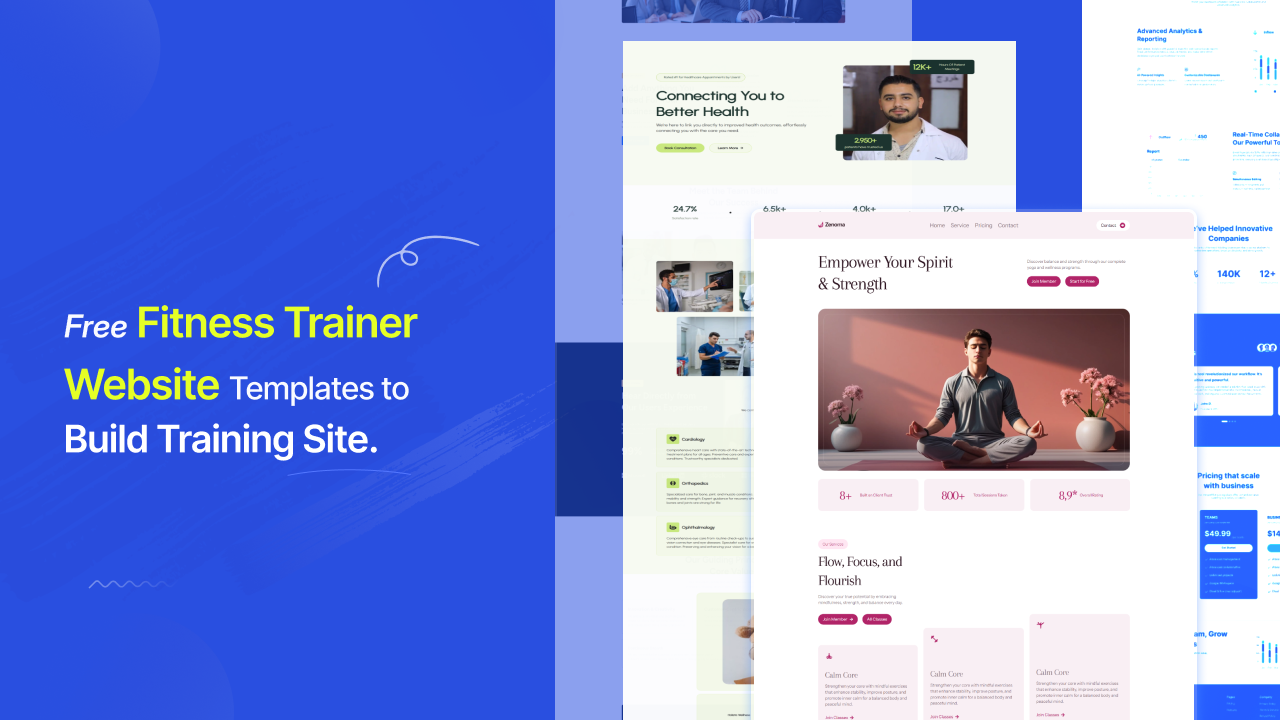
  • Free Fitness Trainer Website Template to Build Training Site

    Free Fitness Trainer Website Template to Build Training Site

    Your Clients Are Searching. Is Your Website Ready?

    You’ve got the physique, the certifications, and the track record to prove it. But when a potential client Googles “personal trainer near me” at 10pm on a Tuesday — the moment they’re most motivated and most likely to book — your website is either winning them over or sending them straight to your competitor.

    This isn’t a design problem. It’s a revenue problem.

    The personal fitness trainer industry is valued at $15.6 billion in 2026, growing toward $43.3 billion by 2036. The U.S. alone is home to 329,000 personal trainer businesses, and fitness trainer employment is projected to grow 14% from 2022 to 2032 — nearly double the average for all other occupations.

    The market is growing. The competition is growing faster. And the trainers winning online are not necessarily the most experienced ones in the room. They’re the ones with the sharpest, fastest, most client-focused website — built on a template that does the hard work of converting visitors before a single message is sent.

    This guide breaks down everything you need: what makes a great fitness trainer website template, the key sections that turn visitors into clients, how martial arts and gym templates differ, and where to find free premium designs that look like they cost thousands.

    [IMAGE PROMPT: High-energy hero section of a personal trainer website showing a trainer in action with a bold headline, dark background, and a strong “Book a Session” CTA button — desktop and mobile view side by side]

    What Is a Fitness Trainer Website Template?

    A fitness trainer website template is a professionally designed, pre-built website layout built specifically for personal trainers, gym owners, fitness coaches, and martial arts instructors.

    Think of it as a proven blueprint. The section structure, the CTA placement, the page flow — all of it has already been mapped to how fitness clients actually behave online. You’re not guessing where to put your transformation photos or how to structure your pricing page. The template already knows.

    A purpose-built fitness template includes pages for services and training programs, trainer credentials and story, client testimonials and before/after results, class schedules and booking integrations, membership or pricing tiers, and a contact or discovery call form. What separates a fitness template from a generic business template is its energy. Fitness clients are motivated buyers who respond to intensity, proof, and momentum. Every design element in a great fitness trainer website template is engineered to sustain that momentum from the first scroll to the booking button.

    Why Your Fitness Website Is Your Highest-Converting Sales Tool

    Most trainers treat their website as a digital business card. The best trainers treat it as a 24/7 sales machine.

    Here is what the numbers show about the fitness industry’s online landscape in 2026:

    Market Indicator

    Data

    Source

    Personal fitness trainer industry value (2026)

    $15.6 billion

    Future Market Insights

    U.S. personal trainer market size (2026)

    $11.9 billion

    IBISWorld

    Employment growth projection (2022 to 2032)

    14%

    WifiTalents

    Online fitness market projection by 2030

    $138.69 billion

    The Business Research Company

    Personal trainer businesses in the U.S.

    329,000

    IBISWorld

    Online personal training segment growth rate

    33.1%

    Wellness Creative Co.

    The shift to online and hybrid training has permanently changed how clients find and vet personal trainers. Before they ever step foot in your gym or open a Zoom session, they have already decided whether you’re credible. That decision is made on your website — usually within the first five seconds.

    A fitness trainer website template built for conversion closes that gap instantly.

    What Makes a Great Fitness Trainer Website Template

    Not every template that looks good in a screenshot will perform. Here is what separates the templates that win clients from the ones that just look nice in the demo.

    A Bold Hero Section That Sells the Transformation

    Your homepage hero is the most valuable real estate on your entire website. It needs to do three things before the visitor scrolls even once: communicate what you offer, show them who you are, and give them an immediate reason to take action.

    The best fitness trainer website templates place a full-bleed training photograph above the fold, pair it with benefit-led headline copy — not “Welcome to My Studio” but something like “Turn Your Body Into Your Strongest Version” — and position a single, unmissable CTA button that links directly to a booking or contact form.

    Client Results as Social Proof, Not Decoration

    Generic fitness sites hide testimonials at the bottom of the page. High-converting ones lead with them. The best fitness trainer website templates include testimonials or before/after transformation sections within the first two scrolls of the homepage. Visitors need to see proof before they feel comfortable enough to inquire.

    Class Schedules and Program Pages Built In

    A fitness website template should have more than a homepage. It needs dedicated program or service pages, a class schedule display, a pricing or membership section, and an about page built around your credentials and training philosophy. Templates that include all of these as pre-structured layouts cut your setup time dramatically.

    Mobile-First Design That Performs on Any Screen

    More than half of visitors to personal trainer websites use mobile over desktop. A template that looks sharp on a desktop but breaks on a phone is not a template — it’s a liability. Mobile responsiveness is non-negotiable, and the best templates are designed mobile-first, not adapted after the fact.

    Booking and Scheduling Integration

    The fastest path from website visitor to paying client runs through a frictionless booking flow. Your template should make it easy to embed Calendly, Acuity, or any scheduling tool directly into the page. Every extra click between “I’m interested” and “I’m booked” is a conversion you lose.

    Fitness Trainer Website

    Types of Fitness Trainer Website Templates

    Personal Trainer Website Templates

    Built for solo practitioners and independent coaches. These templates center personal branding — your face, your story, your method. They typically feature a strong personal photography section above the fold, a credentials and certifications block, one-on-one and small group program pages, and a client results gallery.

    The key visual language here is energy and authority. Visitors are choosing you as much as they are choosing a training program. Your template should make that personal connection instantly.

    Gym Website Templates

    Designed for multi-trainer studios, boutique gyms, and fitness centers. Gym templates need to handle more complexity: multiple instructors, multiple class types, location information, membership tiers, and in some cases an online store for gear or supplements.

    Strong gym website templates use bold typography and high-contrast photography to communicate intensity, while keeping navigation clean enough that a new visitor can find the class schedule or membership pricing in under ten seconds.

    Online Fitness Coach Templates

    The online coaching economy is exploding.The online fitness market is projected to grow at a rate of 33.1%, and templates designed for digital delivery reflect this with program sales pages, video course previews, email opt-in sections, and app or platform integration links. These templates tend to lean into lifestyle photography and outcome-focused copy more than facility shots.

    Martial Arts Website Templates

    Martial arts studios have their own distinct design language, and generic fitness templates rarely do them justice. A great martial arts website template communicates tradition, discipline, and community — while still converting visitors into students efficiently.

    Category

    Martial Arts Website Templates: A Category of Their Own

    The best martial arts websites in 2026 do more than look sharp — they convert leads, build trust, and reflect the unique culture of each school. Great martial arts websites combine high-impact visuals, conversion optimization, and mobile-first experiences, all tailored to bring in new students consistently.

    Whether you run a BJJ academy, a karate dojo, an MMA gym, or a traditional Taekwondo school, your template needs to account for a specific set of design principles that generic fitness layouts miss entirely.

    A standout martial arts website template includes:

    A full-screen hero with action photography that communicates the intensity and community of training. Age-based program segmentation — Kids, Teens, Adults, Competitors — so visitors can self-identify quickly. Prominent class schedule display so prospective students can see when and where to show up. Google Reviews or testimonials displayed natively, close to the top of the page. A free trial or intro class offer as the primary CTA, not a generic contact form.

    The design tone shifts depending on the discipline. A traditional karate or aikido dojo benefits from a restrained, Zen-inspired aesthetic — clean typography, muted tones, kanji or cultural imagery that communicates heritage. An MMA gym or BJJ academy earns its credibility from bold typography, dark color palettes, action shots, and the kind of raw intensity that makes someone think, “That’s where I want to train.”

    The best martial arts websites in 2026 have their websites positioned as the school’s number one marketing asset — increasingly the first impression in AI search results, Google AI Overviews, and discovery platforms your prospects already use. The right martial arts website template makes sure that impression is the right one.

    [IMAGE PROMPT: Three martial arts website homepage designs side by side — a traditional karate dojo with dark calm tones and Japanese design elements, an MMA gym with bold black and red action photography, and a kids martial arts school with a bright welcoming family-oriented layout]

    Free vs. Paid Fitness Trainer Website Templates: The Real Comparison

    Feature

    Generic Free

    Premium Paid

    Free Premium (aBlocks)

    Fitness-specific layouts

    Rarely

    Yes

    Yes

    Professional design quality

    Variable

    High

    High

    Mobile optimization

    Inconsistent

    Yes

    Yes

    No-code customization

    Sometimes

    Usually

    Yes

    Booking tool integration

    Rarely

    Usually

    Yes

    Class schedule section

    No

    Sometimes

    Yes

    Regular design updates

    No

    $Sometimes

    Yes

    Cost

    $0

    $30 to $300+

    $0

    The assumption that free templates look cheap is outdated. The right platform gives you professional-grade fitness and martial arts templates with full customization capability at zero cost.

    The Best Free Fitness Trainer Website Templates in 2026: Template-Kits.com

    Free Templates

    If you have been sorting through Squarespace themes, Wix layouts, and ThemeForest listings trying to find a design that actually looks like it was made for a serious fitness professional — stop.

    template-kits is a library of free, professionally designed website templates built on aBlocks, a WordPress Gutenberg-based page builder. Every template is designed by professional designers and available at no cost. Not a trial version. Not a stripped-down free tier. Completely free.

    For fitness trainers, this matters in a very specific way.

    Designed for Performance, Not Just Aesthetics

    Every template in the library reflects the visual language of high-converting fitness websites: bold photography sections, program cards with clear CTAs, testimonial blocks, and mobile-first layouts. These are not generic marketing templates repurposed for fitness. They are built with the fitness client journey in mind.

    One-Click Import Through aBlocks

    The aBlocks WordPress plugin transforms the Gutenberg editor into a full visual page builder. You browse the template library at template-kits Feetness and gym template, import your chosen layout with a single click, and then customize every block — colors, fonts, images, section order, copy — without touching a line of code.

    For a personal trainer building their first professional site, or a gym owner upgrading from a dated template, this workflow removes every technical barrier between having an idea and having a live website.

    Users who have built with aBlocks describe the experience this way:

    “aBlocks has completely changed how I see Gutenberg. The customization options are incredibly intuitive, and everything feels polished and professional. It’s like Gutenberg finally found its missing piece.” (Source: template-kits.com user testimonials)

    Works on Any WordPress Setup

    No theme lock-in. No proprietary ecosystem. aBlocks works with classic and block-based WordPress themes alike, which means you retain full ownership and flexibility over your site as it grows.

    New Templates Added Continuously

    The library expands regularly across fitness, wellness, martial arts, consulting, and more — with every new addition built to the same professional design standard as the rest.

    [IMAGE PROMPT: Screenshot of the template-kits.com library grid showing fitness and wellness template previews with clean card layout, template names, and preview buttons visible on a light background]

    How to Choose the Right Fitness Trainer Website Template

    Follow this framework before you commit to a layout.

    First, define your primary goal. Is it booking one-on-one sessions, selling an online coaching program, growing gym memberships, or enrolling new martial arts students? Your goal determines which template structure serves you best.

    Second, match the template tone to your brand energy. A high-intensity bootcamp coach and a mindfulness-based wellness trainer both need fitness templates — but they need very different ones. Bold and dark versus soft and inviting. Action photography versus lifestyle photography. Be honest about what your brand actually communicates and find a template that matches it.

    Third, check the mobile experience before anything else. Open the demo on your phone. Navigate to the class schedule. Find the contact button. If it takes more than three taps to get to the booking form, look for a different template.

    Fourth, look for booking-ready layouts. A template with a dedicated booking section or an embedded CTA tied to a scheduling tool will save you hours of customization work.

    Fifth, think about scalability. Can you add new program pages, a blog, or a merchandise section without rebuilding the site? Templates built on modular block systems — like those available through template-kits.com via aBlocks — give you that flexibility from day one.

    What the Best Fitness Trainer Websites Have in Common in 2026

    Looking across the personal trainer websites that consistently rank, attract leads, and convert clients, a few patterns repeat without fail.

    They put a real person front and center. Stock photography of gym equipment does not convert. A great trainer photo — ideally in action, not posing — placed prominently above the fold immediately creates personal connection.

    They lead with outcomes, not credentials. Credentials matter, but they belong below the fold. The hero section of a high-converting fitness site speaks directly to the result the client wants: “Lose the first 20 pounds in 90 days” lands better than “NASM-Certified Personal Trainer.”

    They make the booking step obvious and easy. The best fitness trainer websites have a clear, repeated CTA — “Book a Free Consultation,” “Claim Your First Session,” “Start Today” — positioned after the hero, after the services section, and in the footer. Visitors always know what to do next.

    They display social proof where it counts. Client transformation stories, before/after photos with permission, and video testimonials are placed near the top of the homepage — not buried in a testimonials tab. Proof converts faster than any headline.

    Frequently Asked Questions

    Is there a free fitness trainer website template I can download?

    Yes. template-kits.com offers a library of free professional fitness templates powered by aBlocks for WordPress. Other platforms like Colorlib and ThemeWagon also offer free HTML fitness templates, though customization options are more limited without a no-code builder.

    What should a personal trainer website include?

    A personal trainer website needs a strong hero section with a clear value proposition and CTA, an about page that builds personal credibility, a services or programs page with pricing or inquiry options, a client testimonials or results section, and a booking or contact form. For online trainers, add a program sales page and an email opt-in.

    What is the best website builder for a personal trainer?

    WordPress with aBlocks via template-kits.com gives you full ownership, professional templates at no cost, and complete no-code customization freedom. Squarespace and Wix are user-friendly alternatives, though ongoing platform fees apply and template depth is more limited for fitness-specific layouts.

    Are there free martial arts website templates?

    Yes. Free martial arts website templates are available through Colorlib, uiCookies (HTML templates), and template-kits.com for WordPress via aBlocks. For paid premium options with more discipline-specific features, ThemeForest and TemplateMonster carry a wide range of karate, BJJ, MMA, and general dojo themes.

    What makes a martial arts website template different from a regular fitness template?

    Martial arts templates are built around discipline-specific content: class schedule displays for belt ranks and age groups, program segmentation by age or experience level, an intro class or free trial CTA, and a design tone that matches the school’s philosophy. A BJJ academy and a children’s karate studio both need martial arts templates — but they need very different visual identities.

    Can I use a fitness trainer website template if I only do online coaching?

    Absolutely. Online coaching has its own template category optimized for digital delivery: program sales pages, video preview sections, email list building, and course or membership platform integrations.template-kits.com includes templates built for digital-first fitness businesses alongside traditional gym and in-person training layouts.

    Build the Website Your Training Business Deserves

    The fitness industry is one of the most competitive markets online. A generic template, a slow-loading homepage, or a design that communicates doubt instead of authority loses clients before your first session ever happens.

    The good news is that the gap between a forgettable fitness website and a client-converting one is not a budget gap. It is a template gap.

    template-kits.com is where that gap closes. Free, professionally designed fitness trainer website templates powered by aBlocks — built by designers who understand what energy, credibility, and conversion look like in this industry. Import in one click. Customize everything. Publish without writing code.

    Your next client is already searching. Give them a reason to stop scrolling.Browse free fitness and martial arts website templates at template-kits.com and launch the professional fitness site your training business has always deserved.

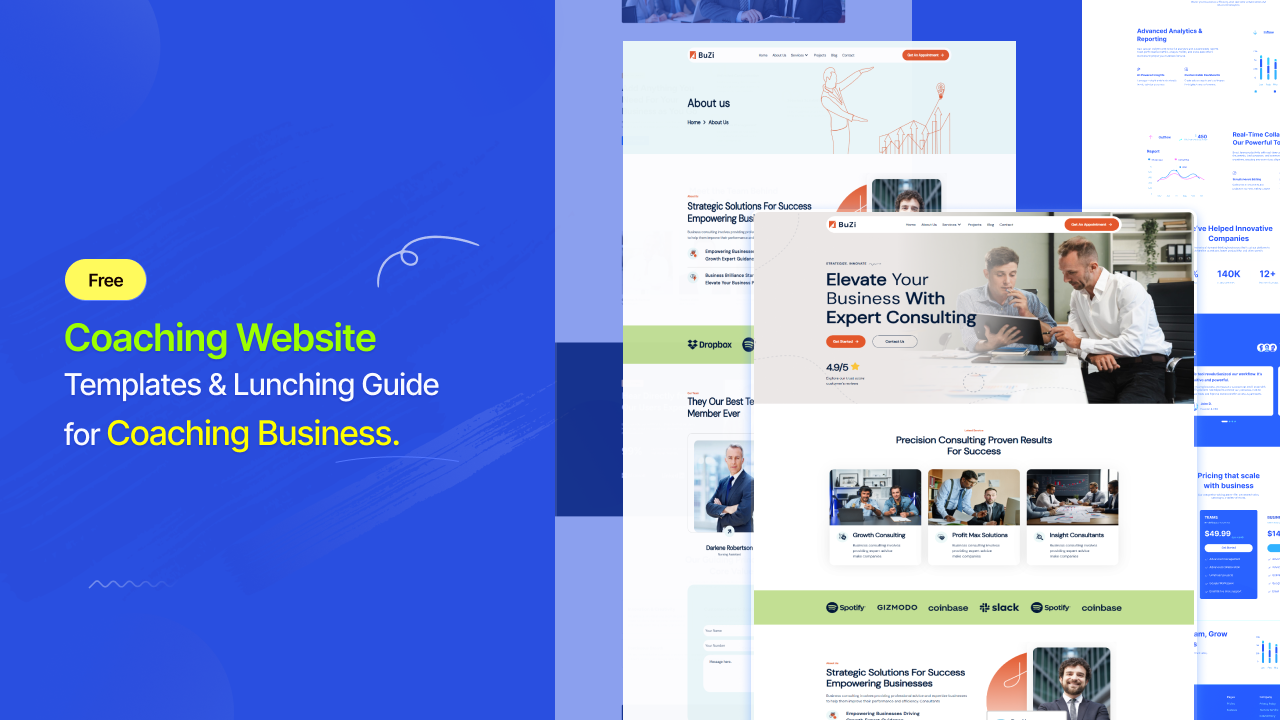
  • Free Coaching Website Templates & Lunching Guide for Coaching Business

    Free Coaching Website Templates & Lunching Guide for Coaching Business

    Your Coaching Skills Deserve a Website That Matches

    You’ve put in the hours. You’ve earned the credentials. You know how to change someone’s life inside a 60-minute session.

    But your website? It looks like it was built in a hurry on a Sunday afternoon — and your potential clients can tell.

    Here’s the uncomfortable truth: your website is your first coaching session with every new visitor. Before they read a single word of your bio, they’ve already decided whether you’re worth trusting. That judgment happens in 50 milliseconds — roughly the time it takes to blink.

    The coaching industry hit $5.34 billion in global revenuein 2025 and is projected to reach $5.8 billion in 2026

    (Source: ICF Global Coaching Study, via luisazhou.com)

    Competition is fierce. But here’s the good news: the right coaching website template closes the credibility gap instantly — and you don’t need to hire a designer or write a single line of code to get it done.

    Let’s break it all down.

    📌 Key Stat: 85% of coaching clients report a boost in self-confidence after working with a coach — but first, they have to find you, trust your site, and book a session. (Source: ICF Global Coaching Study, via entrepreneurshq.com)

    What Is a Coaching Website Template?

    A coaching website template is a pre-designed, professionally structured website layout built specifically for coaches — life coaches, business coaches, executive coaches, fitness coaches, career coaches, and more.

    Think of it as a blueprint your client handed you before a session began. The structure is already set. The flow is already tested. All you do is fill it with your story, your services, and your personality.

    A great coaching template handles:

    • A compelling homepage hero with a clear offer
    • About page that builds personal connection
    • Services or programs page with pricing or inquiry CTAs
    • Testimonials section for social proof
    • Blog or resources for SEO and thought leadership
    • Contact or booking page with scheduling integration

    What separates a coaching template from a generic website template is intent. Coaching templates are built around personal trust. The visitor isn’t buying a product — they’re choosing a person to help them change. Every design decision serves that emotional journey.

    Coaching templates

    Why Your Coaching Website Is a Business Decision, Not Just a Design Choice

    Coaches who downplay their website tend to say the same thing: “My clients come through referrals.”

    That works — until it doesn’t.

    Here’s what the data says:

    Stat

    Source

    Visitors form a site opinion in 50ms

    CXL, Missouri University of Science & Technology

    94% of first impressions are design-related

    CXL

    75% of users judge credibility by website design

    Stanford Web Credibility Research

    88% of users won’t return after a bad experience

    Turbopress.pro

    70% of individuals report improved performance after coaching

    ICF

    85% of coachees report increased self-confidence

    ICF

    The moment a potential client Googles “life coach near me” or “business coach for entrepreneurs,” they’re not just evaluating you — they’re evaluating your site. If it doesn’t communicate warmth, expertise, and professionalism within the first scroll, they’re gone. Off to your competitor who just happened to choose a better template.

    Your website isn’t a vanity project. It’s your highest-leverage marketing asset.

    Types of Coaching Website Templates You Should Know

    Not all coaching websites look the same — nor should they. Here’s a breakdown of the main types you’ll encounter:

    🌿 Life Coaching Website Templates

    The most popular category. Life coach templates lean into warmth, personal story, and transformation. Expect:

    • Soft color palettes (earth tones, pastels, warm whites)
    • Large personal photography above the fold
    • Testimonial-heavy layouts
    • “Book a Free Discovery Call” as the primary CTA

    Best for: Personal development coaches, mindset coaches, relationship coaches, women’s coaches.

    💼 Business Coaching Website Templates

    These carry a more structured, corporate-adjacent energy — without going cold. Business coaching templates highlight ROI, frameworks, and results.

    • Bold typography and high-contrast layouts
    • Case study or client result sections
    • Speaking, consulting, and program tier pages
    • Professional headshot above fold with authority-driven copy

    Best for: Executive coaches, entrepreneurship coaches, leadership coaches, startup advisors.

    🧠 Career Coaching Website Templates

    Clarity is the brand of career coaching — your template should reflect it. These designs are typically clean and structured with strong navigation.

    • Resume and skill-building service pages
    • Before/after client transformation stories
    • LinkedIn integration and credentialing sections
    • Workshop or group program pages

    Best for: Career transition coaches, job search coaches, HR consultants.

    🏋️ Health & Wellness Coaching Website Templates

    Energy, movement, and vitality — that’s the visual language here. Expect:

    • Bold photography or video backgrounds
    • Nutrition or fitness program breakdowns
    • Habit tracking or app integrations
    • Community or membership section

    Best for: Fitness coaches, nutritionists, health coaches, wellness practitioners.

    Coaching Website

    What Every Great Coaching Website Template Must Include

    Whether you’re building a life coach website or a consulting site, these are the non-negotiables:

    1. A Personal Hero Section That Leads With Transformation

    Your headline shouldn’t start with “Welcome to my website.” It should speak directly to where your client is right now and where you’re taking them.

    Example: “You don’t need more motivation. You need a strategy.”

    Templates that leave room for this kind of bold, personal messaging outperform generic ones every time.

    2. A Clear and Singular Call-to-Action

    What do you want the visitor to do? Book a discovery call. Sign up for a workshop. Download a guide. Pick one and design around it. The best coaching templates make the CTA unmissable — placed strategically in the hero, after the about section, and at the bottom of every page.

    3. Social Proof That Tells a Story

    Client logos are for B2B companies. Coaches need human testimonials — the kind that describe a life before and after coaching. Your template should have a testimonials section built in, ideally near the top of the homepage, not buried at the bottom.

    4. An About Page Built for Connection

    Clients choose coaches they trust. They want to know your story, your philosophy, and why you care. A great coaching template gives the About page room to breathe — not just a two-line bio and a headshot.

    5. Mobile-First Responsiveness

    Over 60% of global web traffic now comes from mobile devices. (Source: Loopex Digital, 2026) Your coaching template must look and function flawlessly on a phone screen. Pinch-zoom is a client lost.

    6. SEO-Friendly Page Structure

    Every coaching template should come with proper heading hierarchy (H1, H2, H3), fast loading speed, and clean code. These aren’t bonus features — they’re baseline requirements for ranking on Google.

    Coaching Website Templates: Free vs. Paid — What’s the Smarter Move?

    This is where most coaches get stuck. Let’s make it simple.

    Feature

    Generic Free Templates

    Premium Paid Templates

    Free Premium (aBlocks)

    Coaching-specific layouts

    Rarely

    Usually

    Yes

    Professional design quality

    Variable

    High

    High

    Full customization

    Limited

    Yes

    Yes

    No-code editing

    Sometimes

    Usually

    Yes

    Mobile optimization

    Inconsistent

    Yes

    Yes

    Ongoing updates

    Rarely

    Often

    Yes

    Cost

    $0

    $30–$300+

    $0

    Here’s the thing people don’t tell you: “free” doesn’t have to mean a compromised design. The right platform gives you premium-quality coaching templates at zero cost — and lets you customize everything without touching a line of code.

    That’s exactly what template kits delivers.

    The Best Free Coaching Website Templates in 2026: Template-Kits.com

    Template-Kits

    If you’ve been scrolling Squarespace, Wix, or ThemeForest wondering why you have to pay $80 for a template that still needs hours of tweaking — stop.

    Template-kits.com is a library of professionally designed, fully customizable website templates built on aBlocks — a WordPress Gutenberg-based page builder. And every single template is completely free.

    Not a trial. Not “free with limitations.” Completely free.

    Here’s why it matters for coaches specifically:

    🎨 Designed by Real Designers, Not Algorithms

    Every template in the library is built by professional designers who understand how visual hierarchy, color psychology, and layout flow affect trust. These aren’t cookie-cutter grids with placeholder text. They’re polished, considered, and conversion-aware.

    As one real user put it:

    “aBlocks has completely changed how I see Gutenberg. The customization options are incredibly intuitive, and everything feels polished and professional. It’s like Gutenberg finally found its missing piece.” (Source: template-kits.com user testimonials)

    ⚡ One-Click Import. Total Creative Control.

    The workflow is clean and fast:

    1. Visit template-kits.com and browse the library
    2. Install and activate the free aBlocks WordPress plugin
    3. Import your chosen template in a single click
    4. Customize every block — colors, fonts, images, text, layout — without code
    5. Hit publish

    From browsing to live site: hours, not weeks.

    🔧 Works With Any WordPress Theme

    Whether you’re on a classic theme or a modern block theme, aBlocks templates integrate cleanly. No theme lock-in. No proprietary ecosystem to escape later.

    🔄 New Templates Added Regularly

    The library grows continuously. Coaching, consulting, education, wellness, business — fresh designs across every niche, built to reflect modern design standards.

    library

    How to Create a Coaching Website: Step-by-Step

    If you’re starting from scratch, here’s the fastest, smartest path from zero to published:

    Step 1: Define your niche and ideal client. Life coach for burnt-out executives? Career coach for recent graduates? The sharper your focus, the better your copy — and the better your template choice.

    Step 2: Choose your platform. For no-code, flexible, SEO-friendly coaching sites — WordPress + aBlocks via template-kits.com is hard to beat. It’s free, fast, and fully owned by you (no monthly platform fees beyond hosting).

    Step 3: Import and customize a coaching template. Pick a layout that fits your brand’s energy. Swap colors and fonts to match your visual identity. Replace placeholder images with real photos of yourself — clients want to see the human behind the coaching.

    Step 4: Write copy that speaks to transformation. Don’t describe what you do. Describe what changes for your client. “I help ambitious women reclaim their confidence” converts better than “I offer life coaching services.”

    Step 5: Set up your booking flow. Use scheduling tools like Calendly, Acuity, or TidyCal. Embed them directly into your template’s CTA buttons. Friction kills conversions — make booking effortless.

    Step 6: Add social proof early. Even two or three strong testimonials — positioned above the fold or immediately after your hero section — significantly improve trust and conversion.

    Step 7: Optimize and publish. Check mobile view, confirm page speed, write your meta title and description, and hit publish.

    💡 Pro Tip: Add your own face to the hero section above the fold. Coaching sites with personal photography in the hero section consistently outperform those with stock images. Authenticity is your most powerful design element.

    Coaching Website Design: What the Best Ones Have in Common

    Looking at the highest-performing coaching websites in 2026, a few patterns show up repeatedly:

    • The message is personal, not corporate. The best coaches write to one ideal client, not everyone.
    • Social proof appears early. Client wins, testimonials, and press features are placed in the hero section or right below it — not buried in a tab called “reviews.”
    • The CTA is singular and repeated. “Book a free discovery call” appears after the hero, after the about section, and in the footer. Visitors always know what to do next.
    • The design reflects the coach’s energy. High-energy fitness coach? Bold palette, strong photography. Mindfulness coach? Soft tones, generous whitespace. Your template should match your vibe — not fight it.
    • The About page is the real homepage. For coaches, the About page is often the highest-traffic page. Your template should make it easy to tell a compelling personal story there.

    The Bottom Line: Your Template Is Your First Impression

    In a coaching industry that’s growing at a near-double-digit annual rate and projected to reach $9.5 billion by 2032, the coaches who win clients online aren’t necessarily the most experienced or the most credentialed. They’re the ones who communicate trust, warmth, and expertise within the first few seconds of a website visit.

    Your template determines whether that first impression works for you or against you.

    You don’t need to spend thousands on a web designer. You don’t need to spend weeks learning code. You need a professionally designed, purpose-built coaching template — and you need to make it yours.

    Template kits is where coaches go when they want premium design without the premium price tag. Free templates. Built by designers. Powered by aBlocks. Fully customizable on WordPress.

    🚀 Ready to Launch Your Coaching Website?

    Browse free professional coaching website templates at template-kits.com — import with one click, customize everything, and publish the site your coaching business deserves.

    Your next client is already searching. Make sure they find something worth staying for.

    Coaching Website Templates: Frequently Asked Questions

    How do I create a coaching website?

    Start with a purpose-built coaching template rather than a blank canvas. Install WordPress, activate the free aBlocks plugin, import a template from template-kits.com, then customize copy, colors, and images to match your brand. Add a booking tool and publish. Most coaches can launch in a weekend.

    Are there free coaching website templates I can download?

    Yes.Template-kits.com offers professionally designed, fully free templates powered by the aBlocks WordPress builder. Other sources like Colorlib, Wix, and Webflow offer limited free options, but the design quality varies significantly.

    What’s the best life coach website template?

    The best life coach template for you depends on your niche and visual identity. Look for a layout that centers personal photography, includes a prominent testimonials section, and has a clear discovery call CTA. Templates available at template-kits.com are built to these standards and are fully free.

    Can I get coaching website templates in Word format?

    Coaching website templates in Word format (DOCX) are typically used for coaching program worksheets or session outlines — not web design. For a live coaching website, you need a web-based template through platforms like WordPress, Wix, or Squarespace. For document-style coaching templates, platforms like Canva or Etsy offer downloadable options.

    What should a business coaching website include?

    A strong business coaching website needs: a clear value proposition for your ideal client, authority signals (credentials, press, client logos), a case study or result-focused testimonials section, service and pricing tiers, and a streamlined path to a discovery call or consultation booking.

    What are the 5 C’s of coaching?

    The 5 C’s of coaching are typically defined as: Clarity (understanding the goal), Commitment (dedication to the process), Confidence (belief in the outcome), Communication (honest dialogue), and Consistency (sustained effort). (I must fact-check — variations exist across coaching frameworks and organizations)

    What is the 70/30 rule in coaching?

    The 70/30 rule in coaching suggests that the client should do 70% of the talking in a session, while the coach speaks 30% of the time. The emphasis is on asking powerful questions that guide the client to their own insights rather than advising. (I must fact-check — this is a widely referenced concept but sourcing varies)

    What are the 7 pillars of coaching?

    The 7 pillars of coaching vary by framework but commonly include: Presence, Listening, Questioning, Feedback, Goal-Setting, Accountability, and Trust. Different coaching bodies (ICF, EMCC, etc.) define their competency models differently. (I must fact-check against the latest ICF Core Competencies model)

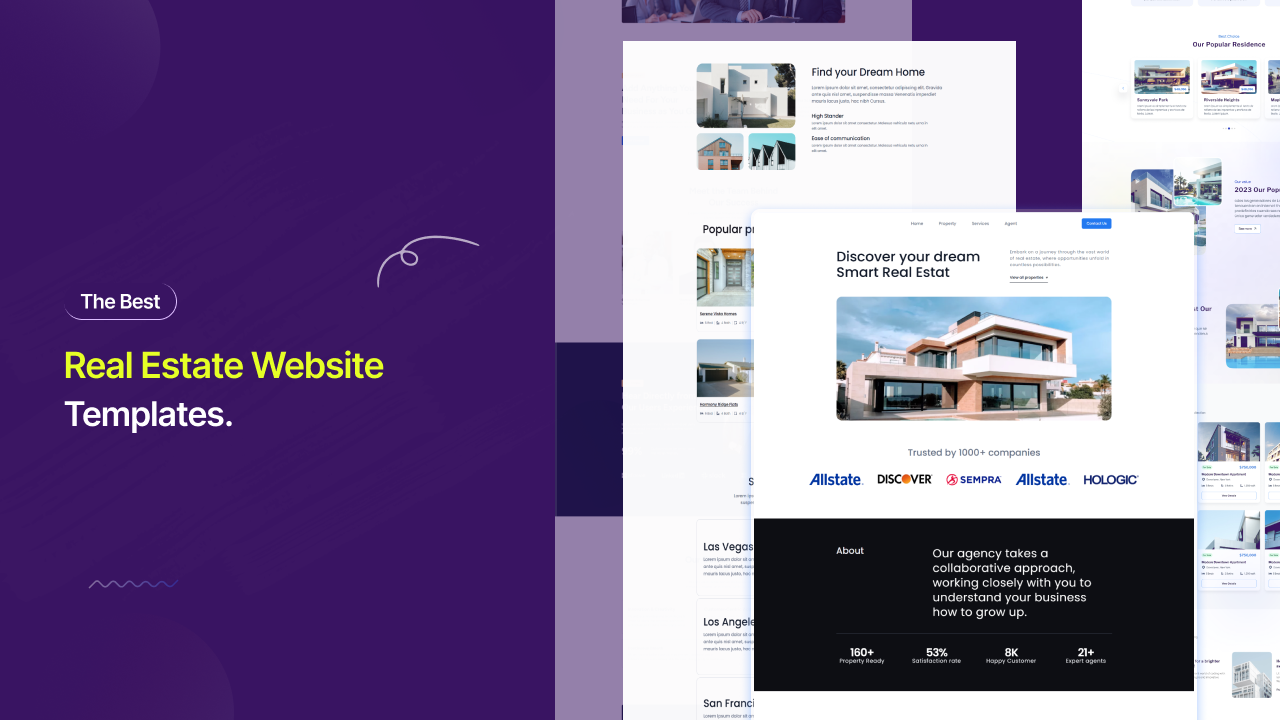
  • Free Real Estate Website Templates to Close More Deals

    Free Real Estate Website Templates to Close More Deals

    Fifty years ago, a sharp suit and a confident handshake were your first impression. Today, it is your URL.

    100% of home buyers now use the internet during their home search process, according to NAR — every single one. More than half (52%) of recent buyers found the home they ultimately purchased online, up from just 37% in 2010. And 70% of buyers used a mobile or tablet device during the process, according to NAR’s 2025 Profile of Home Buyers and Sellers.

    If a seller Googles your name and finds a slow-loading brokerage profile page, a broken gallery, or no personal site at all, they do not call you. They call the agent whose website answered their question in under three seconds.

    That is what a great real estate website template solves. Not a design problem. A revenue problem.

    Great Real Estate Website template

    What Is a Real Estate Website Templates?

    A real estate website template is a professionally pre-designed website layout built specifically for agents, brokers, property developers, and real estate agencies. It gives you the page architecture, section structure, and visual framework your clients expect — without requiring you to design anything from scratch or hire a development team.

    The difference between a real estate template and a generic business template is structural, not cosmetic. Real estate templates are built around property display logic: filterable listing grids, map-based search, property detail pages, lead capture forms tied to specific listings, and agent profile sections that build personal trust. Every design choice serves the buyer or seller journey, not a generic conversion funnel.

    A great real estate website template includes:

    A search-first hero section with location, price, and property type filters visible immediately. Property listing pages with high-resolution galleries, virtual tour support, and mortgage calculator integrations. Agent or team profile pages with credentials, transaction history, and direct contact options. Neighborhood guide sections that double as SEO landing pages. A lead capture form tied to every property detail page — not buried on a contact tab.

    Why Your Real Estate Website Template Matters More in 2026

    The numbers from NAR make it clear this is not a trend — it is the baseline expectation of every buyer and seller in today’s market.

    46% of buyers start their home search online as their very first step, and 85% rank real estate agents as the most useful information source — but only after doing their own online research first. They arrive at your website already informed, already comparing, and already forming opinions about your professionalism.

    April 2026 saw 4.02 million existing home sales at a median price of $417,800, according to NAR’s latest data. The market is active. The competition among agents for digital visibility is intense.

    Statistic

    Source

    100% of home buyers use the internet during home search

    NAR / SpendMeNot

    52% of buyers found their purchased home online

    NAR via Axios

    46% start the search online as their first step

    NAR 2025 Profile via GAAR

    70% used mobile or tablet devices during the search

    NAR 2025 Profile via GAAR

    88% of buyers purchased through an agent or broker

    NAR 2026 Generational Trends via NAR.realtor

    53% of mobile users leave a page that takes over 3 seconds to load

    Medium / Alpha Design Global

    April 2026 median home sale price

    $417,800 — NAR

    The agents winning listings in 2026 are not necessarily the most experienced ones in the room. They are the ones with the sharpest digital presence — and the right template is where that presence starts.

    Real Estate Website Template

    What Every Great Real Estate Website Template Must Include

    A Search Bar in the Hero Section

    This is non-negotiable. The most important action a real estate website visitor wants to take — searching listings — must be the first thing they see. Templates that bury the search function below the fold, behind a menu, or on a separate page lose the visitor before they have a reason to stay. Your hero search should include at minimum: location field, property type selector, and price range.

    IDX / MLS Integration Capability

    MLS (Multiple Listing Service) data is the heartbeat of any real estate agent’s website. IDX (Internet Data Exchange) is the technology that connects your website to live MLS listings. On WordPress, real estate templates pair with IDX providers like IDX Broker, Realtyna, or RealTina to deliver a portal-style listing experience on your own domain — not Zillow’s.

    Your template needs to be IDX-ready. That means it should have a dedicated listings page architecture, a property detail page template, and search filter logic that can receive live MLS data without clashing with the design. This is the single most technically important feature in any real estate website template — and most generic templates fail here entirely.

    Property Listing Pages That Sell on Their Own

    Every property in your template should have its own dedicated page — not just a thumbnail in a grid. A high-converting property detail page includes a full-resolution image gallery or virtual tour embed, property specifications (bedrooms, bathrooms, square footage, lot size), neighborhood highlights, a mortgage calculator, map integration, and a lead capture form specific to that listing.

    Colorlib’s analysis of real estate template structures shows that templates with individual agent profiles alongside property detail pages outperform generic brokerage layouts because they maintain personal trust throughout the browsing experience. The buyer sees the property and the person selling it on the same page.

    Neighborhood Guide Architecture

    Neighborhood pages are a competitive SEO advantage that most real estate templates leave out — and most agents never think to build.

    The best-performing real estate websites in 2026 create dedicated neighborhood pages with honest local overviews, pros and cons, median price data, school ratings, commute information, and embedded filtered listings. These pages become long-term SEO assets that rank for searches like “best neighborhoods in [city]” or “homes for sale near [school name]” — bringing in highly qualified organic traffic indefinitely.

    Your template should include a neighborhood or area guide section as a standard page type, not an afterthought.

    Lead Capture on Every Page

    A real estate website generates leads through inquiry forms, showing requests, home valuation tools, and market report sign-ups. Your template needs to make lead capture seamless at every decision point — not just on a contact page. Research from Gola Supply’s analysis of real estate templates found that templates with built-in appointment scheduling see meaningfully higher inquiry rates than those relying on a single contact form.

    Lead Capture

    Types of Real Estate Website Templates

    Real Estate Agent Website Templates

    Built for individual agents and small teams. These templates center personal branding — your photo, your specialty, your track record, your market. The hero section leads with you, not the listings.

    A great agent template includes a prominent bio section with production stats (“$85M in closed volume since 2018”), a testimonials section positioned near the top of the homepage, a featured listings grid, a market area or neighborhood specialization section, and a simple direct contact form. The design communicates personal accountability — a specific person stands behind every transaction, not an anonymous brokerage.

    Individual agent templates should feature a prominent bio and photo, property portfolio with active and sold listings, client testimonials, neighborhood expertise sections, and direct contact forms with scheduling options, according to Colorlib’s template research. The personal touch matters enormously in real estate — clients hire people, not businesses.

    Luxury Real Estate Website Templates

    Luxury templates operate under a completely different visual language: restraint, space, and cinematic quality. The design must communicate that the properties on this site are worth millions — and the agent selling them understands what that means.

    Dark, editorial backgrounds with cream or gold typography. Full-screen video backgrounds on the homepage showing interiors at golden hour. Minimal navigation that keeps the focus entirely on the property. These are the design signatures of the best luxury real estate websites — sites like Sotheby’s, Jade Mills, and Douglas Elliman — and the templates that aspire to that tier reflect each of those choices.

    Key features: video hero support, single-property showcase pages with immersive gallery layouts, virtual tour embedding, and an inquiry form that frames the process as an exclusive consultation, not a generic lead form.

    Bootstrap Real Estate Website Templates

    Bootstrap-based HTML templates are the developer’s starting point — clean, responsive, and built on the most widely used CSS framework in the web. Colorlib’s collection of Bootstrap real estate templates includes options like ESTATO, which offers 8 different home page variations, 8 property pages, 5 agent pages, Google Maps integration with custom property icons, and a built-in loan calculator.

    These are best for developers who want to build a custom real estate platform from a solid foundation — or for agencies delivering bespoke agent sites that need to be maintainable without a proprietary builder.

    Responsive Real Estate Website Templates (Free HTML/CSS)

    Fully responsive HTML/CSS real estate templates are widely available for developers comfortable with code. They provide the layout structure, navigation patterns, and property display grids that real estate sites require — with no builder dependency and no monthly platform fee.

    For non-developers, these require a front-end developer to customize and maintain. For developers, they are the most flexible and cost-efficient starting point.

    Real Estate Website Templates: Platform Comparison

    Platform

    Best For

    IDX Ready

    No-Code

    Free Templates

    Monthly Cost

    WordPress + aBlocks

    Agents, brokers, developers

    Via plugin (IDX Broker, Realtyna)

    Yes

    Yes — template-kits.com

    Hosting only

    WordPress + Elementor

    Agencies, custom builds

    Via plugin

    Yes

    Limited

    Hosting + plugin

    Squarespace

    Solo agents, boutique firms

    Limited

    Yes

    No

    $23–$65/month

    Webflow

    Design-forward agencies

    Via embed

    Partial

    Limited

    $14–$39/month

    Framer

    Modern luxury branding

    Via embed

    Partial

    Limited

    $10–$30/month

    Bootstrap HTML

    Developers

    Custom integration

    No

    Yes (Colorlib, etc.)

    $0 + hosting

    WordPress remains the most versatile platform for real estate websites that need genuine IDX/MLS integration, full design customization, and long-term scalability — especially when combined with professional templates from template-kits.com and the aBlocks block builder.

    2026 Real Estate Website Design Trends Your Template Should Support

    The design expectations buyers bring to real estate websites in 2026 have shifted significantly from just three years ago.

    Video background hero sections are now expected — especially in luxury and residential segments, where a thirty-second walkthrough clip communicates more than thirty property photos. AI-powered chatbots are becoming standard for answering listing questions, qualifying leads, and scheduling viewings without agent involvement. Virtual tour embedding through Matterport or Zillow 3D Home is no longer a premium feature — buyers expect it before they request an in-person showing.

    Mobile-first is not optional. 53% of mobile users leave a page that takes longer than three seconds to load. Your template must be built for mobile performance, not adapted to it after the fact.

    Dark mode aesthetics are the default choice for luxury positioning. And neighborhood guide pages — once rare — are now a recognized SEO competitive advantage that serious agents build into their site architecture from the start.

    Free vs. Paid Real Estate Website Templates

    Feature

    Generic Free

    Premium Paid

    Free Premium (aBlocks)

    Property listing pages

    No

    Yes

    Yes

    IDX-ready architecture

    No

    Usually

    Yes

    Agent profile pages

    No

    Yes

    Yes

    Neighborhood guide pages

    No

    Sometimes

    Yes

    Mobile-first design

    Inconsistent

    Yes

    Yes

    No-code customization

    Rarely

    Usually

    Yes

    Video hero support

    No

    Sometimes

    Yes

    Lead capture forms

    Basic

    Yes

    Yes

    Cost

    $0

    $50–$300+

    $0

    The Best Free Real Estate Website Templates in 2026: Template-Kits.com

    If you have been sorting through brokerage-branded site builders, Squarespace limitations, and overpriced ThemeForest themes — template-kits.com/real-estate is the direct answer.

    Template Kits is a library of professionally designed, fully free website templates powered by aBlocks — a WordPress Gutenberg-based block builder. Every template is built by professional designers and available with zero cost, zero locked features, and zero platform dependency.

    For real estate professionals specifically, the value is in how fast the workflow moves. You browse the real estate template collection at template-kits.com, install the free aBlocks plugin, import your chosen layout in one click, and customize every block — property listings, agent bio, hero search bar, neighborhood sections, contact forms — without writing a line of code.

    Then you connect your IDX provider, add your actual listings and photography, and publish.

    No developer. No recurring platform fee beyond standard hosting. Full ownership of your site and its data — forever.

    One user who moved from a commercial page builder to aBlocks described it simply: “aBlocks has completely changed how I see Gutenberg. The customization options are incredibly intuitive, and everything feels polished and professional. It’s like Gutenberg finally found its missing piece.” (Source: template-kits.com)

    The template library grows continuously across real estate, luxury property, agent portfolio, and property developer categories — each new design built to the same professional standard.

    Real Estate Website Templates

    How to Choose the Right Real Estate Website Template

    Work through this framework before you commit to any layout.

    Define your primary visitor type. Buyers browsing listings need a different experience than sellers evaluating your credentials, or investors looking at multi-unit data. Know who lands on your homepage first and build around their specific journey.

    Confirm IDX compatibility before customization. If you need live MLS data on your site — which most agents do — verify that the template’s property listing pages are structured in a way that works with your chosen IDX provider. This is easier on WordPress than on any other platform.

    Test the mobile experience before anything else. Open the template demo on your phone. Tap the search bar. Find the contact form. Try to navigate to a property detail page. If any of these takes more than two taps, look elsewhere.

    Look for SEO page structure. Neighborhood pages, area guides, and blog sections should be built into the template as standard page types — not features you have to engineer after launch.

    Evaluate the agent profile section. In real estate, the template should put the agent front and center — on the homepage, on every listing page, and in the footer. Buyers hire people. The template should reflect that.

    Your Listings Deserve a Website That Works as Hard as You Do

    The home buyers are already searching online. The sellers are already Googling your name. The competition is already building better digital profiles.

    Your real estate website template determines whether a potential client stops scrolling and picks up the phone — or moves on to the next result.

    The right template closes that gap before a single conversation happens. It communicates professionalism, organizes your listings clearly, builds personal trust, and turns curious visitors into qualified leads — around the clock, without a monthly platform subscription eating into your commission.

    Browse the free real estate website template library at template-kits.com/real-estate — import in one click, customize everything with aBlocks, and build the online presence your listings deserve.

    Frequently Asked Questions

    Are there free real estate website templates I can download?

    Yes. template-kits.com offers a full library of free, professionally designed real estate templates powered by the aBlocks WordPress builder — no locked features, no upgrade prompts. For developers who prefer working directly in code, Colorlib and BootstrapMade offer free Bootstrap and HTML real estate templates with responsive layouts and property display sections.

    Can I get a real estate website template in HTML with CSS?

    Yes. Bootstrap-based HTML/CSS real estate templates are available for free on Colorlib, BootstrapMade, and ThemeWagon. These include responsive property listing grids, Google Maps integration, agent profile pages, and loan calculator widgets — all as open source, downloadable files. Best suited for developers or agencies building custom real estate platforms.

    What is an MLS real estate website template?

    An MLS real estate website template is a layout designed to integrate with Multiple Listing Service data through an IDX (Internet Data Exchange) connection. The template provides the visual structure — listing grids, property detail pages, search filters — while the IDX plugin or service populates it with live listing data. On WordPress, IDX providers like IDX Broker, Realtyna, and RealTina connect to any MLS-compatible template and deliver a full property search experience on your own domain.

    What should a luxury real estate website template include?

    A luxury real estate template should lead with a full-screen video or cinematic property hero, use a restrained dark or editorial color palette, include single-property showcase pages with immersive gallery layouts, support virtual tour embedding, and frame every inquiry as an exclusive consultation rather than a generic lead form. Visual design communicates pricing before any number appears — the template needs to earn that perception from the first scroll.

    What is the best platform for a real estate agent website in 2026?

    WordPress with aBlocks and a professional template from template-kits.com gives you full site ownership, no monthly platform fee, complete no-code customization, and IDX plugin compatibility — the most flexible and scalable combination for real estate in 2026. Squarespace works well for solo agents who want elegant design with minimal setup but accept limited IDX options and ongoing subscription costs.

    What are the must-have features for a real estate website design in 2026?

    A competitive real estate website in 2026 needs: a search bar in the hero, IDX/MLS listing integration, individual property detail pages, mobile-first responsive design, neighborhood or area guide pages, agent profile with social proof, video hero support, a home valuation tool or lead magnet, and contact/inquiry forms tied to every listing. Virtual tours and AI-powered chat are becoming standard expectations, particularly in luxury and premium residential segments.

  • Best B2B Website Templates That Convert Visitors into Customers (2026)

    Best B2B Website Templates That Convert Visitors into Customers (2026)

    You’ve got a great product. You’ve got the pitch. You even know your target clients by name.

    But your website? It’s quietly killing deals before your sales team ever gets the call.

    Here’s the cold truth: most B2B buyers do 70–80% of their decision-making before they even land on your website. And when they do arrive — usually after reading three comparison posts and skimming a Reddit thread — they want clarity, credibility, and a reason to stay.

    If your homepage opens with “We are a customer-focused solutions provider,” you’ve already lost them.

    This is exactly why choosing the right B2B website template matters more than most founders realize. The right template isn’t just a pretty layout — it’s the architecture of your first impression, your sales pitch, and your trust signal, all in one screen.

    In this guide, you’ll find everything: what makes a great B2B website template, how to choose one, where to get them for free, and which platform delivers professional-grade designs without a single line of code.

    📌 Key Takeaway: 94% of first impressions are design-related, and you have just 50 milliseconds for a visitor to form an opinion after landing on your site. Your template sets that tone instantly.

    What Is a B2B Website Template?

    A B2B (business-to-business) website template is a pre-built, professionally designed website layout crafted specifically for companies that sell products or services to other businesses — not direct consumers.

    Think IT consulting firms, manufacturing suppliers, SaaS companies, wholesale distributors, logistics providers, business consulting agencies. The audience is sophisticated. The decision-making is committee-driven. And the stakes per deal are high.

    A B2B website template gives you:

    • Pre-structured page layouts (homepage, services, about, contact)
    • Navigation designed for business decision-makers
    • Section blocks for case studies, testimonials, and team credentials
    • CTAs oriented around demos, consultations, and quotes (not impulse purchases)

    The difference between a B2B template and a generic business template is subtle but significant. B2B layouts prioritize trust signals and value clarity over aesthetic flair. Every section earns its place by moving a potential client one step closer to picking up the phone.

    Website Template

    Why Your B2B Website Design Is a Revenue Decision

    Before we get into templates, let’s get one thing straight: a B2B website isn’t a branding exercise. It’s a revenue asset.

    More than three-fourths of B2B eCommerce buyers consider site design the number one factor in deciding to make a purchase. Meanwhile, 48% of people say website design is the number one factor they use to determine a business’s credibility.

    Here’s what the data says about the gap between average and excellent:

    Metric

    Average B2B Site

    Top Performing B2B Site

    Visitor-to-lead conversion rate

    1.5%

    8–15%

    First impression formation

    50 milliseconds

    50 milliseconds

    Users who won’t return after bad UX

    88%

    88%

    Buyers who rely on websites early in purchase journey

    70% to 80%

    80% to 90%

    Site design’s influence on first impression

    ~94%

    94%

    The average B2B website turns just 1.5% of visitors into leads. Top performers reach 8 to 15%. That gap is not a small tweak — it is a business-changing difference.

    The right template gets you into that top performer bracket from day one.

    What Every Great B2B Website Template Must Have

    Not all templates are created equal. Here’s what separates a template that looks good from one that actually works:

    1. A Crystal-Clear Value Proposition Above the Fold

    The best B2B websites lead with clarity over cleverness. They state what they offer, who it’s for, and why it matters — without burying the message in jargon or vague taglines.

    Your hero section should answer three questions in under five seconds:

    • What do you do?
    • Who do you do it for?
    • Why should they care?

    2. Trust Signals Baked Into the Layout

    75% of visitors see well-designed websites as more trustworthy, directly influencing their decision to engage with your brand.

    Your template should have dedicated sections for:

    • Client logos (right below the hero — don’t bury them)
    • Testimonials and case study previews
    • Certifications, awards, or industry affiliations
    • Real numbers and results

    3. Conversion-Focused CTAs at Every Stage

    Don’t make visitors hunt for the next step. A great B2B template places strategic CTAs — “Request a Demo,” “Get a Quote,” “Schedule a Call” — at key scroll points. Not just at the top and bottom.

    4. Mobile-First, Always

    77% of searches come from mobile, and 84% of users will form a negative impression if the mobile experience disappoints. Your template must be fully responsive by default.

    5. Modular Section Blocks

    The best templates are built in reusable blocks — hero, features, testimonials, CTA, FAQ, footer. This means you can rearrange, add, or remove sections without touching a line of code. Especially important if you’re using a block-based website builder.

    6. Clean Navigation That Mirrors the Buyer Journey

    B2B buyers are time-poor. Your navigation should reflect the journeys your visitors actually take, not your internal org chart. Organize by industry, use case, or buyer type — not by your department structure.

    Types of B2B Website Templates You Need to Know

    🔵 Business Consulting Website Templates

    Designed for strategy firms, management consultants, and advisory services. These templates feature strong typography, case study sections, team credential bios, and refined color palettes (often dark navy, forest green, or slate grey) that communicate authority.

    What to look for: Prominent “Book a Consultation” CTAs, service page templates, blog/insights section.

    🟢 IT Consulting Website Templates

    Technical buyers are skeptical by nature. IT consulting templates lean on structure and substance: service breakdowns, technology stack icons, security badges, and ROI-focused messaging. Clean, often minimalist designs with structured grids work best here.

    What to look for: Technology logos section, problem-solution layout, detailed service pages, and integration showcases.

    🟡 Technology Consulting Website Templates

    For digital transformation firms, cloud service providers, and tech-forward agencies. These templates tend to use bolder design systems — gradients, dark mode options, subtle animations — while maintaining the professional credibility B2B buyers demand.

    What to look for: Product demo previews, client ROI stats, interactive UI elements.

    🔴 Distributor Website Templates

    Built for wholesale suppliers, industrial distributors, and B2B product companies. These templates often mirror B2B eCommerce patterns: product catalogs, bulk ordering prompts, industry/vertical navigation, and account-based login flows.

    What to look for: Category-based navigation, product grid sections, RFQ (request for quote) forms.

    ⚫ SaaS / Software B2B Website Templates

    The most competitive category. SaaS templates are purpose-built for the subscription economy: free trial CTAs, feature comparison tables, pricing page sections, integration badges, and onboarding flow previews.

    What to look for: Pricing page template, feature grid, product screenshot sections, G2/Capterra review badges.

    B2B Website Templates: Free vs. Paid — What’s Actually Worth It?

    Let’s settle this debate.

    Features

    Free Templates

    Premium Paid Templates

    Free Premium (aBlocks)

    Design Quality

    Variable

    High

    High

    Customization

    Limited

    Full

    Full

    Support

    Community

    Priority

    Active community

    Page Speed

    Variable

    Optimized

    Optimized

    No-Code Editing

    Sometimes

    Usually

    Yes

    Cost

    $0

    $20–$200+

    $0

    Regular Updates

    Rarely

    Often

    Yes

    Here’s the thing most people get wrong: “free” doesn’t have to mean “basic.”

    The Best Place for Free B2B Website Templates in 2026: Template-Kits.com

    B2B Website Templates

    Let’s talk about the smartest move you can make right now.

    Template-Kits.com is a library of premium, professionally designed website templates — built on aBlocks, a WordPress block-based website builder. And they’re completely free.

    Not “free with limits.” Not “free trial.” Fully free.

    Here’s what makes this genuinely impressive:

    🏆 Designed by Professional Designers, Not Algorithms

    Every template in the library is crafted by professional designers — the kind of people who know why whitespace matters, how color contrast drives trust, and where to place a CTA so it actually gets clicked. These aren’t cookie-cutter layouts. They’re polished, considered, and built to compete.

    ⚡ Powered by aBlocks — The WordPress Builder That Changes Everything

    aBlocks is a WordPress Gutenberg plugin that brings drag-and-drop simplicity to WordPress without the bloat of older builders. Real users describe it this way:

    “aBlocks has completely changed how I see Gutenberg. The customization options are incredibly intuitive, and everything feels polished and professional. It’s like Gutenberg finally found its missing piece.”

    “There is no way I have interest to build a website by using Gutenberg, until aBlocks comes with all new intuitive features. The right sidebar is mindblowing.”

    (Source: template-kits.com user testimonials)

    🎯 One-Click Import. Full Customization After

    The workflow is clean:

    1. Browse templates at template-kits.com
    2. Import in one click via aBlocks
    3. Customize every block — colors, fonts, images, layout — without touching code
    4. Publish

    No developer required. No waiting on a design agency. No four-figure invoices.

    📐 Works With Any WordPress Theme

    Whether you’re using a classic theme or a modern block theme, aBlocks templates integrate cleanly. You’re not locked into a proprietary ecosystem.

    🔄 New Templates Added Continuously

    The library grows regularly with fresh designs across industries — including business consulting, technology, IT services, corporate, and more.

    B2B Website Design Trends You Need in Your Template (2026)

    Choosing a template isn’t just about looks. It’s about making sure your site speaks the language of 2026 buyers.

    1. Conversion-First Architecture

    In 2026, the design conversation isn’t about bounce rate or time-on-site — it’s about whether your website is contributing to revenue. Look for templates built around actions, not aesthetics.

    2. Modular, Component-Based Design

    Design ops and content ops are merging, and modular design is the common language. Templates built in interchangeable blocks let you update your site without a designer on call.

    3. Social Proof Positioned Early

    Top-performing B2B websites don’t save client logos and testimonials for the bottom of the page. They embed them in the hero section. Your template should make this easy.

    4. Clear Dual Audience Navigation

    If your B2B product serves different buyer types (e.g., executives vs. IT teams), your template should allow segment-based navigation. The best B2B homepages have distinct sections easily accessible through intuitive navigation, with each area visually differentiated through strategic colour application.

    5. Speed-Optimized Structure

    A 1-second improvement in page load time can increase B2B conversions by 7%. Lightweight templates built on clean code outperform heavy, plugin-bloated alternatives over and over.

    How to Choose the Right B2B Website Template for Your Business

    Here’s a practical framework:

    Step 1: Define your primary visitor action. Is it “book a demo,” “request a quote,” or “download a guide”? Every template decision should serve this action.

    Step 2: Map your buyer personas. Are you targeting C-suite executives, procurement managers, or technical leads? Each persona responds to different design signals. Executive buyers want credibility. Technical buyers want detail. Procurement managers want clarity.

    Step 3: List your must-have sections. For most B2B businesses, this includes: hero, about, services/features, social proof (client logos + testimonials), a lead magnet section (case study, demo, consultation), and contact.

    Step 4: Filter for mobile and speed. Preview any template on mobile before committing. Test it with Google PageSpeed Insights if possible.

    Step 5: Check customization depth. Can you change the layout structure, not just the colors? The best templates — especially those built on aBlocks — give you full control at the block level.

    B2B Website Design Examples: What the Best Ones Have in Common

    Looking at the top-performing B2B websites in 2026 — from HubSpot to Notion to Slack to Zendesk — a few patterns emerge consistently:

    The best B2B websites showcase clear messaging, trust-building signals, and design focused on converting visitors. Specifically:

    • HubSpot: Strong free tool offering that drives leads while demonstrating the product. Clear “Get a Demo” CTAs paired with an educational content library.
    • Notion: Minimalist design where every unnecessary element is stripped away. Product shots and custom illustrations do the talking.
    • Slack: Bold, focused messaging with benefit-first copy. Conversion path is obvious within three seconds.
    • Zendesk: Complex solutions made accessible through clear visual hierarchy and audience-segmented navigation.

    The template you choose should make these patterns easy to replicate — not require you to rebuild from scratch.

    The Bottom Line: Don’t Build From Scratch When You Don’t Have To

    Here’s the GQ-level truth about B2B websites in 2026:

    Your buyers are sophisticated. They’ve seen hundreds of business websites. They know within seconds whether your project’s confidence or doubt, expertise or effort, authority or anxiety.

    A great template closes that credibility gap immediately — and the right builder lets you customize every pixel to match your brand.

    Template-kits.com is where that intersection happens. Free, professionally designed, fully customizable B2B website templates powered by aBlocks — built by designers who understand what converts, not just what looks good in a screenshot.

    🚀 Ready to Build Your B2B Website?

    Browse the full template library at template-kits.com — install aBlocks, import your template in one click, and launch a professional B2B website without writing a single line of code.

    The best time to build your B2B website was yesterday. The second-best time is right now.

    B2B Website Templates: Frequently Asked Questions

    B2B-Website-Templates-That-Convert-Visitor-into-Customers.

    Yes. Several sources offer free B2B templates, including Webflow, Colorlib, and ThemeForest (limited free options). But the most impressive free premium templates are available at template-kits, where professional-grade designs are completely free and powered by the aBlocks WordPress builder.

    Can I get a B2B website template as an HTML download?

    Yes, pure HTML/CSS B2B website templates are available on platforms like ColorLib, HTML5UP, and HTMLrev. These are best for developers who want full code control. If you prefer no-code customization, block-based templates via aBlocks offer more flexibility without requiring coding knowledge.

    What is the best B2B website design approach?

    The best B2B website design leads with a clear value proposition, embeds trust signals early, structures navigation around buyer journeys, and drives a single primary conversion action. Templates that support all of this out of the box — like those at template-kits.com — give you a significant head start.

    What makes a B2B website different from a B2C website?

    B2B websites serve longer, more rational decision cycles involving multiple stakeholders. They prioritize credibility, detailed information, case studies, and consultation-based CTAs over impulse-purchase triggers. B2B templates reflect this with more structured layouts, professional visual languages, and content-heavy page types.

    Do I need a developer to use a B2B website template?

    Not if you use the right platform. aBlocks on WordPress (via template-kits.com) is fully no-code. You import a template with one click and customize every block visually — no development skills required

    What’s a good distributor website template?

    A distributor template should feature strong product catalog organization, a clear request-for-quote form, industry/category-based navigation, and trust signals oriented toward procurement buyers (certifications, client brands, delivery guarantees). Template-kits.com includes professional templates across these industry verticals.

    What should a basic business website template include?

    At minimum: a hero section with a clear offer, an about/team section, a services/product section, testimonials or case studies, and a contact form or CTA. For B2B specifically, adding a case study or social proof block significantly improves trust and conversion.